Editing CSS Style
-
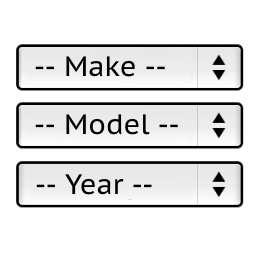
Hi, I’m wondering if anyone knows how to edit the css style of “horizontal_selector.php” so that it insntantly loads with a set style on every page? I currently have the shortcode in my header, and I’ve styled it to center the dropdown content; I’ve also changed the font size and color scheme, all with css in my child theme’s style.css file.
Every time a new page is loaded, you can see the original left aligned style with different font etc. before my css gets applied. I was just wondering if there’s a way to directly edit the stlye within the plugin so the loading of the dropdown on each page looks more seemless.

Viewing 4 replies - 1 through 4 (of 4 total)

Viewing 4 replies - 1 through 4 (of 4 total)
The topic ‘Editing CSS Style’ is closed to new replies.