Hi,
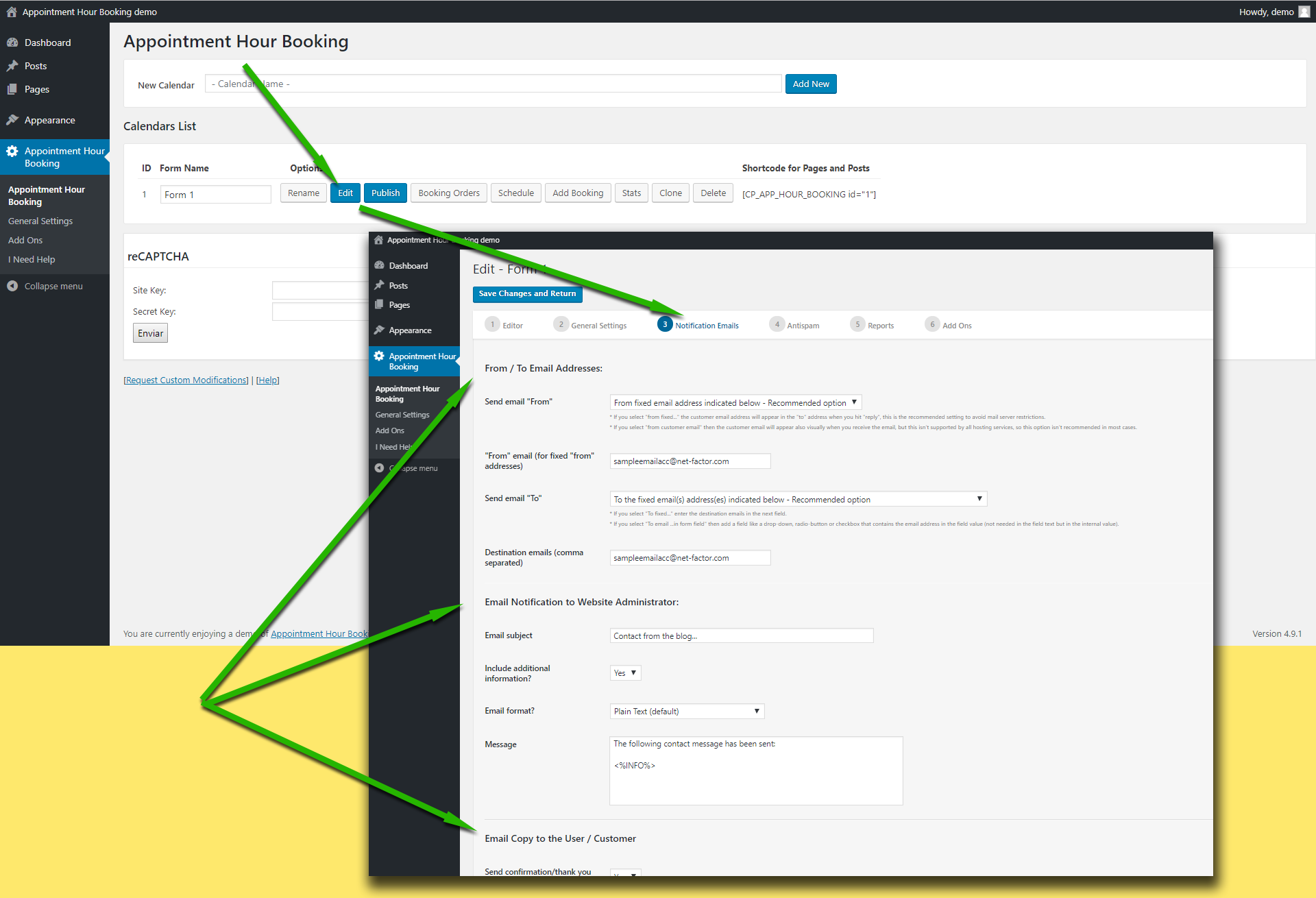
Please check first the following settings area:
https://apphourbooking.dwbooster.com/customdownloads/email-settings.png
Start checking the “from” email address used in the settings. Note that if you use a “from” email from a public email service like “@hotmail.com”, “@aol.com”, “@outlook.com”, “@gmail.com”, … it will be filtered by most antispam systems since the email will be identified as “not originated at the expected server”.
If that doesn’t work please check if your hosting service requires some specific configuration to send emails from PHP/WordPress websites. The plugin uses the settings specified into the WordPress website to deliver the emails, if your hosting has some specific requirements like a fixed “from” address or a custom “SMTP” server those settings must be configured into the WordPress website.
Having an email log plugin installed is also a good idea to check what is happening with the emails.
Thank you for using the plugin!