email={inputs.email} incompatible with plus addressing
-
I’m using a pair of forms on a site for newsletter signup (form #1, collects email address only) and subscriber profile info (form #2, optional). Form #1 passes the subscriber’s email address using Fluent Forms’ redirect query string functionality with the setting email={inputs.email}.
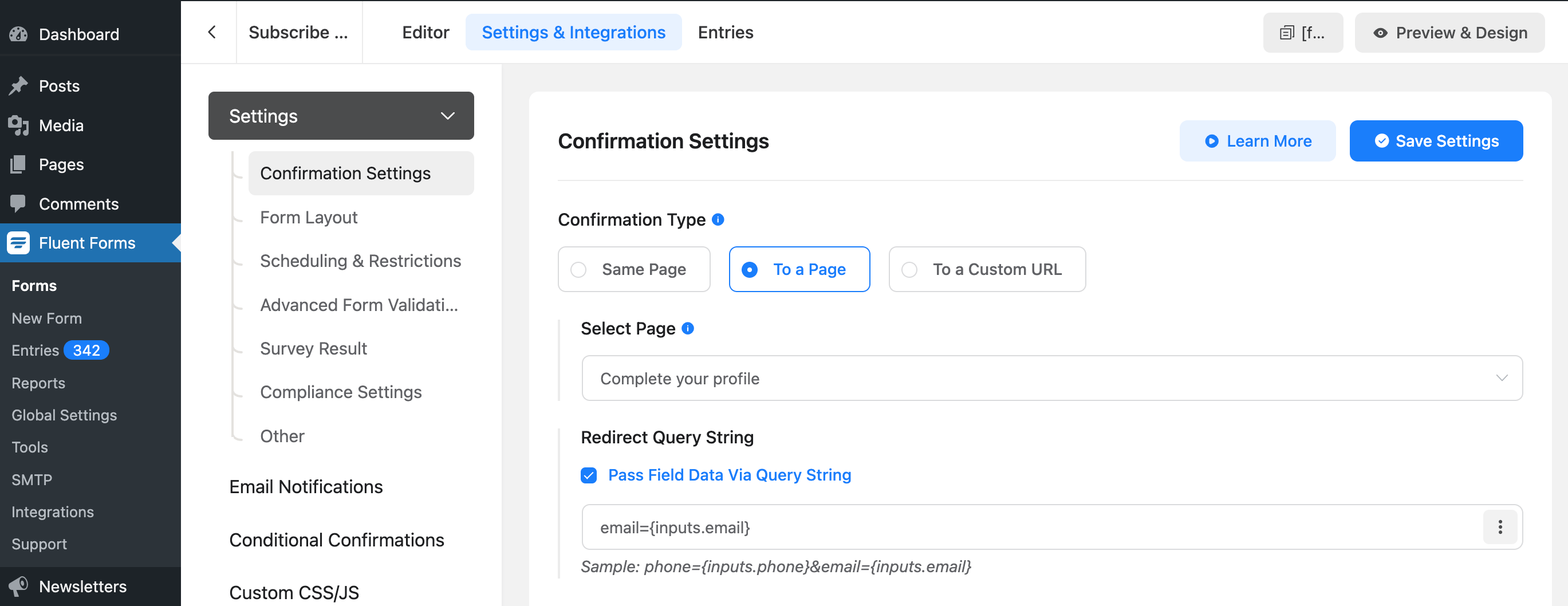
Form #2 then pre-enters the email address in an email field using {get.email}. For the sake of clean UI, I hide the email field on Form #2 with the custom class “hidden”.

It all works perfectly until a subscriber uses plus addressing (supported by Gmail, Outlook 365, and Dreamhost mailboxes, and probably many more). For example, we get the following redirect URL: https://staging.nextmetropolis.com/complete-your-profile/[email protected]
Although the redirect query string above is what we want it to be, the + symbol gets replaced by a blank space in the email field on Form #2. When the user clicks the form’s submit button, it fails. The user should see a tool tip with explaining the problem (“A part followed by ‘@’ should not contain the symbol ‘ ‘”), but if you have hidden the email field, the user sees nothing but a form which seems to be a dead end.
In the staging site example linked to above, I have removed the “hidden” class from the email field for the sake of illustration.

Obvious options for me are:
1. Don’t worry about people who make use of plus addressing, or
2. Don’t hide the otherwise redundant email field in the second form.But it would be great if the sanitizing process behind {get.email} would leave the + symbol intact.
The page I need help with: [log in to see the link]


You must be logged in to reply to this topic.
