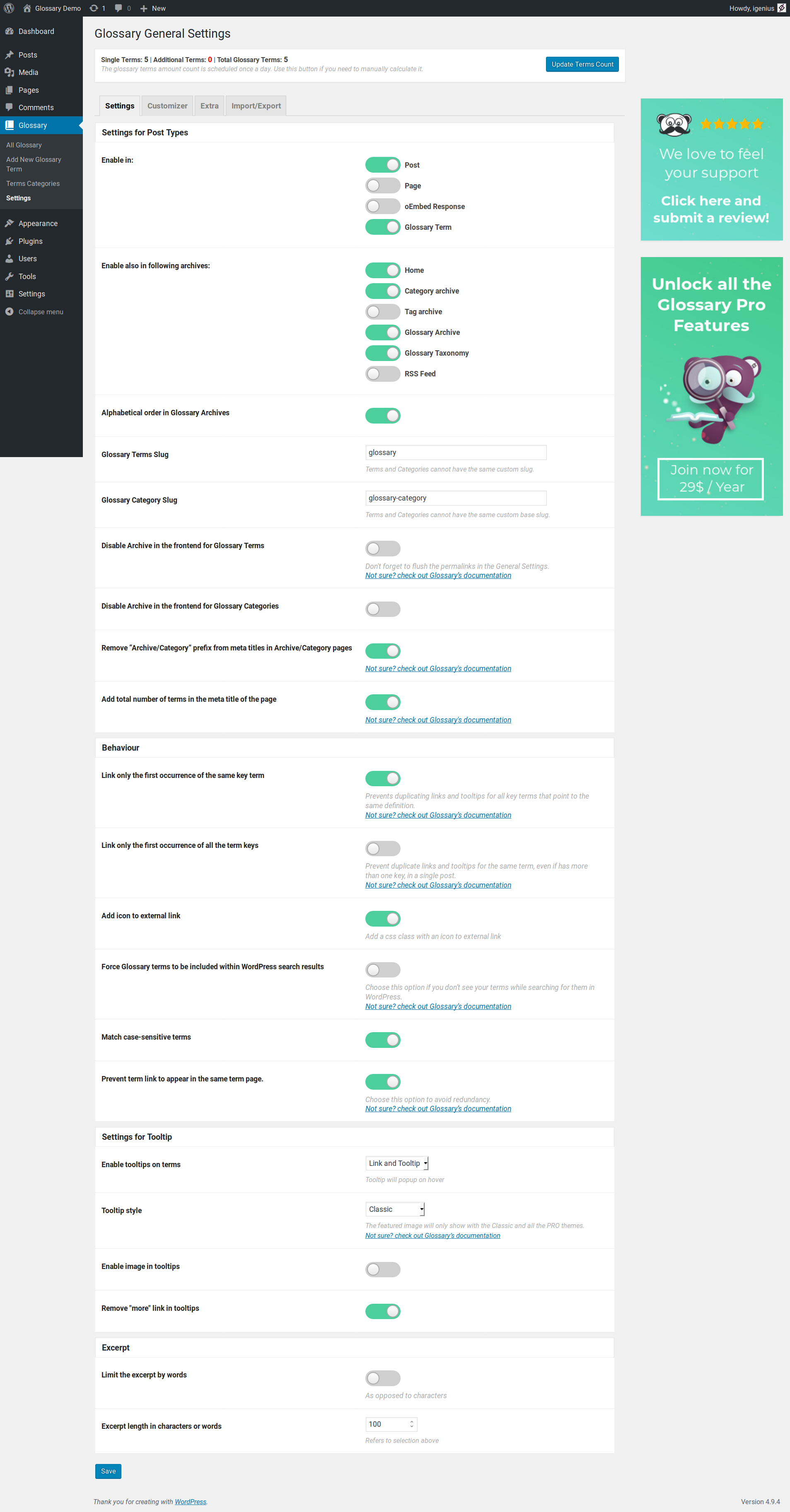
I am not sure but the plugin settings are not saved or the option is saved and the tooltips etc are not injected in the pages?
ah sorry, the settings are not saved.
This is very strange, in the past happened because there was some plugins that were generating conflicts on the plugin settings page.
Did you try disabling the various plugin or checking if there are php errors in your log?
sorry, I don’t have dev skills. it’s a new wp system, there are only a few plugins running. I use the contentberg theme – could that be the problem?
I don’t know as I don’t have access but you can try disabling the various plugins.
it was a pretty simple thing: only the upper save-button works 💩
the button beneath the ai-thing doesn’t save the settings.
So we are talking about the page settings in the Extra tab that is not working?
Because it is the same button in the various tab, and we have only a single “save changes” button in the settings
So this is a bug with something in your website that break the UI of the plugin page.
Those should be tabs as you can see on https://ps.w.org/glossary-by-codeat/assets/screenshot-2.png?rev=1835137
your screenshot is from the pro version?
i don’t get it. where should the chat gpt thing be normally?
as I said, it was a new wp system with content berg theme. than I installed the glossary plugin.
No it is from the free version, the link is from https://ww.wp.xz.cn/plugins/glossary-by-codeat/ in the bottom.
Probably there is some JS injected in that page that is crashing our code that enables the tab view. Usually this happens with plugins or themes that do bad things.