Hi, Sorry for the inconvenience extremely. Please kindly follow the below.
- Update to version 2.2.14.1.
- Goto SuperPWA setting and hit the save button
- Clear all kinds of cache on your site
Make sure that the Service worker version is updated to 2.2.14.1: https://prnt.sc/WS1EbR4YdO4J
Note: If the Service worker version is not updated to the latest change the Service worker version from the setting as shown in the screenshot: https://tinyurl.com/2je4yrt4
Thread Starter
 Daniel
(@dhoffmann)
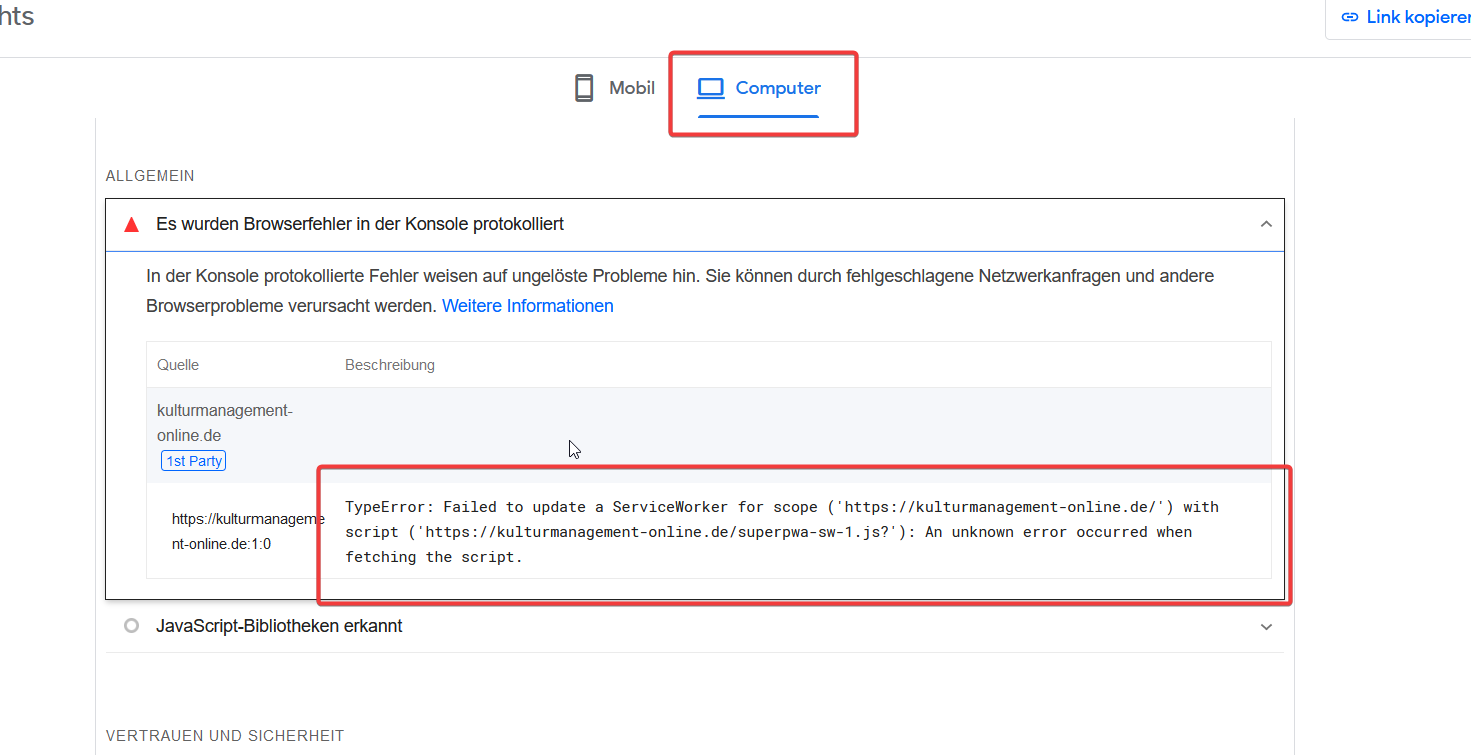
Hi thanks for the reply. I did everything you told me, but pagespeed still has these errors. Maybe it’s something else…
Hi, Thanks for the information. Now can you see the pagespeed results once? : https://prnt.sc/Ujz4htBR3vBU
The error is not recurring now. Please have a look once and let us know back the response So that we will assist you accordingly to fix your issue.
Hi, Pease let us know the status of the issue now. Can you please let us know, if have you cross-checked? Kindly confirm and do let us know if you need any assistance. We are here to assist you if you need any help.
Thread Starter
Daniel
(@dhoffmann)
Hi, no the error is still there: https://files.meet21.de/Y5rE0kIVFJ.png (Screenshot) / Link to report
I don’t know what I could do. Maybe you can advice me to check something. But please don’t ask me to disable all plugins. It’s a multisite in production.
Hi, We are extremely sorry for the inconvenience. If possible, Can you please share the screenshots of your SuperPWA dashboard settings setup if possible? So that we will go through it and assist you to fix the issue.
We are marking this topic as resolved due to inactivity. You can feel free to reach out to us if the issue is still persistent so that we will assist you in resolving them.