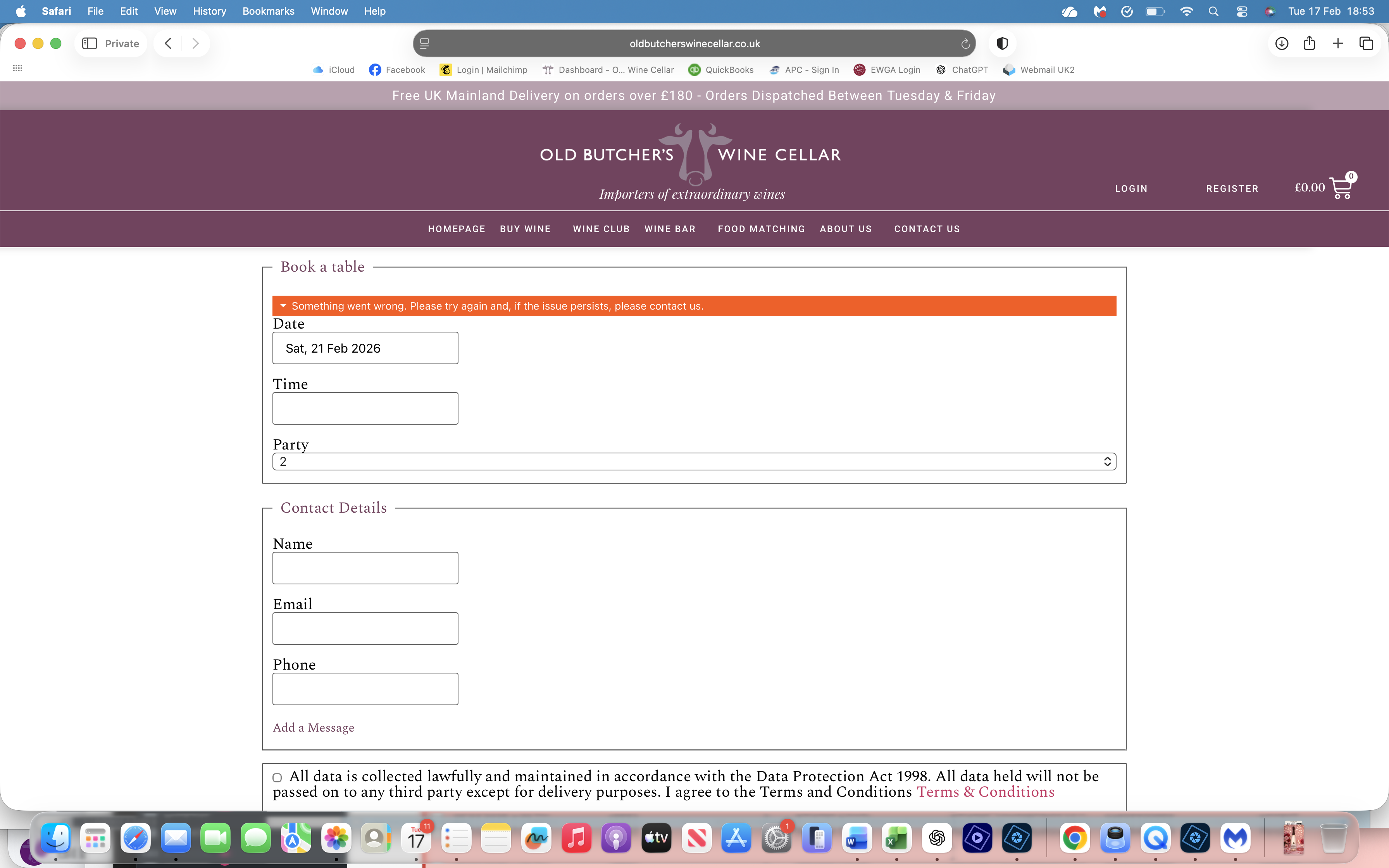
Error Message ‘Something went wrong. Please try again…’
-
Hi Guys,
My client is getting an intermittent error: ‘Something went wrong. Please try again and, if the issue persists, please contact us.’ on his booking page. https://oldbutcherswinecellar.co.uk/wine-bar-bookings/
My client says:
‘When it comes up with the error message if you refresh the page the error goes away. The problem is that customers don’t do that they just send us angry messages that they can’t book!!!’
Screen shot of the error here: https://oldbutcherswinecellar.co.uk/wp-content/uploads/2026/03/Screenshot-2026-02-17-at-18.53.09.png
Any ideas?
Thanks – RichardThe page I need help with: [log in to see the link]

Viewing 2 replies - 1 through 2 (of 2 total)


Viewing 2 replies - 1 through 2 (of 2 total)
You must be logged in to reply to this topic.