Error messages
-
Hello,
First off, congratulations for the plugin! It’s my first time using it, but after installation, the following error messages appeared:
Notice: Function _load_textdomain_just_in_time was called incorrectly. Translation loading for the
wc_svidomain was triggered too early. This is usually an indicator for some code in the plugin or theme running too early. Translations should be loaded at theinitaction or later. Please see Debugging in WordPress for more information. (This message was added in version 6.7.0.) in /home/…/wp-includes/functions.php on line 6121
Deprecated: Creation of dynamic property Smart_Variations_Images::$options is deprecated in /home/…/wp-content/plugins/smart-variations-images/includes/class-smart-variations-images.php on line 83
Deprecated: Creation of dynamic property Smart_Variations_Images_Admin::$runSitePress is deprecated in /home/…/wp-content/plugins/smart-variations-images/admin/class-smart-variations-images-admin.php on line 67I’m using PHP 8.2 and WordPress 6.8.2
Could you please help ?
Best regards
Helena

-
Hello Helena,
Thank you for your feedback and for using the plugin!
The messages you are seeing are only notices and deprecation warnings. They are not actual errors and do not affect the functioning of the plugin or your site. They are simply displayed because WordPress debugging is currently enabled on your installation.
If you prefer not to see these messages, you can disable debugging by editing your wp-config.php file and setting:
define(‘WP_DEBUG’, false);
This will hide those notices on the frontend.The plugin should continue to work correctly on PHP 8.2 and WordPress 6.8.2.
Best regards,
Hi David,
Thank you for your reply. Your plugin (especially the option of linking product images gallery to one single attribute) is exactly what I was desperately looking for. I never really understood why no other plugin has that feature while it’s so useful. So, thank you for your good job!
Anyway, I have some questions related to SVI plugin :
1) Is it possible to add 360° rotation view image in SVI variations gallery ?
2) On my single product page, the gallery images are aligned to the right, as you can see on the following screenshot (I’m using Kadence theme, starter template “Jewelry shop”): https://postimg.cc/TyYDkJsG There are five images in the gallery, so why is there a blank space and only 3 images showing when the page is loaded?
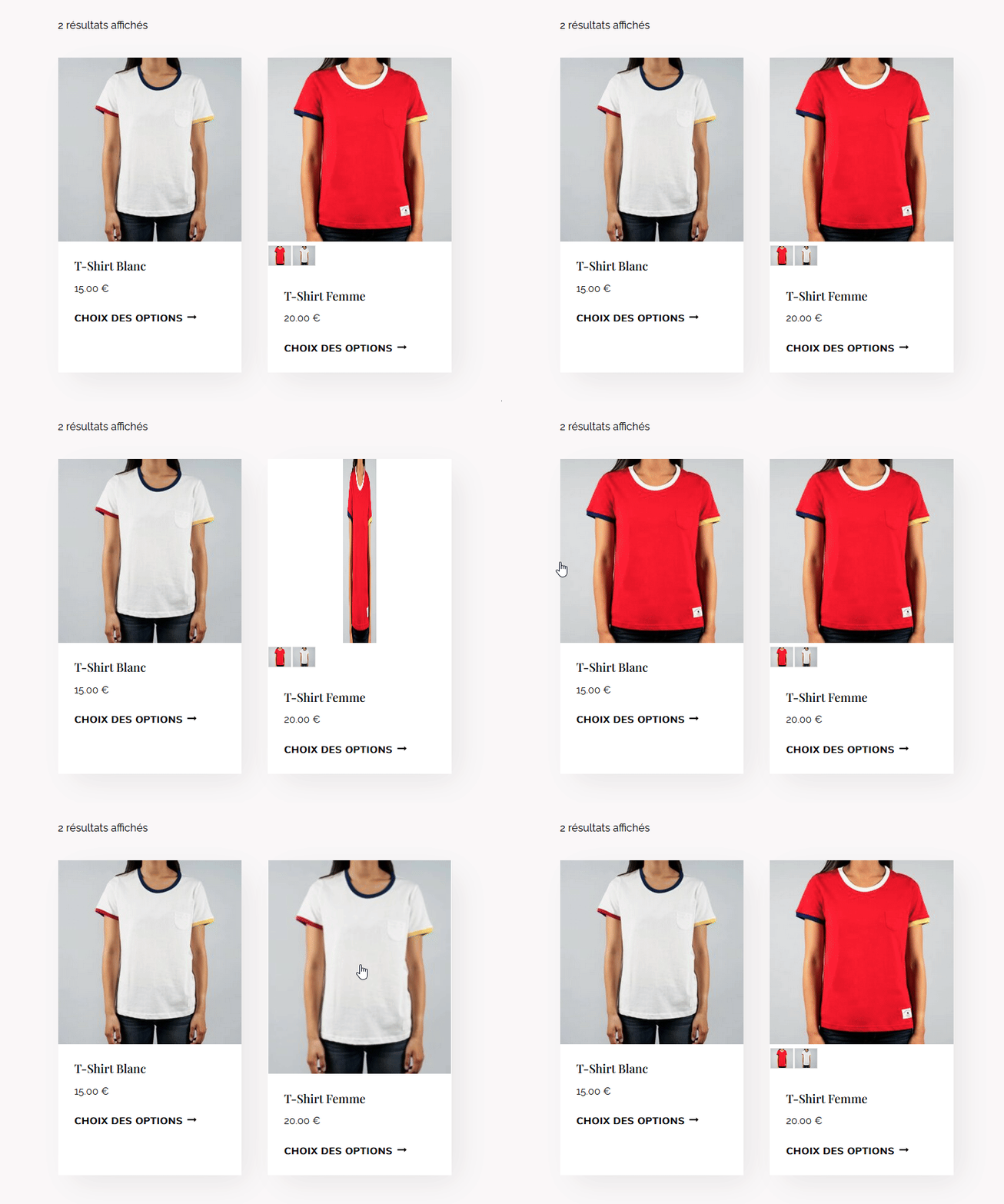
3) On my shop page, when the option of « showcase variations » is enabled, there is an issue with the secondary product image. For better explanation, you can see the issue on the following screenshot : https://i.postimg.cc/FsZt7ZpB/variations-img.gif The second product with variations images has an issue on its secondary product image, compared to the first product without variations images. Is there a way I can fix that?
Thank you,
Best regards
Helena
Hi,
Please test the v5.2.20.
replying to your questiosn:
1. No, not possible.2. In the free version the slider is only available to start centered. Other option availabel in paid version.
3. That secondary image is part of your theme or another plugin. SVI only changes the main image when scrool over the SVI showcase variations images. (the small ones below the main image)
Cheers,
David-
This reply was modified 7 months, 3 weeks ago by
RosendoLabs.
-
This reply was modified 7 months, 3 weeks ago by

The topic ‘Error messages’ is closed to new replies.