• Resolved barkingbird

    (@barkingbird)


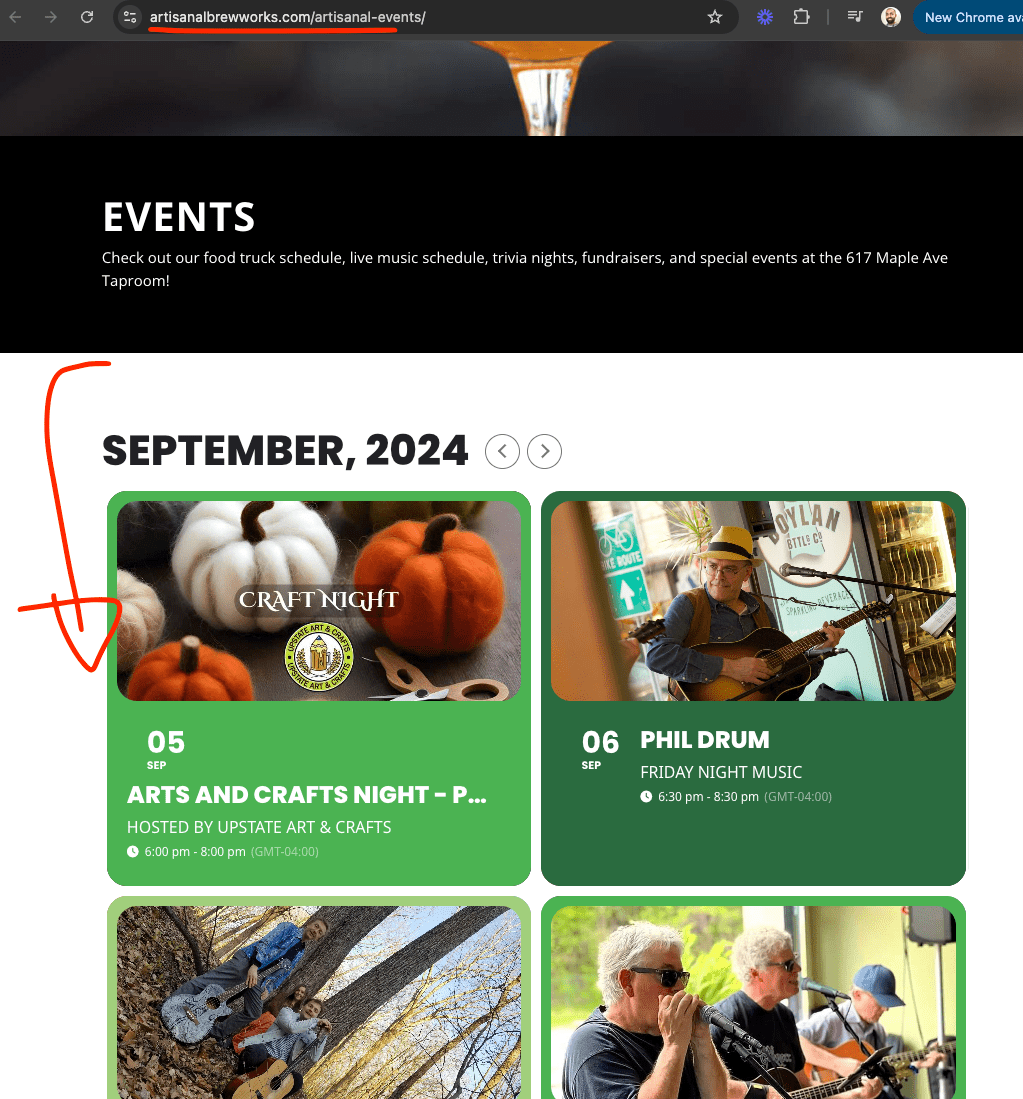
    We have been using this plugin for years and have been very happy with it. The past few days however, the layout of the calendar is messed up, which you can see here: https://artisanalbrewworks.com/artisanal-events/ Here is the code: [add_eventon_list number_of_months=”4″ tiles=”yes” tile_bg=”1″ event_past_future=”future” tile_style=”1″ event_type=”44,19, 20, 24, 22, 17, 15, 16, 23,”] I have disabled all plugins except the most trusted and all plugins and the theme have been updated. We have no caching plugin installed on this website. Can you help?

    The page I need help with: [log in to see the link]

Viewing 5 replies - 1 through 5 (of 5 total)
  • Plugin Support ArtemSupport

    (@artemsupport)

    Hello,

    Thank you for creating the ticket! @ashanjay will check this ASAP.

    https://helpdesk.ashanjay.com/ticket/the-event-calendar-layout-is-now-messed-up/

    Thread Starter barkingbird

    (@barkingbird)

    Any update on this? Events contribute a lot to our revenue and we really need this functioning again.

    Recap: The events are not clickable and tiles does not work
    I have deactivated all plugins except EventOn, switched to the parent theme (Divi), removed all additional css, updated all plugins and theme. There is no caching installed on this site. Nothing I am trying is helping.

    This just started happening about a week ago.

    Plugin Support ArtemSupport

    (@artemsupport)

    We are sorry for the delay. @ashanjay will check this ASAP.

    Thread Starter barkingbird

    (@barkingbird)

    Sorry guys, we couldn’t wait any longer. Our events are a vital part of our business and we really needed this working. It turns out that the event shortcode we had been using all along stopped working, most likely after a plugin update. I redid the shortcode using the shortcode generator and everything is back to normal now. Here is the code we are now using: [add_eventon ux_val=”1″ event_past_future=”future” “event_type”=”44,19, 20, 24, 22, 17, 15, 16, 23,” show_et_ft_img=”yes” tile_bg=”1″ tiles=”yes” tile_style=”1″]

    Plugin Author Ashan Perera

    (@ashanjay)

    I was gonna say the event page looks good. Looks like you switched from event list to month calendar. I am glad you were able to get this working.

    Issue is with the event list shortcode. We are going to release the 2.2.21 update which will resolve this issue.

Viewing 5 replies - 1 through 5 (of 5 total)

The topic ‘Events layout messed up’ is closed to new replies.