FAQ’s not displaying properly
-
We’ve added the FAQ’s to our site but they are not displaying properly. The buttons are showing as a lower case “a” and an upper case “A” when open. In the demo this is a plus and minus.
The page I need help with: [log in to see the link]

-
Following as I am experiencing the same issue.
Hi born,
When this happens, it usually means your theme (or sometimes another plugin) is overriding the styling we have that sets the font family of the icons to our custom font.
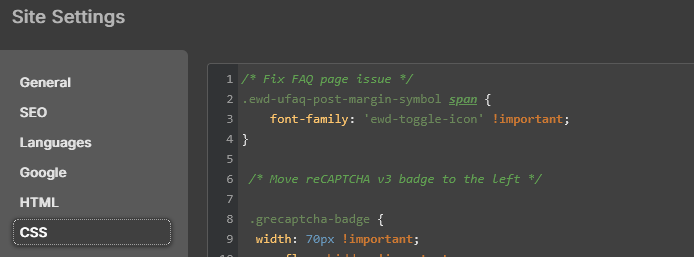
In cases like this, you can normally use the following custom CSS to override that. You can paste it in the Site Editor styling section, or, if you are using a non-block theme, into the Additional CSS section of the customizer (e.g. WP Admin Sidebar > Appearance > Customize > Additional CSS).
.ewd-ufaq-post-margin-symbol span {
  font-family: 'ewd-toggle-icon' !important;
}Don’t mean to hijack the thread and I can create a new one if need-be. No luck on my end with that fix. I use an editor similar to Elementor (Nicepage) but after adding the snippet into the Additional CSS in their platform, still no luck.
Hi Jen,
Could you share a URL to your FAQ page so we can take a look at what’s going on?
Thanks, Jay.
Thanks, Jen.
It seems that the font asset our plugin uses does not exist on your site. For example:
https://www.roamingshores.org/wp-content/plugins/ultimate-faqs/assets/fonts/ewd-toggle-icon.ttfAre you using any CSS minifying/optimization plugin?
Could you try deactivating that plugin and seeing if it makes a difference?
You might need to clear your cache for that change to take effect.
The only plugin I am aware of on the site is my cache plugin, but that functionality is turned off. Chances are it has something to do with my WordPress builder. I’ll investigate further. Thank you for looking.
Hi Jen,
Did you find anything?
I’m marking this as resolved because we haven’t heard back from you in over a week. We’ll reopen it if further assistance is needed.
Hi Jay,
It’s an issue with my editor. If I disable it, then the FAQ page works fine. I will need to see what I can do on my end. It does have a feature for Additional CSS, but no luck so far.
Hi Jen,
Thank you for letting us know. Which editor were/are you using?
I do see the base style in the source code of your FAQ page, but it is getting overridden by another style.
I don’t see the Custom CSS in the source code. Could you try what was shared above within your theme’s Additional CSS section and see if that makes a difference?
.ewd-ufaq-post-margin-symbol span {
  font-family: 'ewd-toggle-icon' !important;
}
Here’s how it should appear once applied:
https://ibb.co/n8gTfjhkHi Jay,
Yeah, I tried that via the fix mentioned above. I use Nicepage for the editor, but adding the code into additional css didn’t seem to work – which seems strange since other code I have put in has worked. I might have to reach out to their support.
Hi Jen,
Thank you for the update.
It may be that your theme hasn’t yet enqueued the latest version of its stylesheet. You can reach out to your theme author to confirm how to clear the cache and ensure the latest version is being loaded.
Currently, your site is using the following version:
https://structuralengineersreports.co.uk/wp-content/themes/ser/style.css?ver=6.9.4I do see some old styles in it that could conflict with the Custom CSS you are trying to add.
For example:
.ewd-ufaq-post-margin-symbol span{
  display: none;
}
or
.ufaq-faq-title .ewd-ufaq-post-margin-symbol span{
  display: none;
}
Also, it might help if you add the CSS in WordPress’s built-in Site Editor, if you are using a block theme, or in the Additional CSS area of the customizer, if you are not using a block theme. i.e. Not adding it via your nicepage builder.
Thanks for your suggestions, Jay! I’ll see if I can get the theme files updated this weekend or next when I get some downtime. I appreciate your time.


You must be logged in to reply to this topic.