• Resolved groovefactory

    (@groovefactory)


    Email field does not repopulate correctly after another field does not meet validation requirements.

    =================================================

    I have the default contact form that I have added a text field to for phone number.

    Fields: Company Name, Name, Email, Phone, Message, ReCaptcha

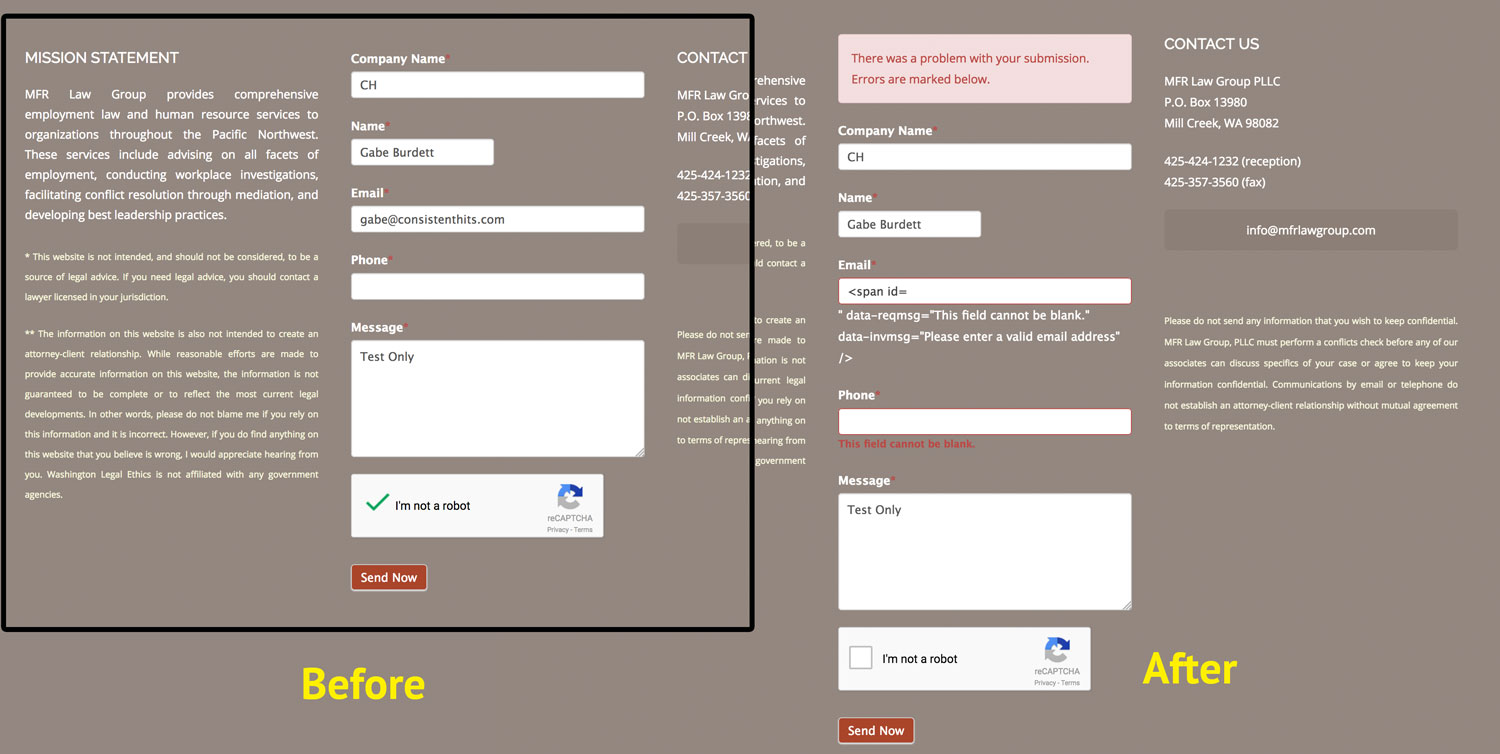
    When I fill out all of the fields except the phone (required), I get the error displaying properly.

    The ERROR happens on the Email field. What is displayed to the visitor inside the field is not the previous entry, but <span id= and then after the field gets displayed " data-reqmsg="This field cannot be blank." data-invmsg="Please enter a valid email address" /> . This following text that is outside of the field is not in the error class color, it displays as regular text.

    Any ideas?

    Form Error Screenshots

Viewing 3 replies - 1 through 3 (of 3 total)
  • jamie.wahlin

    (@jamiewahlin)

    It looks like the HTML for this form has been modified, or there is other invalid HTML on the page. I would recommend creating a ticket in our help desk for additional assistance with this issue:
    https://formidableforms.com/help-desk/
    Also, just a heads up, our support is limited to helping with bugs if you don’t have a current Pro license.

    Hint: It may be helpful for you to reset the HTML for your fields:
    https://formidableforms.com/knowledgebase/customize-html/#kb-reset-a-fields-html
    If that doesn’t help, please create a ticket in our help desk.

    Thread Starter groovefactory

    (@groovefactory)

    Just created a form from scratch because the customize html data looked great. The replacement form also errors the same.

    jamie.wahlin

    (@jamiewahlin)

    Thanks for letting me know. Do you have the same problem with all other plugins deactivated and the 2017 theme activated on your site?

Viewing 3 replies - 1 through 3 (of 3 total)

The topic ‘Field Validation Error, Email’ is closed to new replies.