Hi Matt,
to be honest, I don’t know 🙁
I’ve seen this before, and my assumption is that it is related to the styling and structure of the dropdowns, and how they are added to the page by that JavaScript.
Unfortunately, I don’t know how to change that 🙁 Sorry.
Regards,
Tobias
OK no problem. 🙂
I think I have understood where come from the problem.
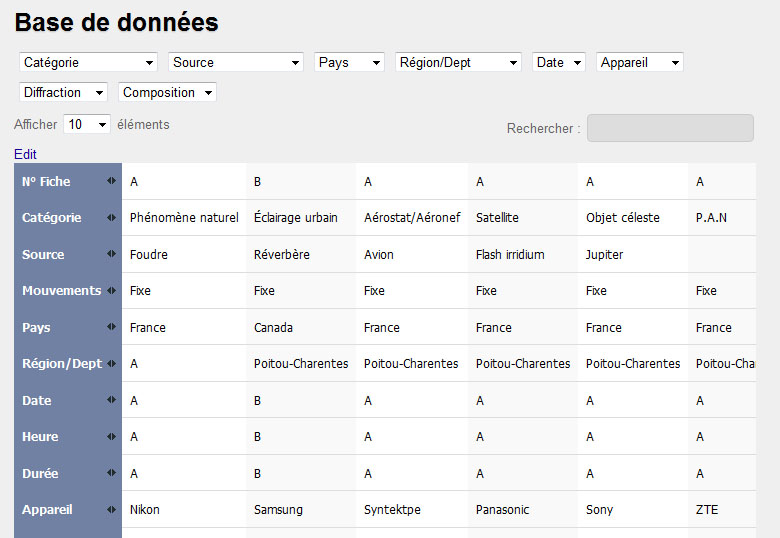
When all the boxes are selectables (white color), the boxes are correctly organized :
http://www.ufo-science.com/wpf/wp-content/uploads/2013/01/test5.jpg
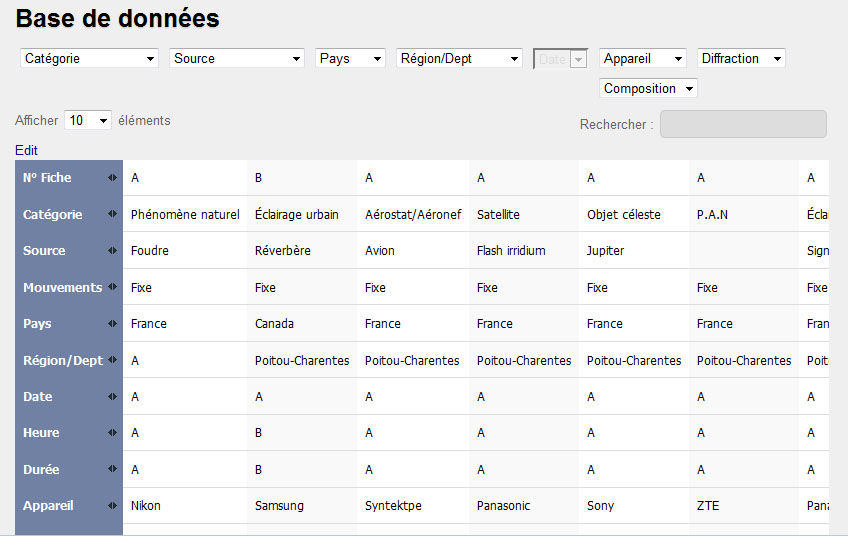
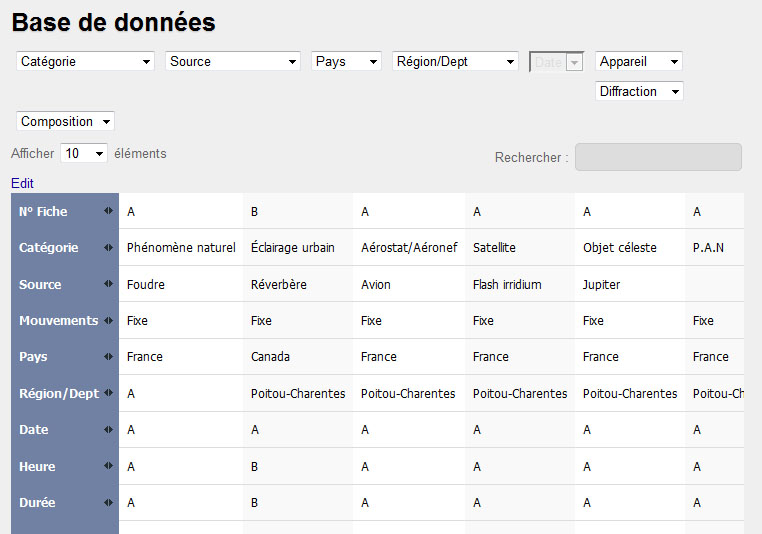
When one of the boxes is not selectable (grey color), the following boxes can’t go below it :
http://www.ufo-science.com/wpf/wp-content/uploads/2013/01/test6.jpg
http://www.ufo-science.com/wpf/wp-content/uploads/2013/01/test7.jpg
May be these informations will help you for your futures works. I hope.
Thanks a lot Tobias to have used your time for my problem!
Matt
Hi Matt,
you are right. Looks like it. Can you maybe post a link to the page with this table? Maybe I can spot something in the code that could be causing this.
Regards,
Tobias
Is there a way to exclude some of the columns from this multifilter extension? I have a table with 6 columns but only need 2 to be filterable with drop downs.
Hi,
thanks for your question.
For the DataTables ColumnFilterWidgets Extention, you can exclude columns by adding another parameter to the Shortcode, that is described at http://tablepress.org/extensions/datatables-columnfilterwidgets/
For the Multi Filter Select Extension (from https://tablepress.org/extensions/multi-filter-select/ ), I’m not aware of such a possibility.
Regards,
Tobias
Hi,
no problem! 🙂 Good to hear that this helped!
Best wishes,
Tobias
P.S.: In case you haven’t, please rate TablePress here in the plugin directory. Thanks!