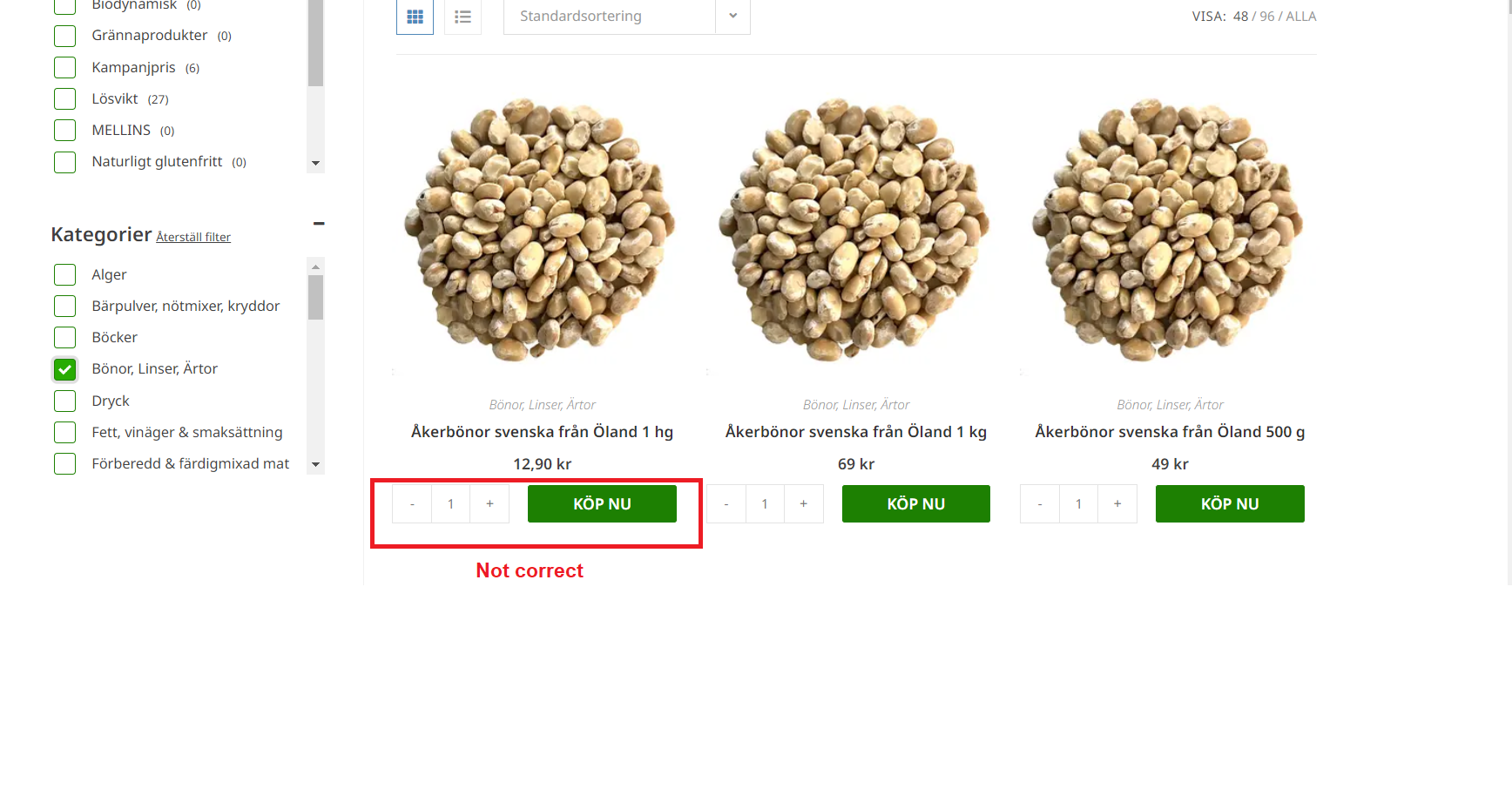
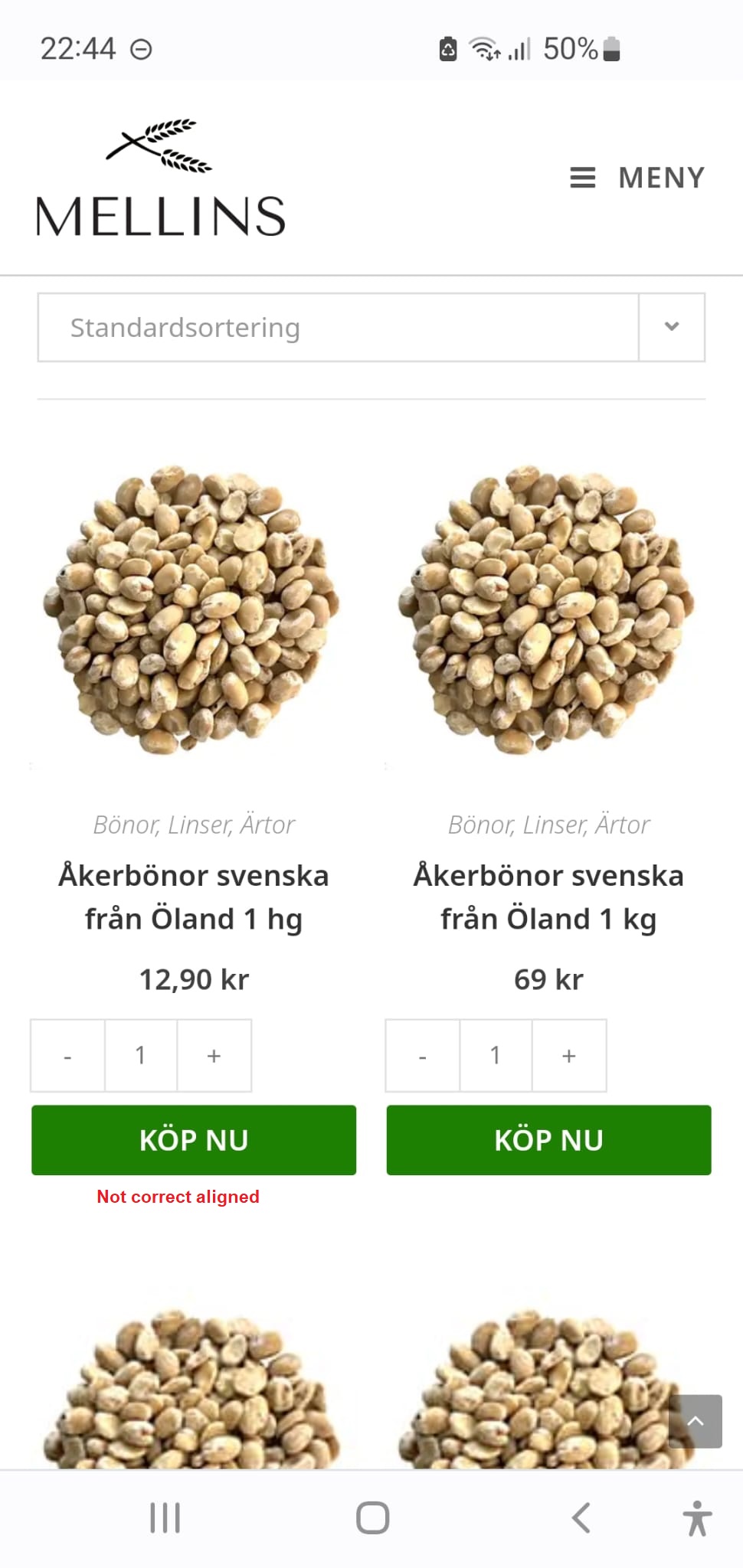
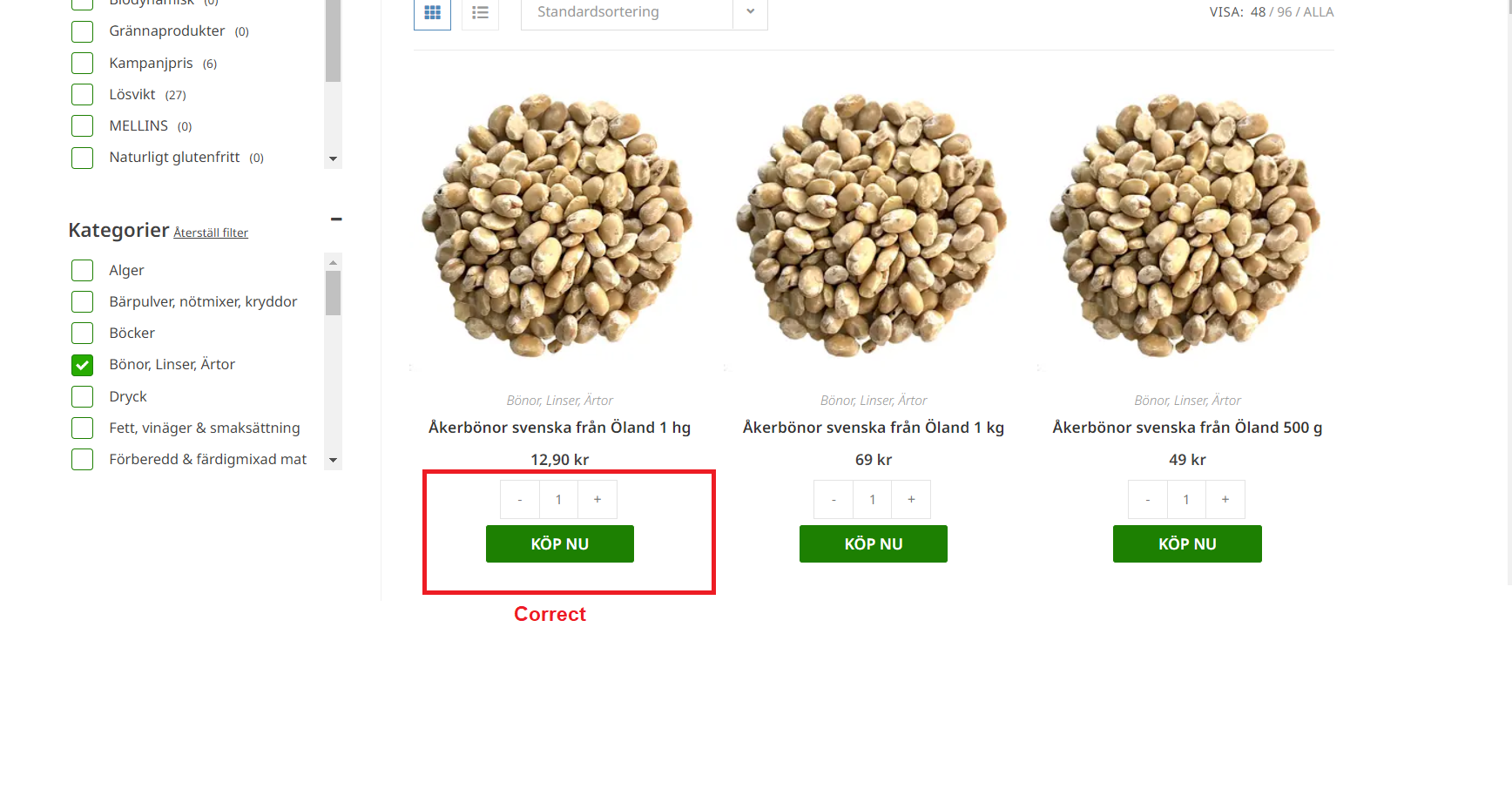
I could add that we already have this code in the CSS-editor:


.ui-slider.ui-widget-content span.ui-slider-handle {
border-radius: 50px !important;
background: #1D8002 !important;
border-color: transparent !important;
top: -.45em;
outline: 0 !important;
}

.ui-slider.ui-widget-content span.ui-slider-handle:focus {
box-shadow: 0 0 0 3px rgba(0, 0, 0, 0.12);
}

.ui-slider.ui-widget-content .ui-slider-handle:hover {
border: none !important;
}

.ui-slider-horizontal .ui-slider-range {
background: #28AC02 !important;
}

.ui-slider.ui-widget-content:not(.iris-slider-offset) {
background: #e8eded !important;
border: none !important;
}

.wpfFilterWrapper .ui-slider-horizontal {
height: .3em !important;
}

.wpfFilterButton.wpfButton:hover {
background: #265076;
}

.wfpTitle {
font-weight: 600;
font-size: 18px;
}

.wpfFilterWrapper {
margin-top: 30px !important;
}

.wpfFilterWrapper:first-child {
margin-top: 0 !important;
}

.wpfFilterVerScroll li label {
display: flex !important;
align-items: center;
margin: 3px 0;
}

.wpfCheckbox input {
position: absolute;
opacity: 0;
}

.wpfCheckbox input + label {
position: relative;
cursor: pointer;
padding: 0;
}

.wpfCheckbox input + label:before {
content: '';
margin-right: 10px;
margin-left: 3px;
display: inline-block;
vertical-align: text-center;
width: 20px;
height: 20px;
background: white;
border: 1px solid #1D8002;
border-radius: 3px;
}

.wpfCheckbox input:hover + label:before {
background: #F4F7F2;
}

.wpfCheckbox input:focus + label:before {
box-shadow: 0 0 0 3px rgba(0, 0, 0, 0.12);
}

.wpfCheckbox input:checked + label:before {
background: #28AC02;
}

.wpfCheckbox input:disabled + label {
color: #b8b8b8;
cursor: auto;
}

.wpfCheckbox input:disabled + label:before {
box-shadow: none;
background: #ddd;
}

.wpfCheckbox input:checked + label:after {
content: '';
position: absolute;
left: 8px;
top: 9px;
background: white;
width: 2px;
height: 2px;
box-shadow:
2px 0 0 white,
4px 0 0 white,
4px -2px 0 white,
4px -4px 0 white,
4px -6px 0 white,
4px -8px 0 white;
transform: rotate(45deg);
}
and we have this code in the JS-editor:
document.addEventListener(‘wpfAjaxSuccess’, function () {
if ( jQuery(‘a.minus’).length === 0 ) {
var quantityInputs = jQuery(‘.quantity:not(.buttons_added) .qty’);
if (quantityInputs.length > 0) {
quantityInputs.each(function () {
var $this = jQuery(this),
inputType = $this.attr(‘type’);
if (!(inputType === “date” || inputType === “hidden”)) {
$this.before(‘–‘);
$this.after(‘+‘);
}
});
}
jQuery('form.cart').on('change', 'input.qty', function () {
    jQuery(this.form).find('[data-quantity]').attr('data-quantity', this.value);  //used attr instead of data, for WC 4.0 compatibility
});
}
});
Hello @joelmellin,
Try enabling the Force theme templates option if that doesn’t help – contact our internal support team.
https://woobewoo.com/contact-us/
Thanks, the Force theme templates option worked!