filtering does not work correctly
-
Hi. i want to see the tickets that were closed. but when i select the “closed” and click on “filter”, nothing will be displayed.
and even when i need to see those tickets are waiting for reply (Awaiting Support Reply), the result is nothing.
what should i do to solve that?
thanks

-
Hi @shdehnavi,
Does this also happen after clicking on the “reset filters” link and then re-applying the “closed” filter? Can you also search for any of the tickets you are seeking using the “search” option? If you create a new ticket does it show up in your list? Is this issue the same regardless if you are logged in as an Awesome Support administrator or and Awesome Support Agent?
yes my friend. this happen after clicking on the “reset filters” link and then re-applying the “closed” filter.
no. i Can not search for any of the tickets i am seeking using the “search” option and the result is nothing.
yes. If i create a new ticket, it will show up in my list ticket.
and i am Awesome Support administrator.
what is the problem?Hi @shdehnavi,
If the new tickets are showing in your ticket list, but the old ones are not: Is it possible that the old ticket have been removed/deleted? If you are familiar with the database, you can look into the database to see if the tickets exist there. That might help here as well to determine if the tickets still exist and can be found.
i did not remove/delete tickets. i just close them…
how can i found in database? in which table? what should i search for? which column?Within your “wp_posts” table, you will see a post type of “ticket” for all of your tickets. Do you see them all there? If you do not, it means that the missing tickets are deleted.
yes. i can see them in “wp_posts” table. but whats the problem with “filter” Option?
Hi @shdehnav,
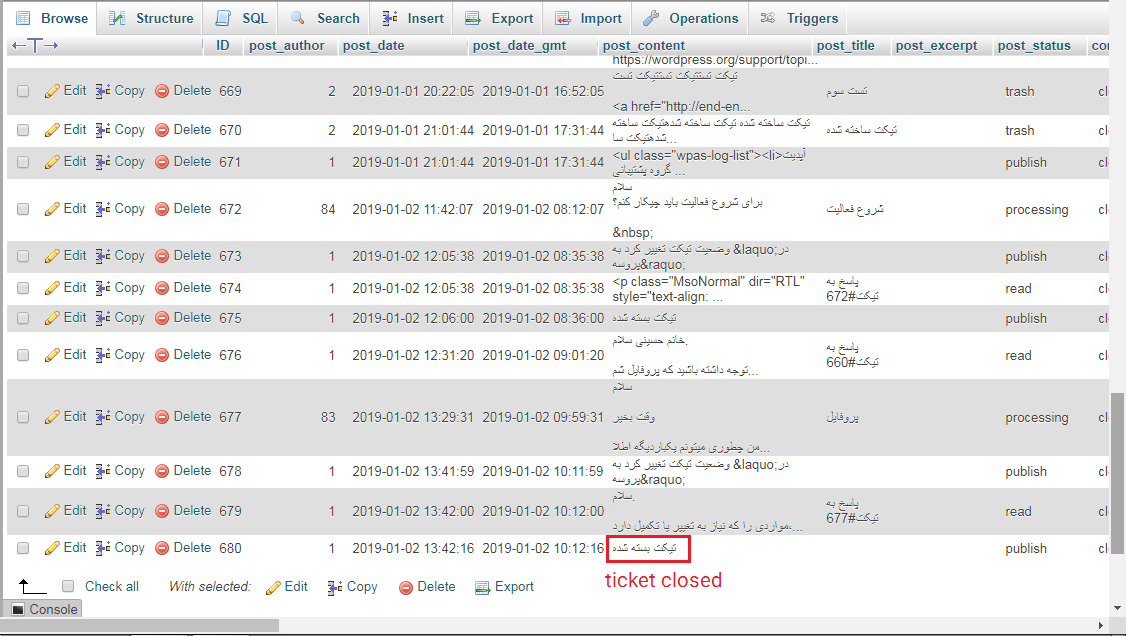
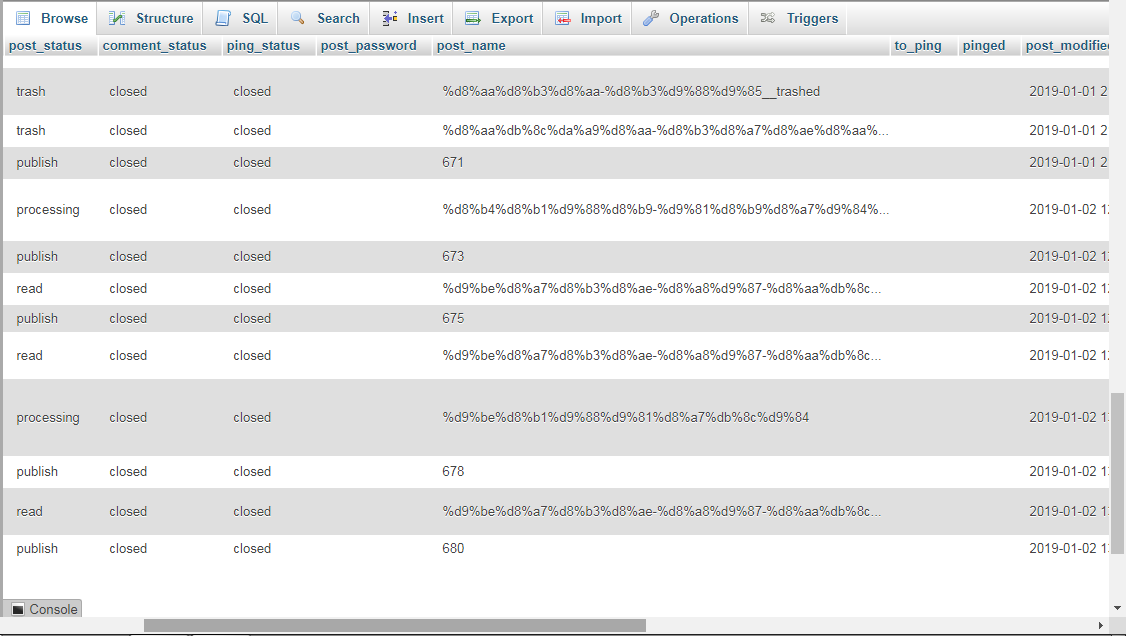
Can you provide a screen-shot of what you are seeing on the filters page? (Including the number counts) Also, Can you provide the data for one of the rows for a missing ticket from your database (remove any private information, we are just interested in the settings). Can you also confirm your user role?
i am administrator now.
you can see the following pic:
(the filter never work correctly for any Option)the wp_posts table:
http://s8.picofile.com/file/8347709734/01.png
http://s8.picofile.com/file/8347709750/02.png
http://s9.picofile.com/file/8347709792/03.pngwhen filtering:
http://s9.picofile.com/file/8347709800/04.png
http://s9.picofile.com/file/8347709826/05.pngHi @shdehnavi,
After looking at your screen shots closely, I have some questions:
1) If you revert the language to English, do the tickets show ok? (I’m curious if the “all” item filter for your translation is missing, and this may prevent it from showing)
2) The post item (from the database) is a ticket_history item and not a ticket. Do you have any which are market as “ticket” and do not show up? If you find only those marked as “ticket”, that should be the ones that you are looking to find. It’s possible that the rows for those tickets were deleted and that would remove the ticket from your system.yes i can see those marked as “ticket” and even if they will be removed, it is a problem to your plugin i think.
http://s9.picofile.com/file/8347769000/06.pnghow can i revert the language to English?
Here is the documentation for the language setting:
https://getawesomesupport.com/documentation/awesome-support/translations/I think reviewing/correcting the language translation may solve the issue here. Please let me know if you have any other questions on this.
I’ll mark this thread as resolved for now. If you have any questions, please reply here and we will take a look.
Hi my friend.
I Downloaded the “awesome-support-en_GB.po” from the following link:
https://getawesomesupport.com/documentation/awesome-support/links-to-existing-po-files/
and then convert it to .mo file.
then i pasted the “awesome-support-en_GB.mo” in the following paths but nothing changed and the language in back-end is still English:
1- wp-content\plugins\awesome-support\languages
2- wp-content\languages
3- wp-content\languages\pluginsHi @shdehnavi,
Thanks for trying that to remove the possibility of the language translation causing a problem with the filtering.
I want to confirm that there aren’t any other error messages when you run in debug mode:
https://codex.ww.wp.xz.cn/Debugging_in_WordPressCan you find out if there is any issue with the loading of tickets that is recorded to the log? (Inside /wp-content/debug.log)
no.there is not any issue with the loading of tickets that is recorded to the log.
i am really confused about that 😐

The topic ‘filtering does not work correctly’ is closed to new replies.