Hello @wordpressivan007,
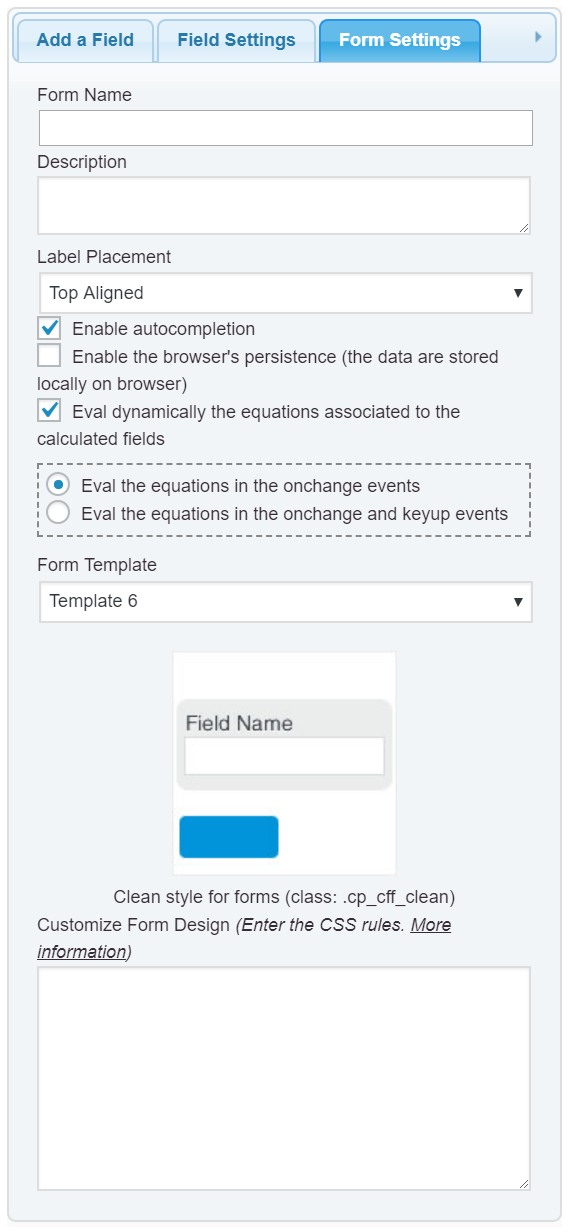
The font-family is inherited from the theme active on your website, however, if you want to modify the font family to all elements in the form, you simply should enter the style definition below into the “Customize Form Design” attribute in the “Form Settings” tab (https://cff.dwbooster.com/images/documentation/form-settings-tab.png):
#fbuilder * {
    font-family: Aldrich, Helvetica, Arial, Verdana, sans-serif !important;
}
and that’s all.
Best regards.
Hello good day!
It worked perfectly!
However the letter was too thick and I had to remove it, since the numbers were not very well appreciated.
The numbers are better appreciated with the current letter.
Thank you
Anibal
Hello @wordpressivan007,
In this case you simply should use the following style definition:
#fbuilder *:not(input) {
    font-family: Aldrich, Helvetica, Arial, Verdana, sans-serif !important;
}
I’m sorry, but the support service does not cover the implementation of the users’ projects, if you need a customization service to personalize the appearance of your form, I can offer you a custom coding service from my private website:
https://cff.dwbooster.com/customization
Best regards.