Hello @pvtsolver
The validation rules don’t include ranges. There is a validation rule to check the max value, and another rule to check the min value. So, you cannot define the error text as follows:
Valid Range = [ {Min} – {Max} ]
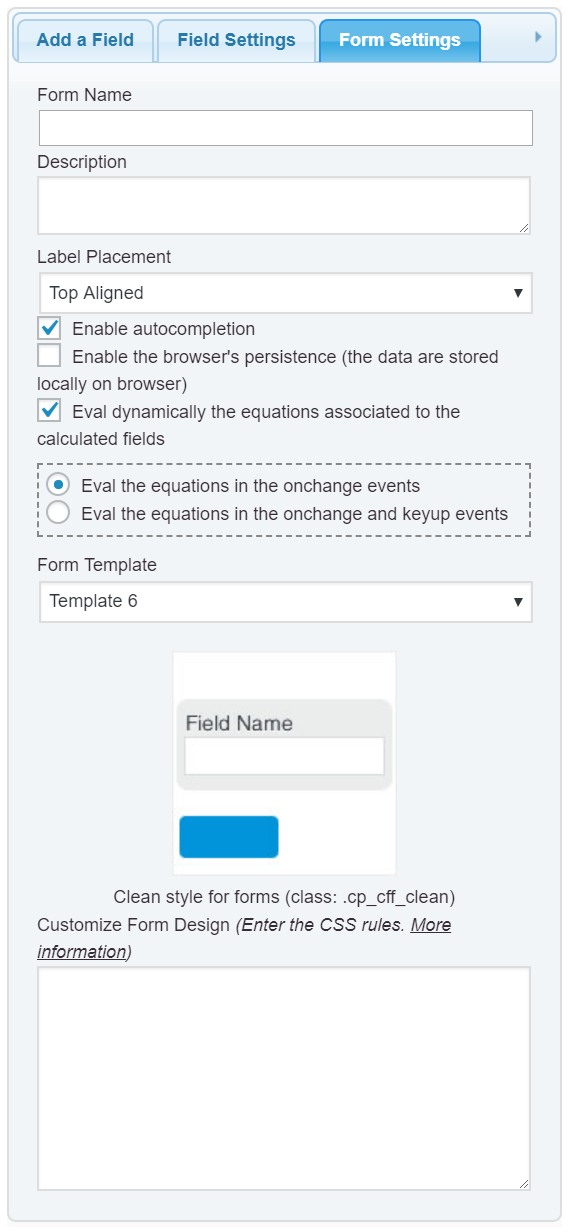
Concerning to the field, if you want set its border in red, enter the style definition below into the “Customize Form Design” attribute in the “Form Settings” tab (https://cff.dwbooster.com/images/documentation/form-settings-tab.png):
#fbuilder .cpefb_error{border:1px solid red !important;}
The class name applied to the tooltip with the error message would be:
#fbuilder .message.cpefb_error{}
Enter it with the CSS rules you prefer.
Best regards.
Okay,
Can I remove the arrow of the tooltip?
Hello @pvtsolver
The style definition in this case would be:
#fbuilder div.cpefb_error:after{display:none !important;}
Best regards.
The border color of the field box still the same. I used this:
#fbuilder .cpefb_error {
border-color: red;
background-color: #ffffff
!important;
}
Please advise.
Hello @pvtsolver
Please use:
#fbuilder .field.cpefb_error{
   background-color: #ffffff !important;
   border-color: red !important;
}
Best regards.
Great, one more question please..
Moreover, I want the font-color of the entry box to be the same even if it was wrong.
The following code is not working:
#fbuilder .cpefb_error {
   background-color: #ffffff !important;
   border-color: #fc0000 !important;
   color: #707070 !important;
}
Thank you in advance.
-
This reply was modified 5 years, 11 months ago by
 pvtsolver.
Hello @pvtsolver
Please, note the selector I recommend you is different.
For the input box:
#fbuilder .field.cpefb_error {}
For the floating tooltip with the error message:
#fbuilder .message.cpefb_error{}
So, assuming you want modify the appearance of the input box with your styles definition:
#fbuilder .field.cpefb_error {
   background-color: #ffffff !important;
   border-color: #fc0000 !important;
   color: #707070 !important;
}
I did it through the developers’ console in my browser, and it works very well:

Best regards.
Thank you so much for your quick support 🙂