Viewing 3 replies - 1 through 3 (of 3 total)
  • Plugin Author CodePeople2

    (@codepeople2)

    Hello @wordpressivan007

    Thank you so much for using our plugin, the issue is caused by the plugin you use to optimize and cache the website. To ensure the optimizer plugin does not affect the forms, please insert the form shortcode with the iframe attribute set at 1:

    e.g.

    [CP_CALCULATED_FIELDS id="6" iframe="1"]

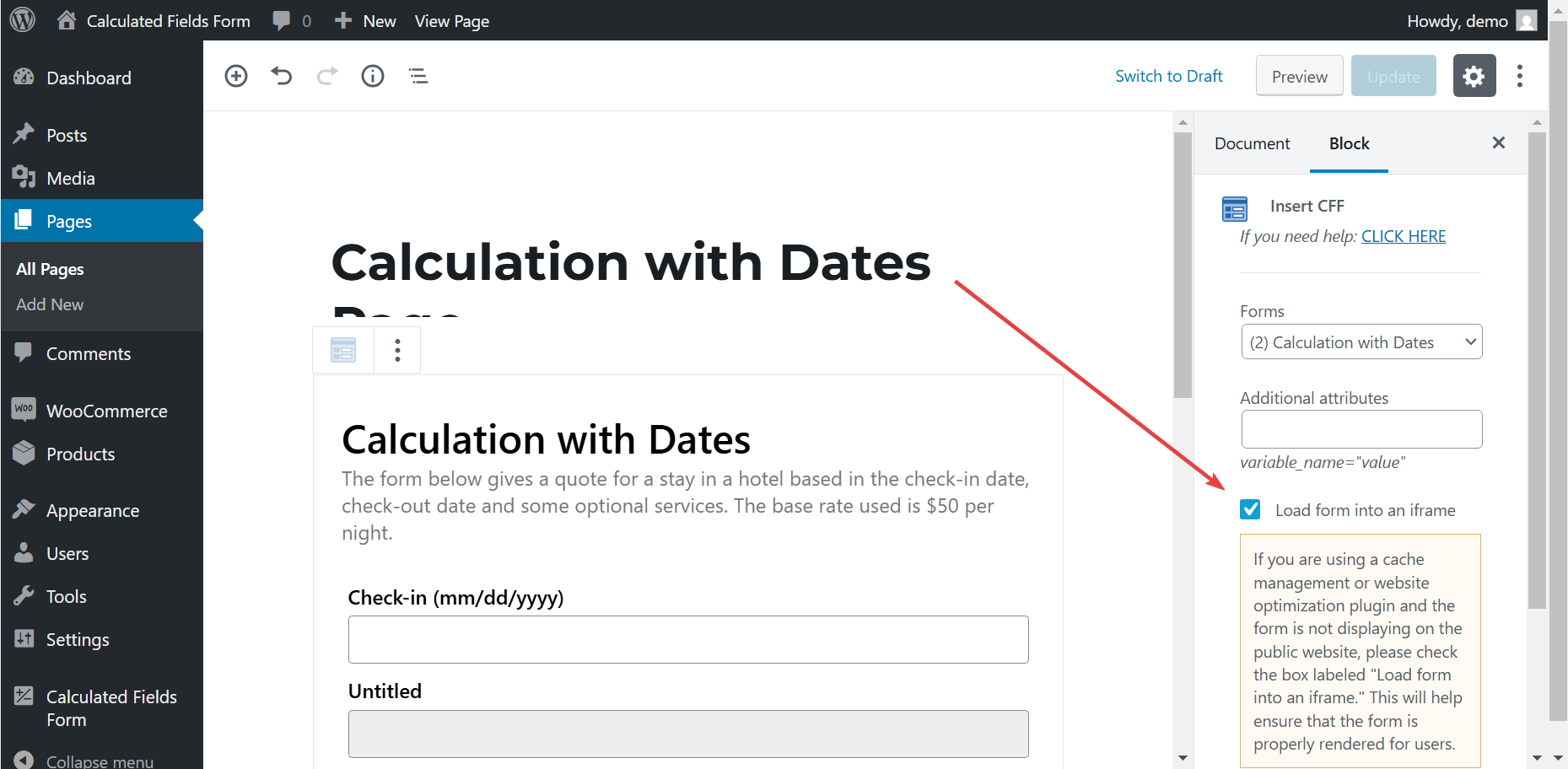
    If you are inserting the forms visually through the WordPress editor, you need only to tick a checkbox:

    Please purge your website after modifying the forms insertion.

    Best regards.

    Thread Starter wordpressivan007

    (@wordpressivan007)

    Hello!

    I tried to put iframe=”1″, but nothing happens… it is still not seen, only code is seen….

    Thank you

    Plugin Author CodePeople2

    (@codepeople2)

    Hello @wordpressivan007

    Your website is loading cached versions of the pages, which were saved prior to the modifications made to the shortcodes.

    Could you please contact us directly through the plugin website? Contact Us

    Best regards.

Viewing 3 replies - 1 through 3 (of 3 total)
The topic ‘Forms are not visible…’ is closed to new replies.