• Resolved cpurrin1

    (@cpurrin1)


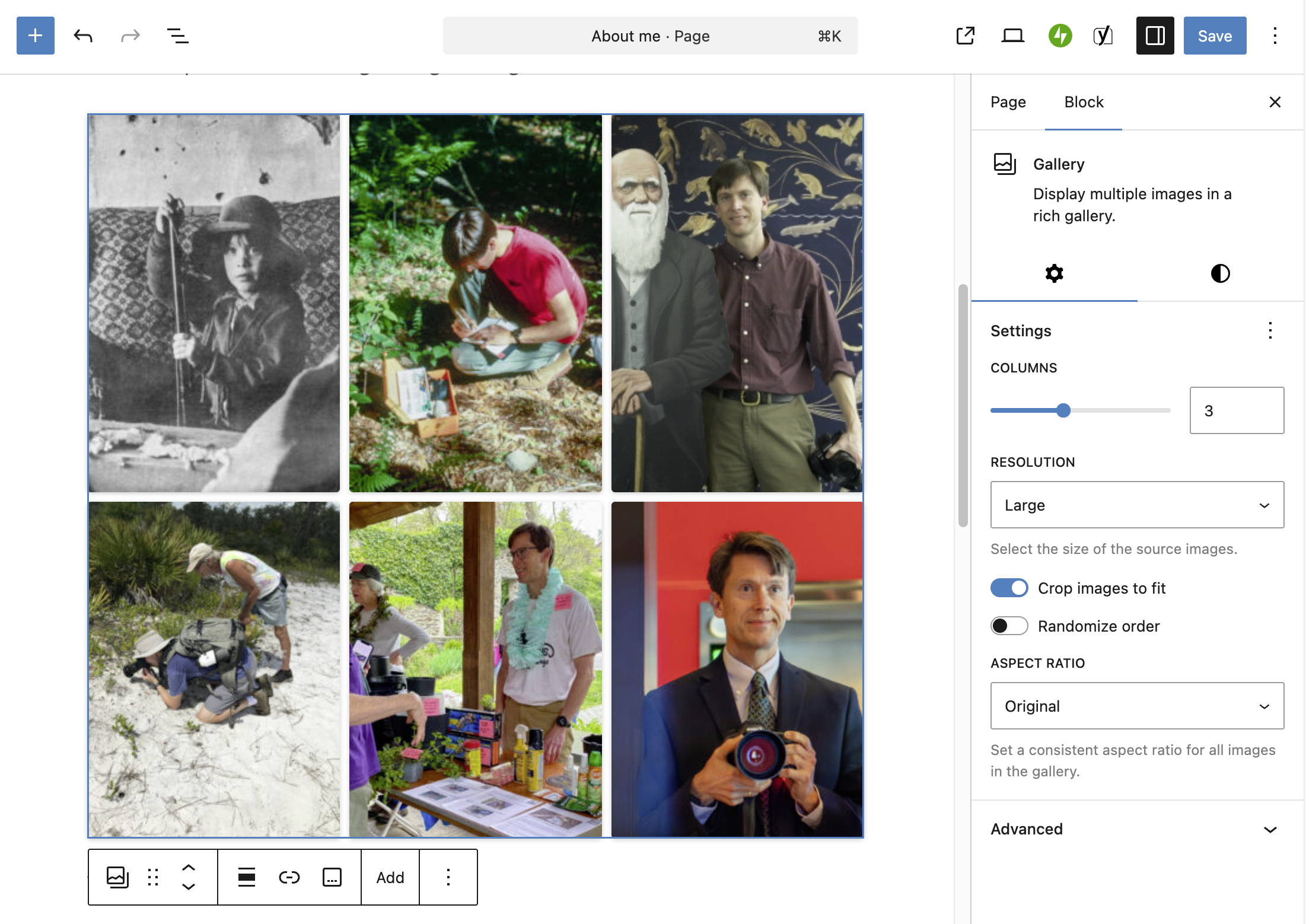
    I’m trying to display photographs in a grid but only get a single column of images. No change when I alter image resolution or any other setting for the gallery. Other posts that once had galleries now have the same problem. Here is the view in editor. Here is the output, which is the same for Safari, Chrome, and Firefox. WordPress 6.9.4 running Twenty Twelve.

    The page I need help with: [log in to see the link]

Viewing 3 replies - 1 through 3 (of 3 total)
  • It’s your theme causing the problem.

    Add the following custom CSS line in APPEARANCE -> CUSTOMIZE -> ADDITIONAL CSS to fix the problem (place this after the existing custom CSS code, and don’t forget to hit PUBLISH).

    .entry-content figure {
        display: inline-block;
    }

    Good luck!

    Moderator threadi

    (@threadi)

    You’re missing essential parts of the stylesheet generated by WordPress itself, which would ensure proper display. However, I don’t think this has anything to do with your theme. You’re using TwentyTwelve, which doesn’t usually cause this kind of issue. When I tested it, the gallery worked fine for me.

    I would therefore recommend that you check which plugin is affecting the output. Do you have an optimization plugin? Try deactivating it. If you’re unsure which one it might be, try deactivating them all.

    Thread Starter cpurrin1

    (@cpurrin1)

    @threadi Ahhhh. Amazing. Turns out it was Yoast, which I’m not sure why I had anyway. Thank you so much.

Viewing 3 replies - 1 through 3 (of 3 total)

You must be logged in to reply to this topic.