Viewing 8 replies - 1 through 8 (of 8 total)
  • Plugin Author Weston Ruter

    (@westonruter)

    You have the attribute on the html element of your non-AMP page. You should remove this since you are in a paired AMP configuration, specifically Reader mode.

    Plugin Support Milind More

    (@milindmore22)

    Hello @anilwebdev

    Thanks for the support topic, as my colleague pointed out that you are using AMP plugin in Reader mode with the Legacy theme so you should be getting valid AMP pages with ?amp query parameters

    https://validator.ampproject.org/#url=https%3A%2F%2Fwww.powerproplumbing.com%2F%3Famp

    Also, As we checked your non-AMP page it seems to have amp lighting bolt attribute for your HTML tag, did you or your developer added that if so please remove it

    I will recommend checking out the getting started guide also check out the AMP video series on youtube

    Thread Starter anilwebdev

    (@anilwebdev)

    AMP mode enabled for Homepage

    Thread Starter anilwebdev

    (@anilwebdev)

    Now I am using standard Template mode but still getting few errors.
    Standard Template is fine, right?
    please help me fix those three issues.

    Plugin Support Milind More

    (@milindmore22)

    Hello @anilwebdev

    I will recommend checking the guide or watch the video series, it will help you better understand the AMP plugin.

    Standard Template is fine, right?

    You need to make sure that you are using AMP Compatible themes and plugins to switch to Standard Mode ( the guide explains it in details )

    please help me fix those three issues.

    Those issues are from non-AMP page, the AMP plugin takes care of all those issues you just need to make sure that you are on the AMP page

    If you are using the Elementor plugin I will recommend using AMP Enhancer plugin along with AMP.

    Thread Starter anilwebdev

    (@anilwebdev)

    Yea, I am using Elementor but issues still there after installing AMP Enhancer plugin.

    Plugin Support Milind More

    (@milindmore22)

    Hello @anilwebdev

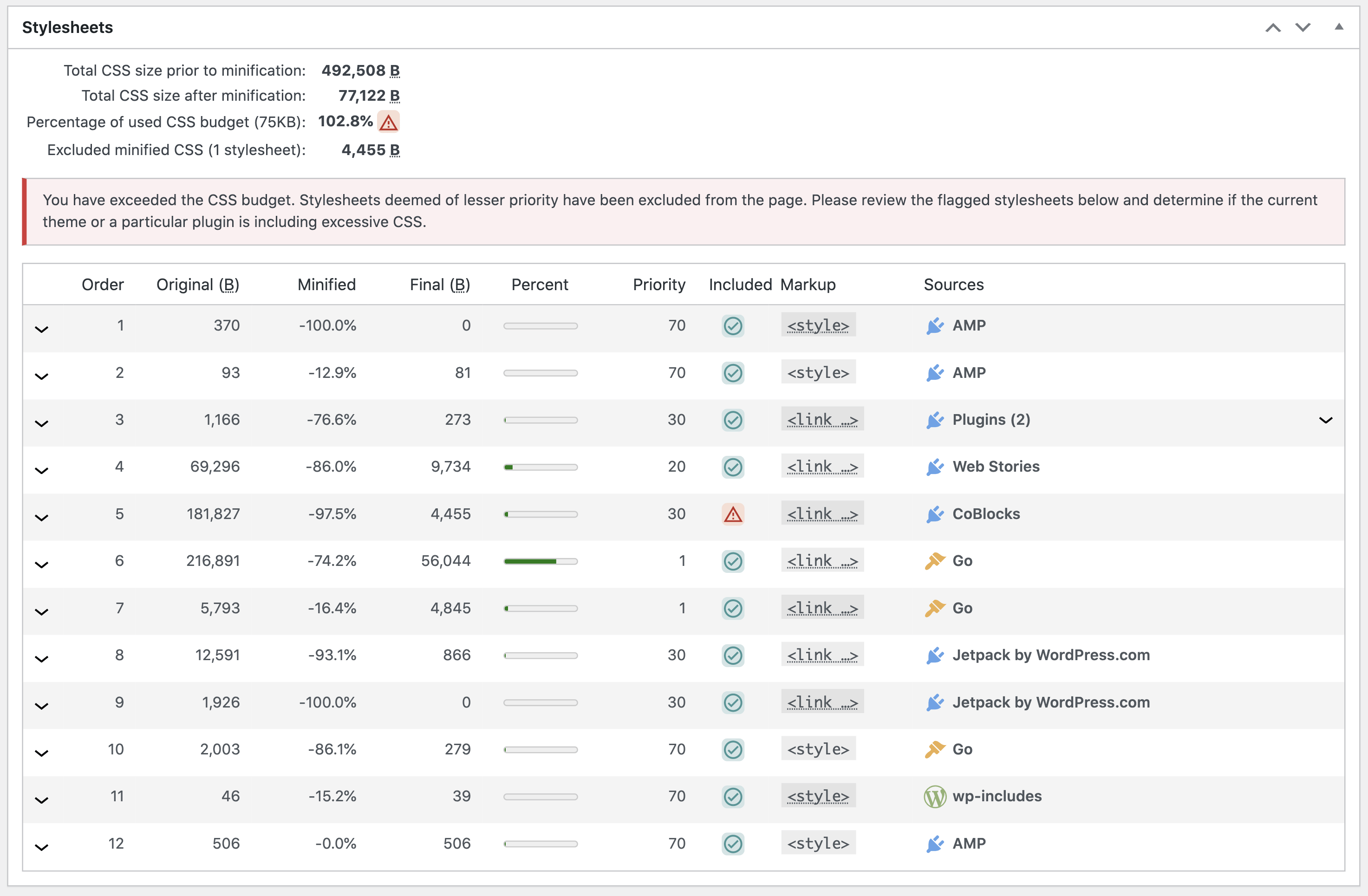
    Can you please check the validation tool of the AMP plugin and make sure that you are not exceeding the CSS limit as I checked your site has 172313 bytes whereas the limit is 75000 bytes

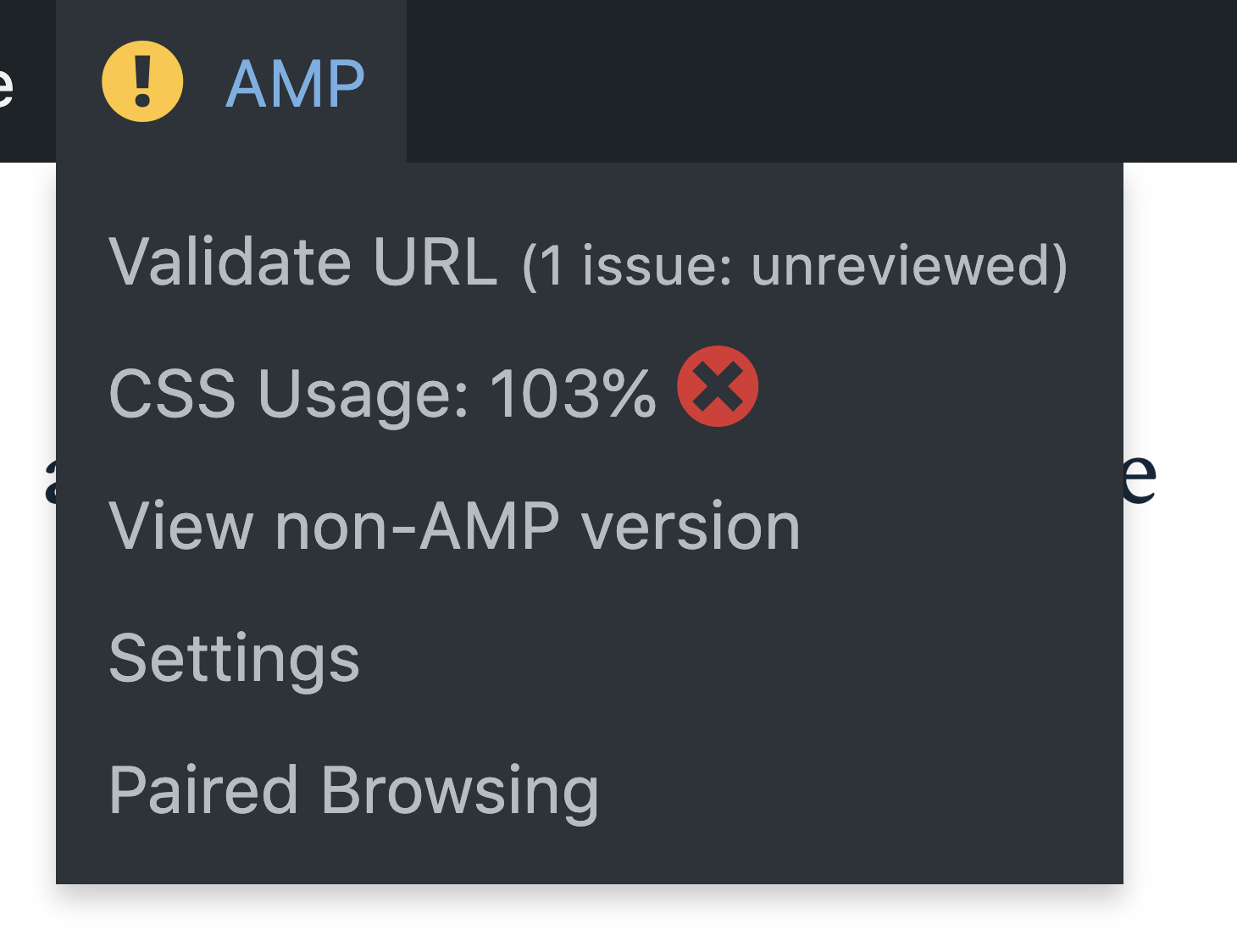
    You can check what plugin or theme is exceeding the CSS budget limit by checking with the AMP validation tool, if you have the Admin bar enabled click CSS Usage

    eg:

    it will take you to the validation tool, it explains what plugin or theme is adding excessive CSS

    eg:

    Plugin Support Milind More

    (@milindmore22)

    As we didn’t receive a response I’ll mark this as resolved. Feel free to open a new support topic if you require any further assistance.

Viewing 8 replies - 1 through 8 (of 8 total)

The topic ‘Getting AMP Validation issues’ is closed to new replies.