I should mention that it does contain an anchor link, but it doesn’t have an href to it:
This is the output of { category }
<a href="" class="category category-216">CRM</a>
Hi @robertallen,
Please share some more details so I can help. For example, posting here your code so I can have a look at what you have would be a good idea.
Awesome, here is the code we’re using. Inside the blog-tag dig we want the category to link to the respective category page.
$args = array(
                                    'stats_category' => 1,
                                    'limit' => 3,
                                    'range' => 'last7days',
                                    'post_html' => '<div class="blog-editors-picks-entry">
                                        <hr class="blog-editors-picks-entry-divider" />
                                        <div class="blog-tag">
                                            {category}
                                        </div>
                                        <h3><a href="{url}">{text_title}</a></h3>
                                </div>'
                                );

                                wpp_get_mostpopular( $args );
Just tested your code and it works as expected for me:
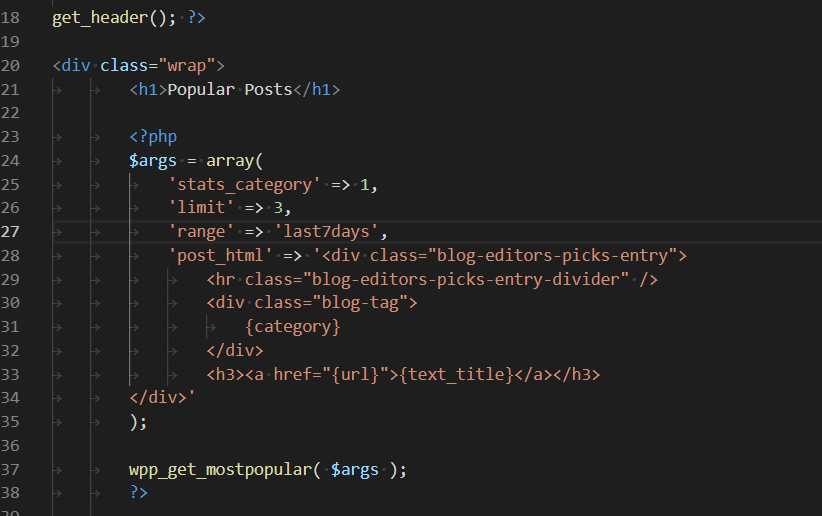
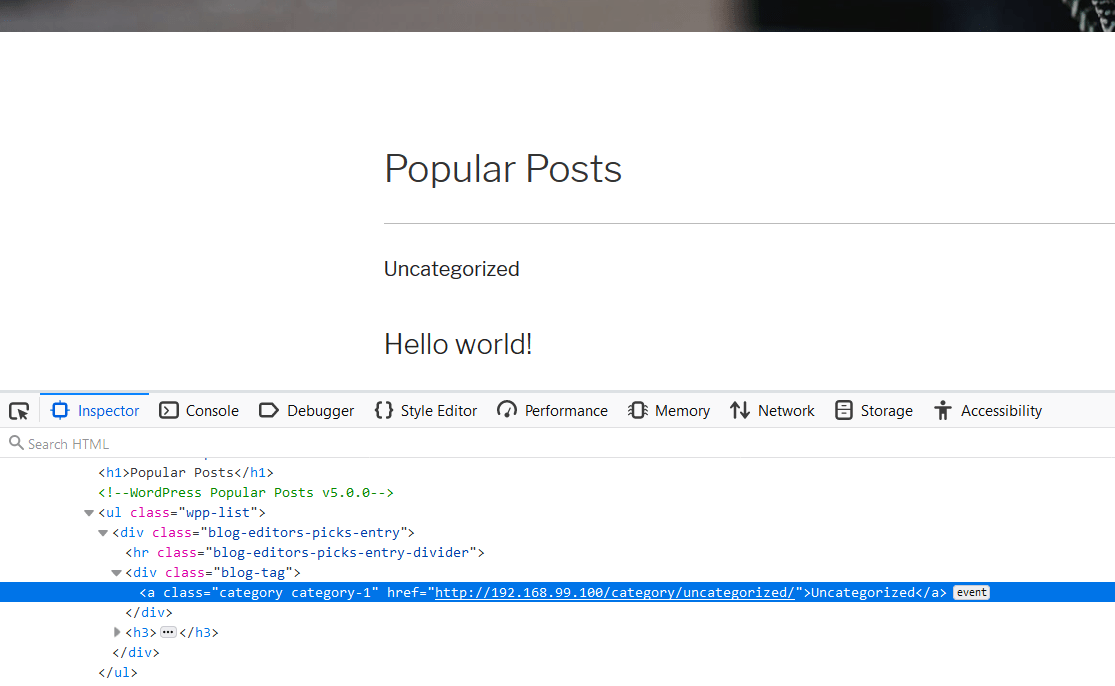
The category link is being rendered with the right href attribute, the issue is being caused by something else on your side. I’ll need some more details in order to reproduce it, such as:
- Reproduction steps (as in: where exactly are you inserting this code? How?)
- Theme?
- Active plugins?
Hector, thank you so much for your reply. We ruled out a plugin issue, which means it’s a conflict with the theme we’re using. We tested it on a blank theme and it worked perfectly.
Appreciate you taking the time to test this and get back to us. Sorry to have wasted your time. Great plugin by the way, thank you for all your hard work on it.
No need to apologize, Robert. I’m actually interested in knowing what caused the issue to see if there’s anything I can do from my side to prevent this from happening again so if you figure out what went wrong I’d appreciated it if you could leave a comment here to let me know.


