• Resolved eve7

    (@eve7)


    Hi, on desktop version the app works perfect, but on the mobile screen sliders start glitching very badly. I have 1 product per column and row set for the mobile version (I need it to show only 1 product icon at first).

    When the auto sliding starts, the icons of the first and the next product start twitching between each other uncontrollably, alternating, as if they were stuck. That lasts for 2-5 seconds then the product changes and doesn’t move anymore (even though I have auto slide turned on). If I try to switch between products on the mobile version manually, they start twitching the same way again. Why is this glitch present and what are the best settings to use for the mobile version to avoid that?

    • This topic was modified 6 years, 12 months ago by eve7.

    The page I need help with: [log in to see the link]

Viewing 7 replies - 1 through 7 (of 7 total)
  • Thanks for your post,

    Can you please keep the value of “Slider auto play timeout” larger than “Slider auto play speed”

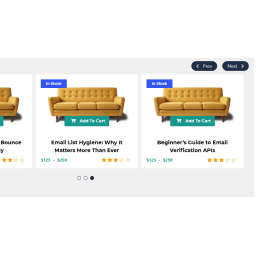
    Please see the screenshot.

    View post on imgur.com

    Let me know the result, according to your feedback, i will update the plugin.

    REgards

    Thread Starter eve7

    (@eve7)

    Thank you, that helped indeed.

    Another issue – the navigation arrows in the mobile version interfere with the product description, you can’t read the text properly because of them.

    I like how the “Middle” navigation looks for the desktop version (much better than the navigation on top), but for the mobile it overlaps the text.

    Could you do something about that? Moving the arrows a little to the side, so that they don’t overlap the text, would be perfect.

    Plugin Author PickPlugins

    (@pickplugins)

    you can use “Middle Fixed” position instead of “middle”

    you will also need to add the following CSS to avoid cut of arrows

    
    .wcps-container {
       overflow: visible; 
    }

    Please see the screenshot how it looks like

    View post on imgur.com

    Regards

    Thread Starter eve7

    (@eve7)

    Thank you very much,

    now unfortunately the icon of the product becomes much smaller on the phone screen, and the product description doesn’t fit. Is there any way for the icon to remain bigger?

    Also the product icon ceased being clickable for some reason. Only the heading is clickable now, before that the text (whole icon in general) was clickable as well.

    Plugin Author PickPlugins

    (@pickplugins)

    HI, i understand the issue, but i don’t see another way to solve the issue.

    you could use the opacity of navigation button so it will only visible when mouse hovers on nav buttons. here is the css by using “middle” nav possition.

    
    .wcps-container:hover .owl-nav.middle .owl-prev, .wcps-container:hover .owl-nav.middle .owl-next {
        opacity: .2;
    }
    
    .wcps-container .owl-nav.middle .owl-prev:hover, .wcps-container .owl-nav.middle .owl-next:hover {
        opacity: 1;
        background-color: #fff;
    }


    Please watch the preview

    View post on imgur.com

    Regards

    Thread Starter eve7

    (@eve7)

    Thank you, I appreciate your help.

    Happy that I purchased your product, the support is worth it.

    Plugin Author PickPlugins

    (@pickplugins)

    Glad to know that you purchased the pro version.

    Regards

Viewing 7 replies - 1 through 7 (of 7 total)

The topic ‘Glitching on mobile devices’ is closed to new replies.