What’s the error that shows up when you click on ‘show response’ on the WPSL settings page, and what shows up in the browser console ( F12 ) on the same page?
This is the same questions I got the last time I asked for help from the plugin.
The error: Error message: The provided API key is invalid. (This is a different message than before as I think I deleted the project because I couldn’t get it to work)
The browser console: `[Log] JQMIGRATE: Migrate is installed, version 3.3.2 (jquery-migrate.min.js, line 2)
[Error] Failed to load resource: the server responded with a status of 404 () ([email protected], line 0)
[Error] Failed to load resource: the server responded with a status of 404 () ([email protected], line 0)
[Error] WebSocket connection to ‘wss://public-api.wordpress.com/pinghub/wpcom/me/newest-note-data’ failed: Unexpected response code: 403
[Error] Google Maps JavaScript API error: InvalidKeyMapError
https://developers.google.com/maps/documentation/javascript/error-messages#invalid-key-map-error
(anonymous function) (js:77:412)
(anonymous function) (common.js:109:423)
(anonymous function) (common.js:160:162)
c (common.js:96:86)
Global Code (AuthenticationService.Authenticate:1)
[Error] WebSocket connection to ‘wss://public-api.wordpress.com/pinghub/wpcom/me/newest-note-data’ failed: Unexpected response code: 403 (x2)`
‘This is the same questions I got the last time I asked for help from the plugin.’
How to fix it all depends on the response from the API key test.
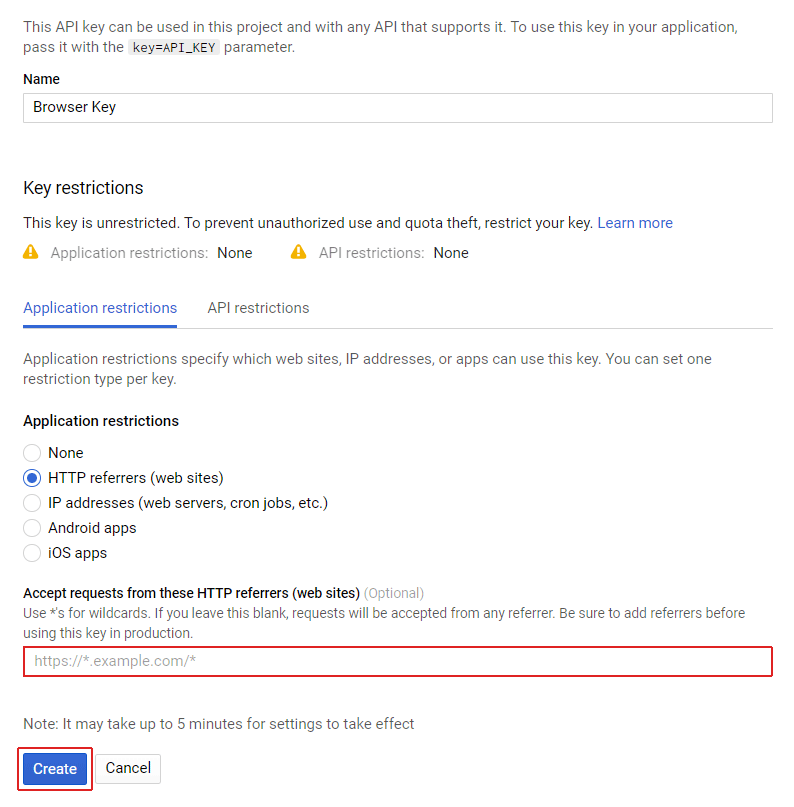
Try to create a new browser key ( sometimes Google doesn’t correctly process changes, and creating a new one fixes this ) by following this link. Next set the referrer to your domain in the domain.com/* format.
Also make sure to enable billing for your account. This is required to use Google Maps, but it comes with $200 free credit a month, which is sufficient for normal usage.
Once you have done that wait 5 – 10 minutes, and try the ‘show response’ button again. Let me know if that fixed it, or what return error message is.
-
This reply was modified 5 years, 3 months ago by
 Tijmen Smit.
I reset it the browser key and I get the same error from the browser key.
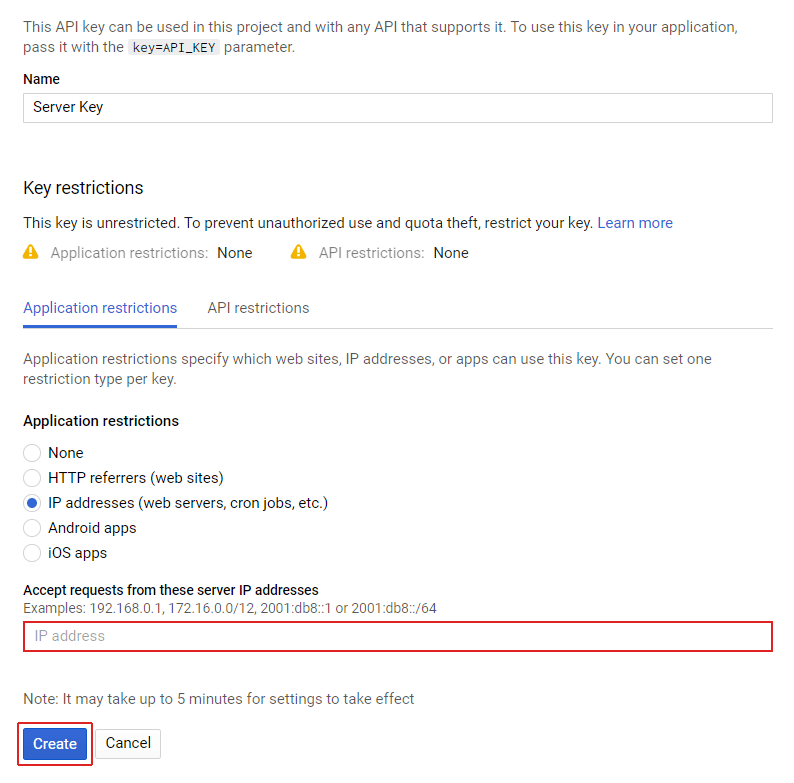
The server key now gets this: There’s a problem with the provided server key.
Error message: This IP, site or mobile application is not authorized to use this API key. Request received from IP address 35.213.140.8, with referer: https://maps.googleapis.com/maps/api/geocode/json?address=Manhattan%2C+NY+10036%2C+USA&key=AIzaSyB4efzEWrEHSKAWngzLSlB0m_qY02k4TcY.
Make sure the IP address mentioned in the error matches with the IP set as the referrer for the server API key in the Google API Console.
I checked with my host and I am using the correct IP.
Are you using any other Google Maps plugins? If you open the source code on the WPSL settings page and search for ‘maps.google.com’. How many hits does it show? Does it show one where the value behind key= matches with the browser key that you provided?
The server key issue can be solved by setting the IP from the error as ( 35.213.140.8 ) as the referrer for the server key referrer.