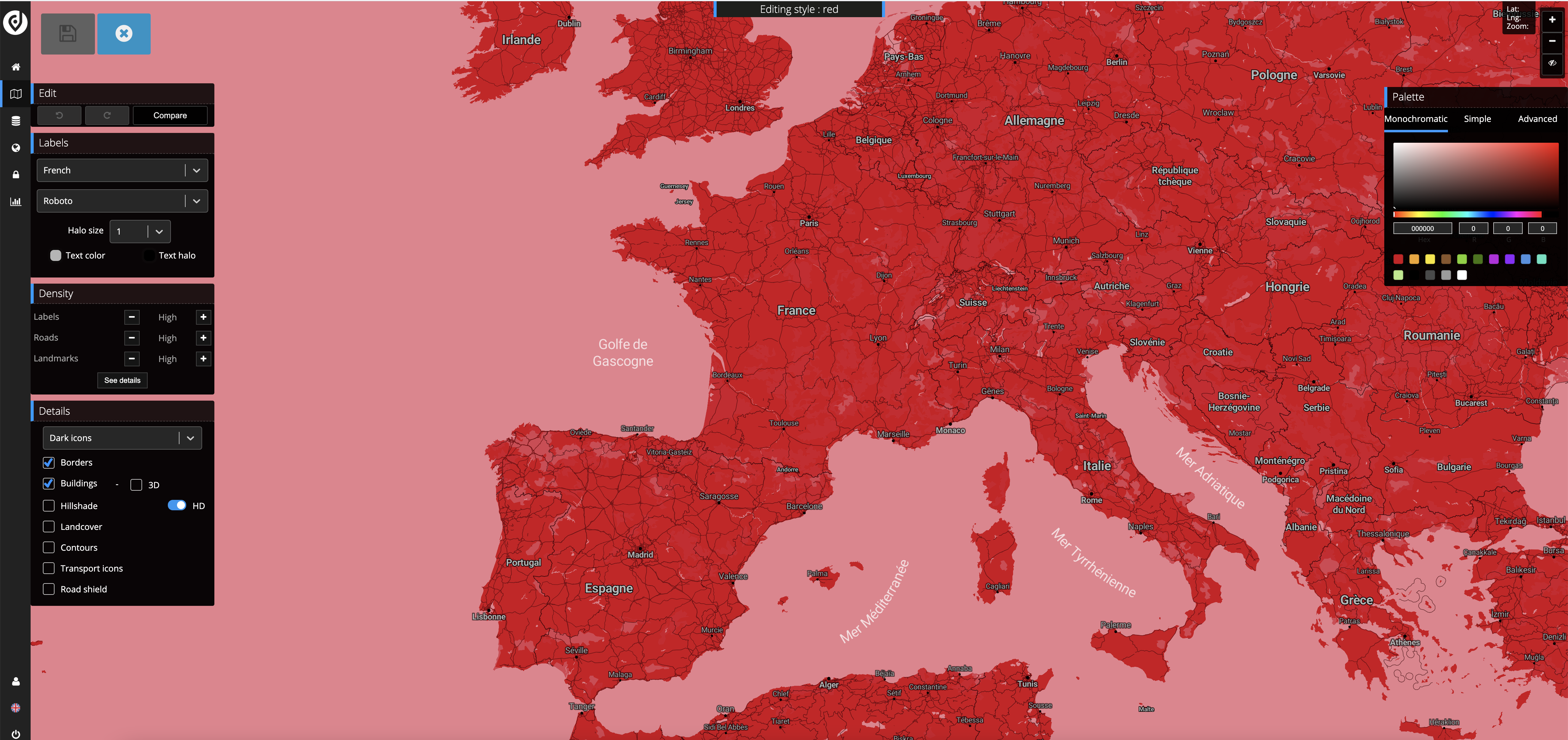
Hi @shaileeblackiron
for customize google map available only hue parameters
if you want to more customize for your map please use OpenStreetMap with paid addon (by request)
https://locateandfilter.monothemes.com/locateandfilter-addon-overlays/
in this addon there is a large selection of already stylized maps and you can also choose your custom one via Jawg cusomizer
https://locateandfilter.monothemes.com/wp-content/uploads/2021/08/%D0%A1%D0%BD%D0%B8%D0%BC%D0%BE%D0%BA-%D1%8D%D0%BA%D1%80%D0%B0%D0%BD%D0%B0-2021-08-05-%D0%B2-20.36.35.png
Hi,
How can I upgrade the add-on overlays package onto my site? Can you assist me?
The reason why we were not using an open-street map is because it doesn’t allocate the city while I was adding the longitudes and latitudes.
That will be my second concern.
Regards,
Shailee Choxi
Hi Shailee
You can buy the addon on the page https://locateandfilter.monothemes.com/locateandfilter-addon-overlays/
after payment I will send the plugin to your e-mail
Hi,
We are ready to buy the addon. But our only concern is that we are not able to mark the cities using longitude and latitude. Can you help us?
Hi Shailee
yes of course I can do any modifications
write me more detail or screenshot
how it should work
Hi I will let you know about the longitude and latitudes
I have bought the addon. Can you guide further. How can I see the addon and where can i find the addon files.
Hi Shailee
archive addon sended to your email
it says to add so may api, can you tell me how can i do? I just want to change colors of map
I added api and styled the map, how can i use the styled map on homepage
did you complete all the setup steps?
4. Go to Map Options -> General settings -> Map Overlay and choose ‘Addon overlays’ layer
yes i did, i want to share screenshots. From where i can attach the files.
https://paste.pics/DKEAP
lightshot doesn’t work for some reason try the above link