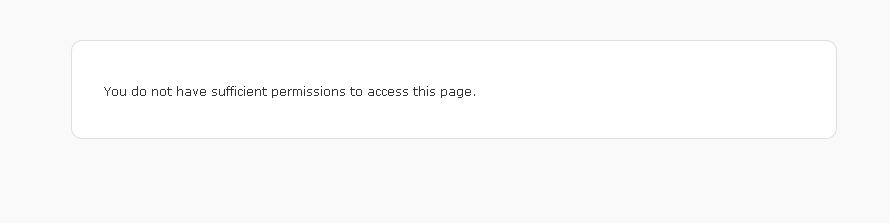
Are you accessing plugin admin pages using the “Admin” user? Can you post the URL of the page where your Group photos don’t appear?
This is where I am pulling the photos from.
ForestWander Nature Photography Excellence
But I am unable to even create a page or gallery because I get the permission denied error when I attempt to view those pages for setting up the plugin.
Maybe If I could get that working then I could test the group function more thoroughly. But under the one main setting page (which is all I can see for the Awesome Gallery plugin) these 5 images do not show for the group but when I test using my user account they show up from my own flickr stream.
Yes I am using an admin account. I have many other plugins but none of them do that when I try to access their control or settings pages.
Thanks
Can you post the screenshot of permission denied page here?
OK here is a link to a screenshot of the error.
You Do not have sufficient – Error
This is weird. Most likely some permissions issues with files. Can you delete the plugin files and re-install the latest version 2.9.0?
Yes, I went ahead and did this, still the same thing.
Installed 2.9.2
Also I went ahead and tried to add a gallery to a page, and all I get is “user not found”
Really would like to get your plugin to work.
It sounds great, especially the pagination feature.
If you are getting user not found, then your flickr user-id is not correct. Can you post your flickr photostream URL here?
Sure thing.
Actually it is the stream I posted above earlier.

It is a group stream.
My user stream shows just fine in the test area.
Sorry if I misunderstood, but I read that your plugin supports groups.
Even though I updated to ver. 2.9.2 I still cannot view the admin pages except for the default page.
Thanks again for your help.
I meant your user photo-stream URL, not the group. The user-id with which you are trying to access group.
How are you installing the plugin? Directly from wordpress directory or uploading the zip file?
Can you check the file permissions on the plugin files?
The directory awesome-flickr-gallery-plugin (and all subdirectories) should be 755 and all files inside (and files inside subdirectories should be 644.
OK, sorry I misunderstood.
This is my user stream.
http://www.flickr.com/photos/forestwander-nature-pictures/
This is the user ID for my stream.
10922353@N03
And this is the group
This is the Group ID.
608998@N21
Yes that is what the permissions are.
Can you give me your list of installed plugins? May be there is a conflict with some plugin you have installed.
I forgot to ask, which version of WP are you running?
I have a same problem:
You can create a new Awesome Flickr Gallery with different settings on page Add Galleries.
after Click Add Galleries:
You do not have sufficient permissions to access this page.
My WP Version:3.2.1
Awesome Flickr Gallery Version: 3.1.7