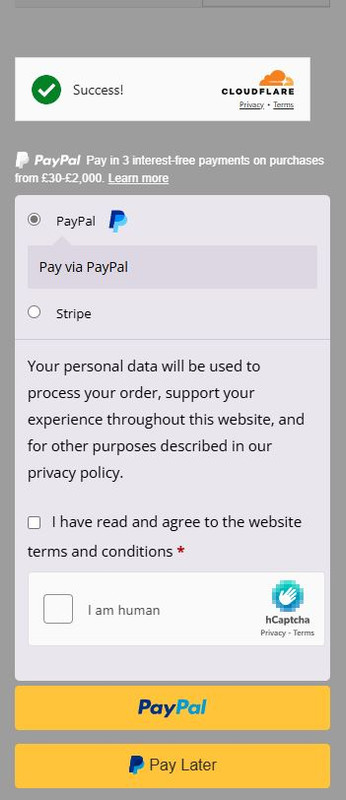
For PayPal, you are using WooCommerce PayPal Payments plugin. We do not have integration with it so far. Will try to include into the next release.
Any Stripe form already contains invisible, 99.9% passive hCaptcha of Enterprise level. It is provided by Stripe system by itself. So, no need to add hCaptcha to any Stripe form.
Thank you.
Thanks for the speedy reply.
Much appreciated and look forward to the integration in your later release
After investigations, I see that the PayPal form is a third-party form provided by PayPal. It is loaded from PayPal.com and is sent there. This creates an inability to verify hCaptcha. We can add hCaptcha to this form, but any CAPTCHA must be verified on the backend.
So, any form with a CAPTCHA must be sent to your website for verification. When a form is sent directly to a 2rd-party site, adding any CAPTCHA does not work.
You can disable Express Checkout on the Checkout page WooCommerce->Settings->Payments page in the “PayPal Smart Buttons” section. Then, you can add hCaptcha to the Checkout page on the Integrations page of the hCaptcha plugin. This prevents bots from clicking on payment buttons.
Hi Kaggdesign,
Thanks for following up on this and I appreciate the further investigation.
I also apologise for the confusion and will look into making the suggested changes
I will mark this as resolved and again thanks so much for your help
.