• Hello there,
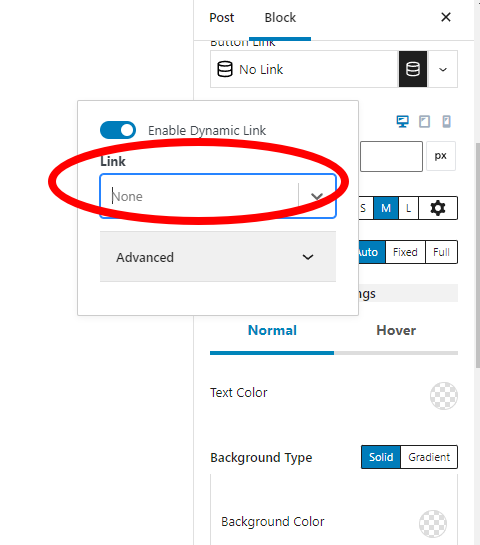
    I have created a advanced button and enabled dynamic link.
    Now i have some media files like audios which are uploaded via WordPress Media tab.
    Pleas help me to get media files(attachements) in dynamic content as shown in red mark.
    By default its not available. Please help us in all possible ways.

    https://i.postimg.cc/HWhPQm4C/screenshot-83.png

    • This topic was modified 4 years, 1 month ago by bgmsquad.
Viewing 1 replies (of 1 total)
  • Plugin Contributor Ben Ritner – Kadence WP

    (@britner)

    Hi,
    You can link directly to the attachment files without using any “dynamic” setting. For example, if you go to your media library you can copy the link to the media files and paste that into your button.

    If you need a dynamically sourced link, you would need to create a meta field where you select the file and then use that meta field as the source for your dynamic link. Usually, this only relates to making templates where the button is placed on a template level and not something you can edit in each page. Then in each page you would use the meta field as a way to populate the button link from the template.

    Here is a tutorial on dynamic content : https://www.kadencewp.com/blog/how-to-use-dynamic-content-with-kadence/

Viewing 1 replies (of 1 total)

The topic ‘Help with Dynamic Content’ is closed to new replies.