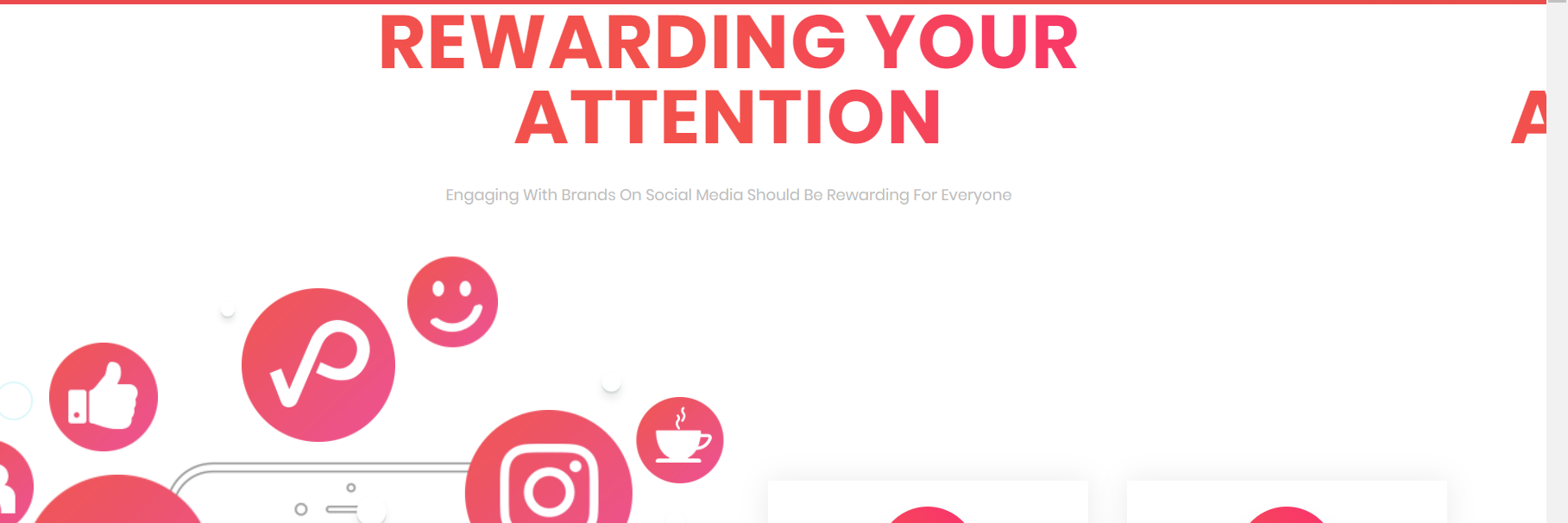
The page is looking great to me. Could you provide more detail and a screenshot of what your issue is?
Thanks!
Many thanks for your reply @pistonlegs
Please take a look at the screenshot here: http://www.pukket.com/Capture.PNG
As you can see on the far right hand side there is an A sticking out and that continues on the right margin through out the view on Chrome browser.
Everything looks fine on other browsers and on mobile view. Don’t know what I have changed.
Looking forward to hearing from you.
That’s interesting! I am not seeing that on either Chrome or Firefox. See my screenshot:
View post on imgur.com
Have you tried a hard refresh on Chrome (ctrl + shift + r on Windows or ctrl + cmd + shift on Mac)? Do you know how to use the Chrome Dev Tools to check out the live page? The Chrome Dev Tools are a great way to look through the DOM and find the stray text. Once you find it you can see what CSS or HTML is causing the text to misalign. It could also just be something you’re seeing on your end!
You could also trying using a proxy or VPN service as that’ll bypass any caching issues.
Many thanks for looking into it and your time @pistonlegs
This morning I’ve checked it again and somehow it looks alright :S How’s that possible?
Yesterday I cleared cache, checked on another laptop, reinstalled the theme even and didn’t take any effect… could it be that it takes the server longer to commit the changes?
Yes I do actually every now and then use developer tools to change certain thing in the theme so that’s what I thought may have caused the issue.
Many thanks for offering your help anyways.
Regards