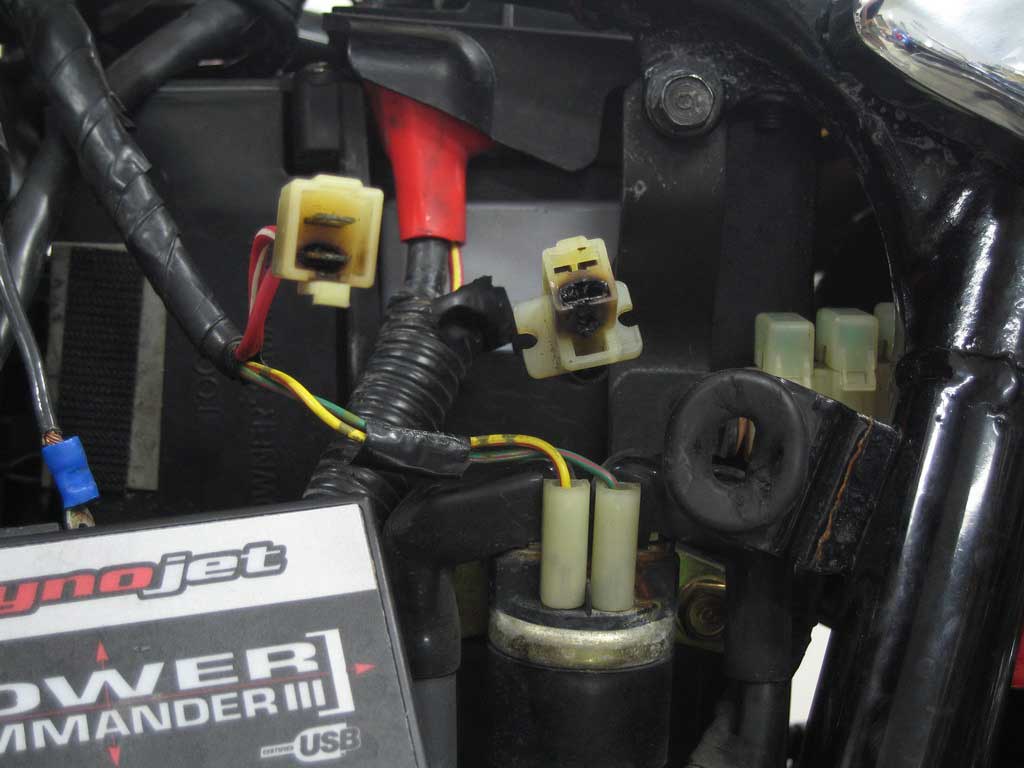
The hot link blocked me from directly access your images from the site. So that works.
Can you show a thread on your forum where you are hot linking your own images?
Can you paste your hotlink block code?
I can’t think of any reason that it wouldn’t work unless you are using a hotlink WordPress plugin (not sure if one exists) it may interfere with the htaccess. Make sure you are using the full URL from tech.bareasschoppers.com… and not starting from /wp-content/…
Not to judge… I would hope the programmer applied this while checking as it can be overlooked on a quick check.
If you visit a page on your site that has an image or you are otherwise already looking at the image with the URL, then you visit the forums or another site that is hot-linking the image, in most cases you will see it displayed on the third party site or forum. Because it is already loaded in your browser. On a fresh browser sessions with cache and history cleared, you should get a 404 on a direct visit to the image or loading on a third party site.
Thread Starter
 Bare
Bare
(@bare)
The way I want my site to function is that anyone can hotlink my images (with the exception of 2 sites blocked through my .htaccess file. I could provide you with a link to my forum where images won’t hotlink, but it’s really just easier to paste a link here – it won’t display here the same as it won’t display there:
http://tech.bareasschoppers.com/wp-content/image_gallery/misc/burned_mains.jpg
That is the image that made me realize the problem today. When I click it I get a 404, whereas I would normally have expected it to just show the image in an empty browser window.
I’m not sure exactly what you mean when you ask for my “hotlink block code”, but if you can help me understand what that is then I’m glad to post it. Do you mean my .htaccess code?
I am not using a hotlink WP plugin (I didn’t even know they existed). I am using the entire link URL when trying this.
As for the caching issues, I always test, re-test, refresh, clear cache, etc to be sure what I’m seeing is accurate before I assume anything.
Just to reiterate, I do have an .htaccess file for the entire site, I’m wondering if it has something to do with my problem… I don’t ever recall this issue in the past (prior to adding that .htaccess). I also know that I have a separate .htaccess file in my “Pics” folder that allows it to be hotlinked (http://tech.bareasschoppers.com/Pics). I did some reading on .htaccess files but it gets confusing because it seems my cPanel (Host Gator) does the exact opposite of what I want the .htaccess file to do. When I add sites to my .htaccess that I want to block, they appear in my cPanel as “allowed” sites. Even the support guy at my host who really knew his stuff was confused by this – he confirmed my code was correct but it seemed the cPanel was confusing something.
I’m very interested in solving this if you or anyone else can please help. I’m glad to post my .htaccess info if that’s necessary (there’s no security info in it).
Thanks!
Yes that’s what I mean. The htaccess code your using for the hotlink blocks.
Thread Starter
Bare
(@bare)
Yeah, it makes sense when I re-read it now, lol… I was reading “block code” as meaning a block of code. Anyways!
Here’s what I have in my .htaccess:
RewriteEngine on
Options -Indexes +FollowSymLinks

RewriteCond %{HTTP_REFERER} ^http://(.+\.)?allwheelsblog\.com/ [NC,OR]
RewriteCond %{HTTP_REFERER} ^http://(.+\.)?ronincycleparts\.com/ [NC]
RewriteRule .*\.(jpg|jpeg|gif|png|bmp)$ - [F,NC]
I also have below this code some .htaccess redirects, but that code is all fine and doesn’t impact this – I checked that over and over and over and tested the .htaccess with my redirect code removed to be sure they didn’t impact each other.
But this should block image hot-linking from the 2 sites specified (both were stealing my content), if the code is bad then I’d be surprised – but please, if you can help I’d love to know how to fix this.
Thanks again for the help!
Thread Starter
Bare
(@bare)
Is there anyone out there familiar with .htaccess or my problem that can help? Can anyone even tell me if my problem is just a default operation of WP or the result of something I (or my host) did?
I’m just trying to get pointed in the right direction.
Thanks.