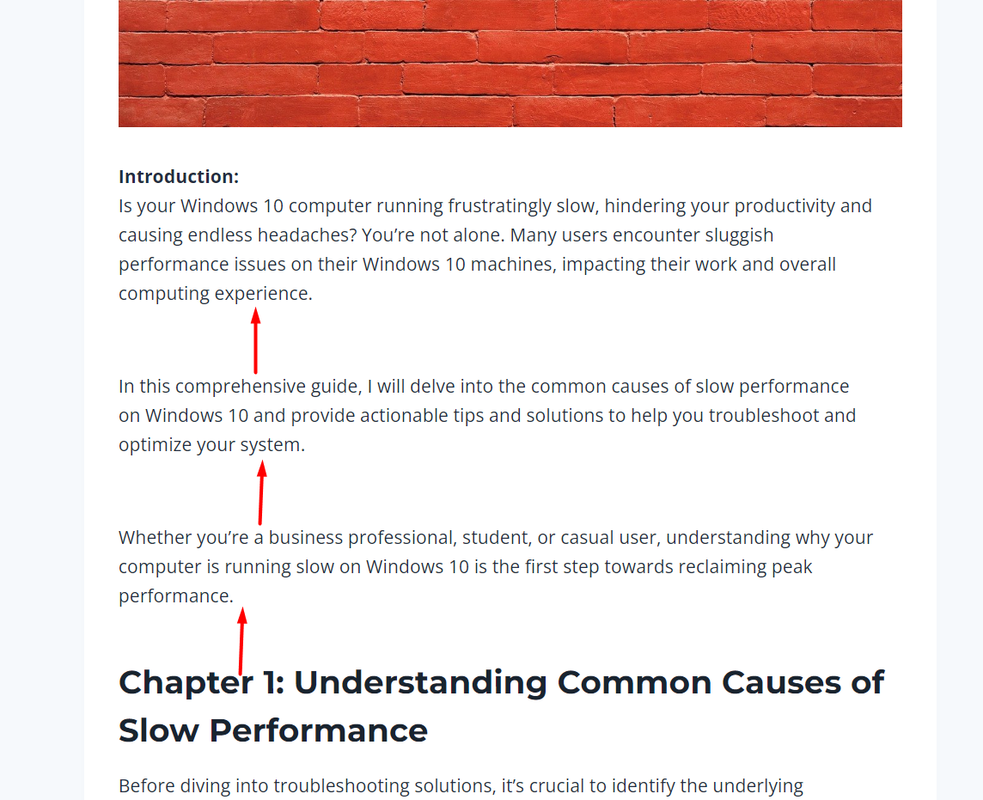
Your Kadence theme gives each paragraph a space at the bottom. I would recommend contacting their support for clarification: https://ww.wp.xz.cn/support/theme/kadence/
In addition, you have a line break at the beginning of some paragraphs which provides additional spacing.
Hi!
@threadi is right, the default styles from our theme adds bottom margin for blocks inside the content area (including paragraphs).
Regarding the break lines (<br>) tags – those might have been pasted if you copied your texts from another source. When pasting texts, try to do these to avoid pasting break lines as well:
- Right-click on the editor.
- Select “Paste and Match Style”.
I hope this helps, and let us know if we can help you further.
Regards,
Karla
Thanks for the explanation guys and noted for future use.
Sorry I am not understanding which ‘editor’ you are referring to for me to right-click on so can I trouble you to screenshot it for me please?
Hi, @mikehende !
The editor that I’m referring to is the page or post editor. Every time you’re pasting content from another source, do this so the text styles and other HTML tags will not be pasted.
Here’s a screencast of an example – https://share.zight.com/04u8G5YG
- I copied the texts from your post.
- Not all <br> tags were removed, but as you have seen in the screen recording, there were lesser space in between them.
I hope this helps, and let us know if we can assist you further.
Regards,
Karla