Viewing 3 replies - 1 through 3 (of 3 total)
  • Plugin Author Pektsekye

    (@pektsekye)

    Hello,

    You can change CSS styles in the file:
    wp-content/plugins/ymm-search/view/frontend/web/main.css

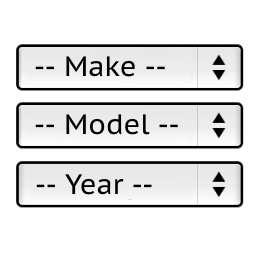
    To change the width of the selects on horizontal view you will need to change the line:

    
    .ymm-selector.ymm-horizontal .level {margin:0; float:left; width:33.3%;}
    

    Stanislav

    Thread Starter simonmichigan

    (@simonmichigan)

    Hello,

    Can you tell me please what to change it to? because I made some changes it never fixed.

    Simon

    Plugin Author Pektsekye

    (@pektsekye)

    Hello,

    Can you send me a link to your website to my email [email protected]

    ?

    Stanislav

Viewing 3 replies - 1 through 3 (of 3 total)

The topic ‘How do decrease the width for the Year, Make, Model’ is closed to new replies.