Hi
As I understand you created gallery in the page not in the post. Am I right?
Please go to Polaroid Gallery settings and choose “yes” for option “Load gallery in list of posts”.
cheerz mate.
Yes it is working now.
I do however not see any arrows (to move pics).
And also, is there any way to zoom some of the pics? (basically I am attaching news articles and some of them are too small to read even when I have selected large as the picture size).
Thanks
> I do however not see any arrows (to move pics).
You can move pics during editing gallery by standart wordpress tool. Just drag and drop it. That’s it. There are no arrows.
>is there any way to zoom some of the pics?
No, right now plugin has no possibility to zoom photos. Only by clicking on one.
thanks very much for this but i mean I dont see arrow on the actual published page, i.e. In the actual page, I cant move pictures using my mouse (I can however using the keyboard).
Thanks again.
You confused me a bit 🙂
Do you mean you can move thumbs of images by keyboard?
Or do you mean you can list images in the lightbox?
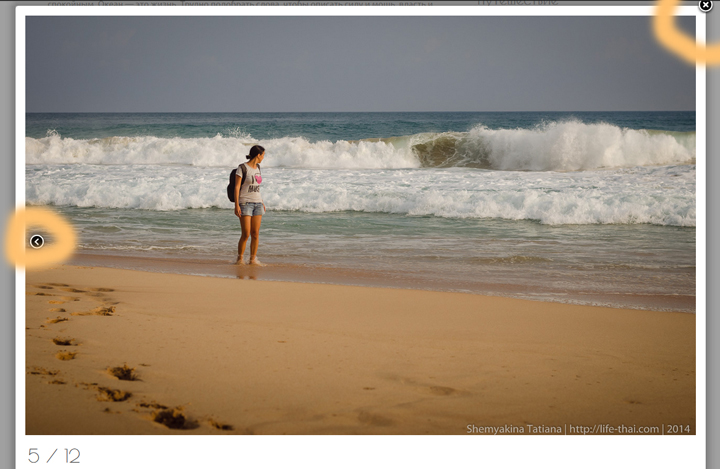
Do you mean this arrows? http://life-thai.com/wp-content/uploads/example.jpg
yes these arrows (I dont have them).
thanks and sorry for confusing….
Is plugin installed correctly? Did you install it manually by uploading *.zip or automatically?
Arrows appear only when you have more than 1 image in the gallery. I checked different installations of plugin and everywhere arrows appears.
I installed it automatically. I do see a cross (to close the pic) but dont see any next or back arrow in the actual pics.
I dont want to share my weblink here, can I email you instead (if you want to have a look)?
thanks
Ok, my email is shemyakina.tatiana @ gmail.com