Moderator
 t-p
t-p
(@t-p)
had reached out to them for help 2 days ago but no response as of this writing
I don’t see any thread there started by you, as far as I can see:
https://ww.wp.xz.cn/support/theme/generatepress/?view=all
Are you using a paid version of generate Press?
Yes, it had showed ‘Premium support’ but guess I am now not sure what that means.
-
This reply was modified 2 years, 5 months ago by
 mikehende.
-
This reply was modified 2 years, 5 months ago by mikehende.
Moderator
t-p
(@t-p)
Since that is a commercial theme, we ask that you please continue with their official support channel, so you can get support from the people who know it best.
Forum volunteers are also not given access to commercial products, so they would not know why it is not working properly. Other community members who may have faced your issue might be able to help you but your best bet is your product’s developer. Keep in mind we encourage you to use the official support venues, as it allows the developers to be aware of issues with their code and gives back to the community in a more robust way.
Hi @mikehende,
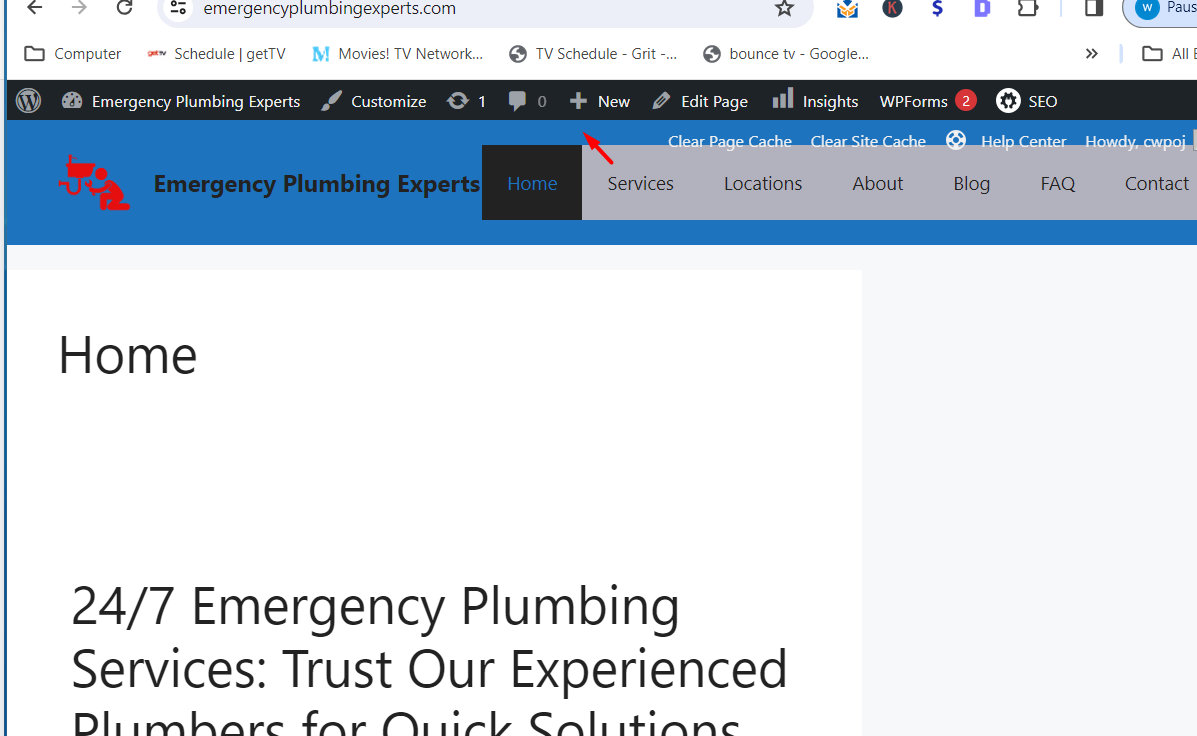
To remove the gray background color around the Nav Bar menu, just copy the CSS code below and paste it into your WordPress theme customizer.
CSS Code:
#site-navigation {

    background: transparent !important;

}
- Next, navigate to your WordPress dashboard.
- Go to Appearance > Customize.
- On the customizer, look for the Additional CSS option.
- Paste the CSS code in the Additional CSS field and click Publish.
- Now refresh your website, and you should see the changes on your header menu.
Try the recommended suggestion and let me know how it goes.
Best regards,
Jerry
-
This reply was modified 2 years, 5 months ago by
 Alor UX.
@t-p
Well, as was mentioned it’s not that I haven’t tried to go to their support first but question I think is how long should I wait before seeking help elsewhere? Please let me know the answer to this question as I one more question regarding this and will not post it here unless you give me the ok to do so.
@jerry
That worked, thank you very much!