Viewing 1 replies (of 1 total)
  • Plugin Contributor Nguyen Tuan

    (@nguyencongtuan)

    Hi Parlla

    You can easy put images you have uploaded for product into default gallery of WooCommerce with 3 steps from my screenshots

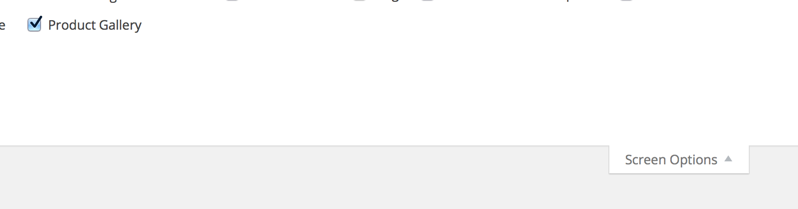
    – If you don’t see the default gallery box of WooCommerce, click on ‘Screen Options’ at top right corner and checked on ‘Product Gallery’ to show that box, see this screenshot

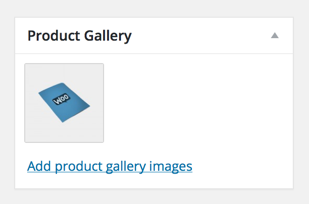
    – Scroll to bottom to find ‘Product Gallery’ box of WooCommerce, click on ‘Add product gallery images’ link, see this screenshot

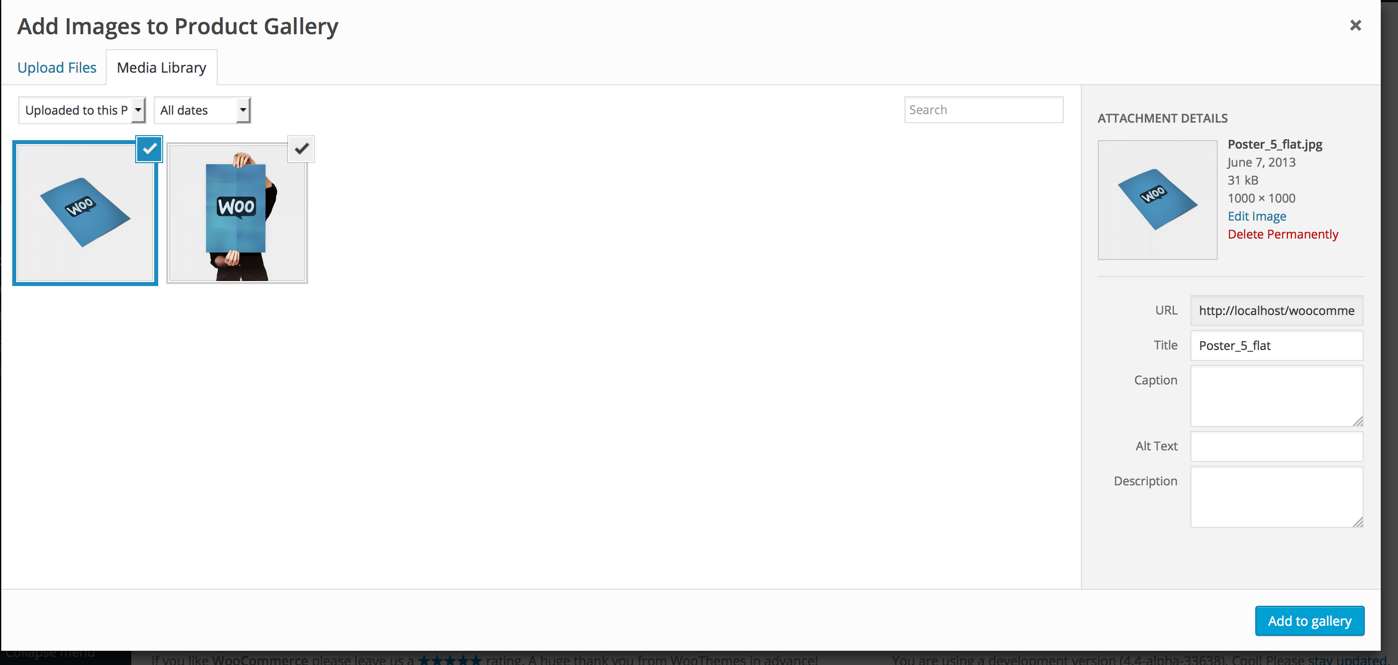
    – then select on ‘Uploaded to this Product’ at ‘Media Library’ tab of pop-up to show all images are uploaded before, you need to check all images here and click on ‘Add to gallery’ button, see this screenshot

    Regards,
    Nguyen

Viewing 1 replies (of 1 total)

The topic ‘How to uninstall’ is closed to new replies.