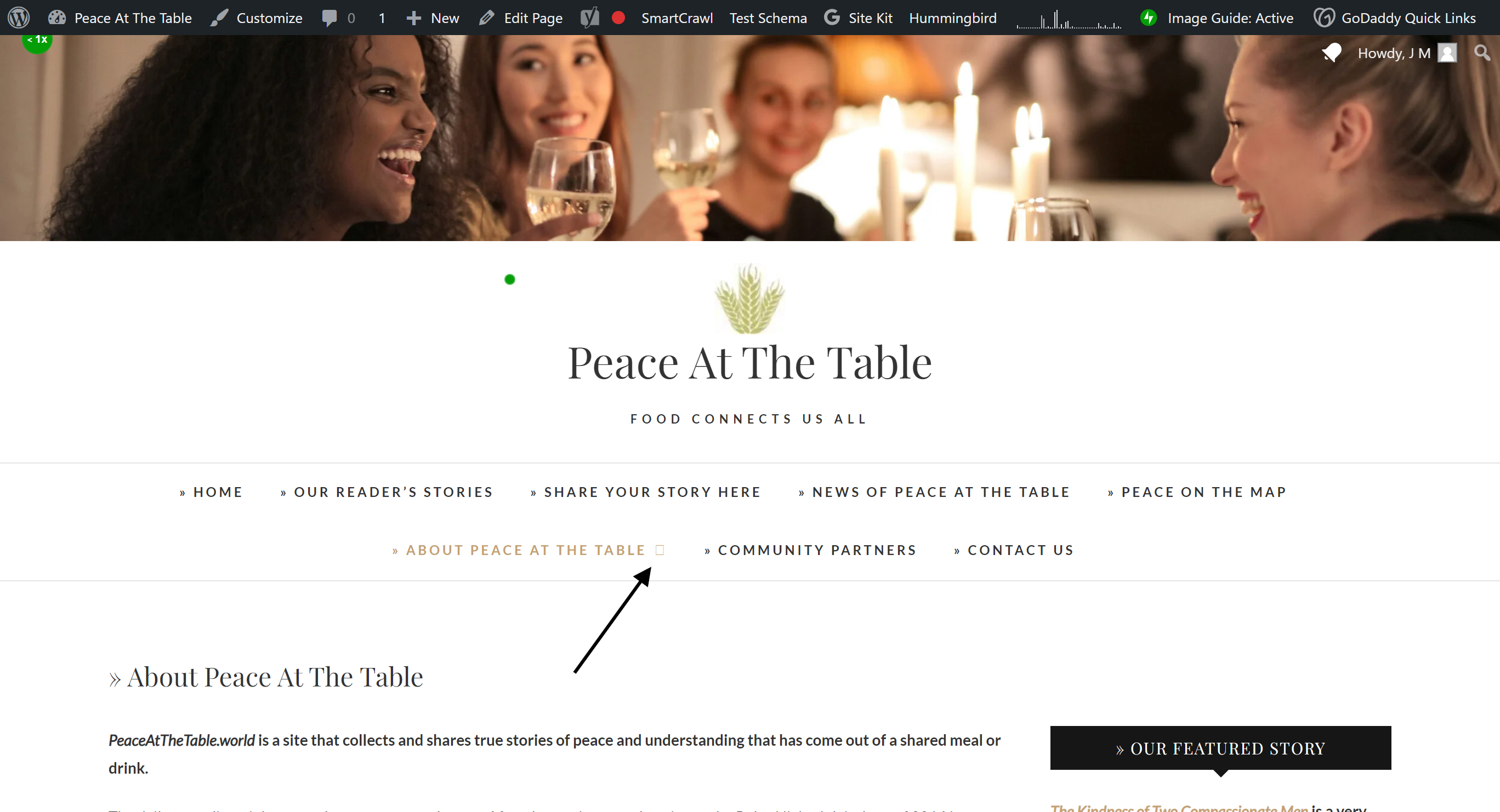
Hi @jgmarden,
I hope you are doing well today!
As I checked the mentioned icons, they seem to be optimized by Jetpack plugin. Please let us know if you have Jetpack or another caching/performance/optimization plugin being used at the same time with Hummingbird which can cause conflicts.
You can check CSS file causing the issue via Development Tools (F12) and exclude it from the optimization or switch to the manual mode and find the related CSS and undo compression.
https://wpmudev.com/docs/wpmu-dev-plugins/hummingbird/#assets-automatic-configs
https://wpmudev.com/docs/wpmu-dev-plugins/hummingbird/#assets-manual-configs
For more detailed information on optimization, you can take a look at the following documentation.
https://wpmudev.com/docs/wpmu-dev-plugins/hummingbird/#optimization-guide
Kind regards,
Zafer
Yes, I had Jetpack. For the moment I have deactivated both Jetpack and Hummingbird to try to find the problem.
The site is still not showing properly; the same problem I listed above.
Can you tell me how to uncompress the CSS, essentially restoring it to when the site worked properly?
Thanks again
I’ve resolved the plugin conflict.
Thank you very much for your time.
Hello @jgmarden,
The icons seem to be displaying properly now:
https://prnt.sc/qhmoaCfAQ5ar
If you still don’t see the icons on your end, it might be due to the browser caching. Please try “hard-refreshing” the page in your browser to reload CSS files: https://fabricdigital.co.nz/blog/how-to-hard-refresh-your-browser-and-clear-cache
Hope this helps. Please let us know if there’s still any issue.
Best Regards,
Dmytro
Oops, it looks like I’ve posted my reply soon after yours 😉
We are glad to hear the issue has been resolved!
Please don’t hesitate to contact us if you need any further assistance.
Best Regards,
Dmytro