Plugin Support
qtwrk (@qtwrk)
please try this :
edit file /plugins/litespeed-cache/src/img-optm.cls.php, at line 1167 , you will see 'timeout' => 60,
add a line next to it , with code
'verify' => '/path/to/wordpress/wp-includes/certificates/ca-bundle.crt/cacert.pem',replace /path/to/wordpress to your actual wp path , then pull it again , see what it shows.
OK thanks, here’s the line I added:
Fatal error:
Plugin Support
qtwrk (@qtwrk)
yeah sorry, undo and forget about that
please try this
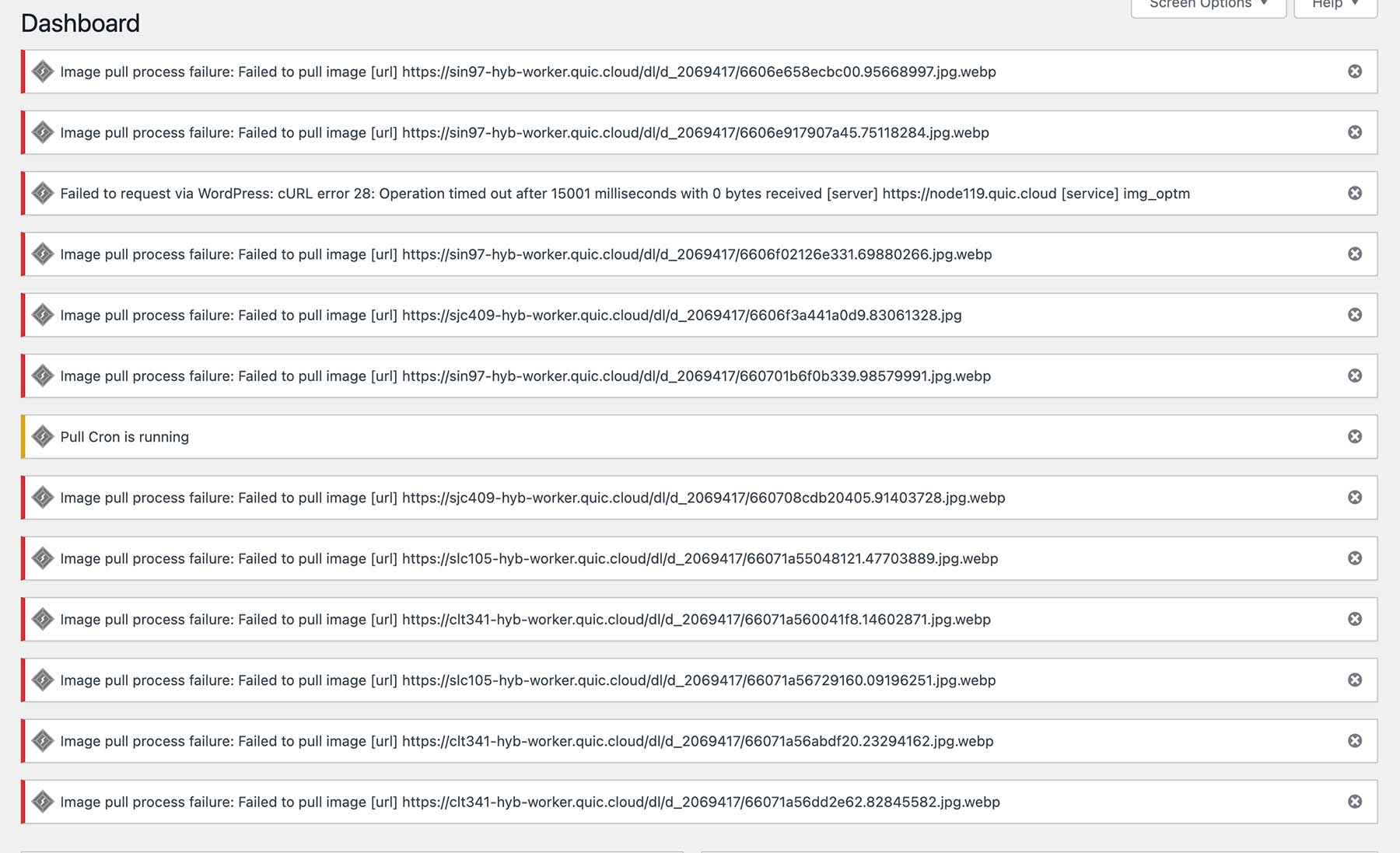
when you see that error happens again , grab the image URL like https://sjc409-hyb-worker.quic.cloud/xxxx.jpg , as your screenshot , open it in browser first and make sure it loads
then create a php file with code
<?php
require('./wp-load.php');

use WpOrg\Requests\Autoload;
use WpOrg\Requests\Requests;
use WpOrg\Requests\Response;

if (class_exists('\WpOrg\Requests\Requests') && class_exists('\WpOrg\Requests\Autoload') && version_compare(PHP_VERSION, '5.6.0', '>=')) {
    Autoload::register();

    $complete_action = function($response, $id) {
        echo '<pre>';
        var_dump($response);
        echo '</pre>';
    };

    $requests = array(
        array('url' => 'https://xxxx.jpg', 'type' => 'GET',)
    );

    $options = array(
        'timeout' => 60,
        'connect_timeout' => 60,
        'complete' => $complete_action,
    );

    $responses = Requests::request_multiple($requests, $options);

} else {
    echo 'No class';
}
replace https://xxxx.jpg to the URL you grabbed , then open this file in browser, see what it returns.
Ok, what error? what image?
Plugin Support
qtwrk (@qtwrk)
well , sorry for the troubling , the image optm is kind of convoluted and complex process , many components are involved
——–
on this image https://vandogtraveller.com/wp-content/uploads/2024/03/Screenshot-2024-03-29-at-21.13.34.jpg
there are some images links , grab any of them , open in browser and see if it loads the image
find one that actually loads image , then place it into my test script and open it in browser