Image Optimization / WebP issues after “Destroy All Optimization Data”
-
Hi,
I’m using LiteSpeed Cache with QUIC.cloud Image Optimization on kalintabov.com.
After migrating to a new hosting account and making changes to the site, I noticed that some images were not optimized (PageSpeed Insights was flagging them as too big (JPEGs), and when I saved them from the browser they were
.jpg, not.webplike others who were webp after optimization). I decided to “Destroy All Optimization Data” in order to rebuild optimization.After doing that, now more images show as jpg that were before webp (when clicking “save as” in a browser).
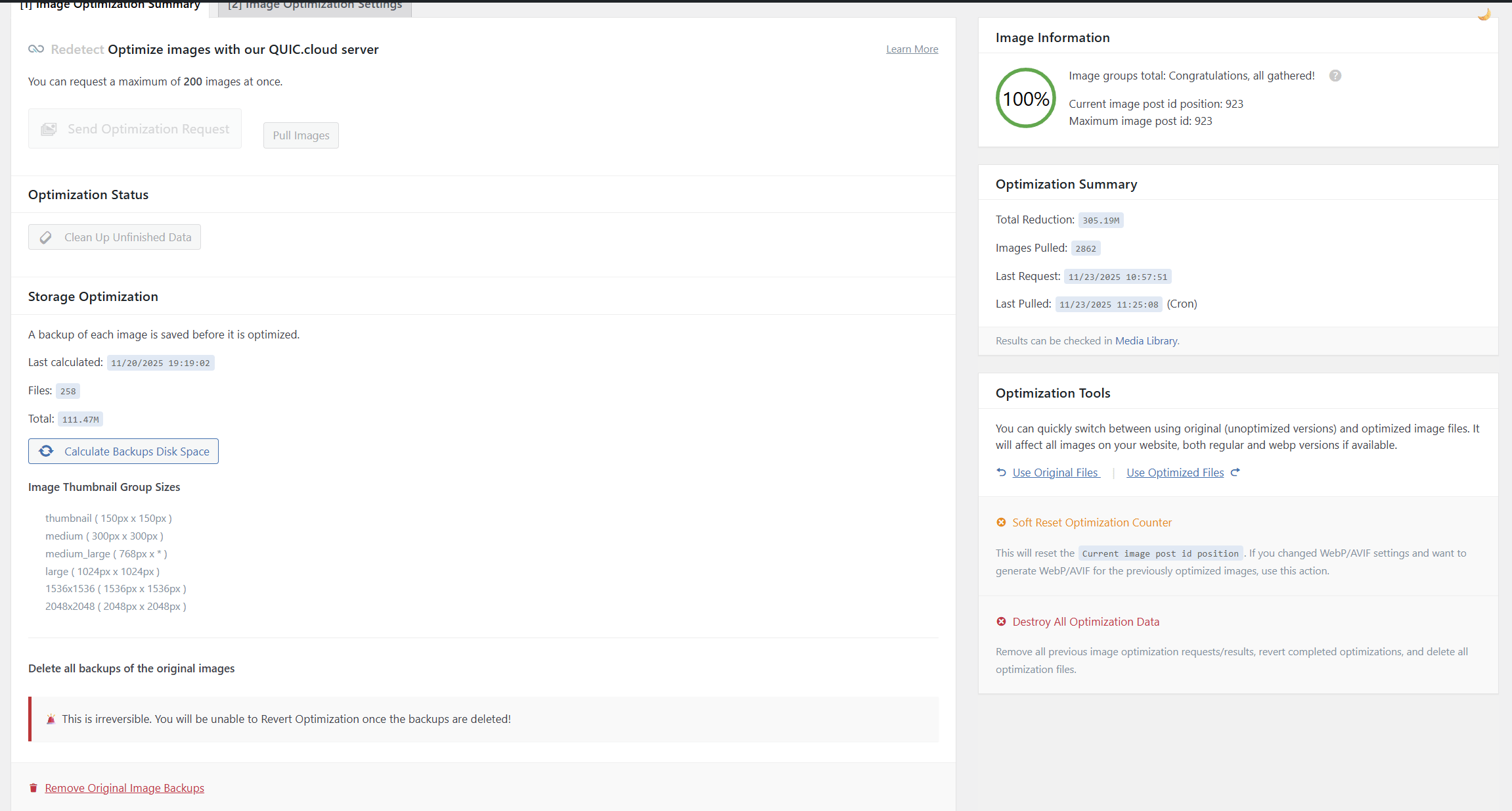
- In Image Optimization → Summary, I now see:
- Image Information: 0%
- You can request a maximum of 0 images at once
- The Media Library LiteSpeed columns are empty (no original/optimized/WebP info anymore – just a dash).
- Image information was showing 100% but I decided to do “Soft Reset Optimization Counter” hoping it would change something and now it shows 0%.
Please help me figure out what is going on and how to get all images optimized.
The page I need help with: [log in to see the link]
- In Image Optimization → Summary, I now see:

Viewing 6 replies - 1 through 6 (of 6 total)


Viewing 6 replies - 1 through 6 (of 6 total)
You must be logged in to reply to this topic.