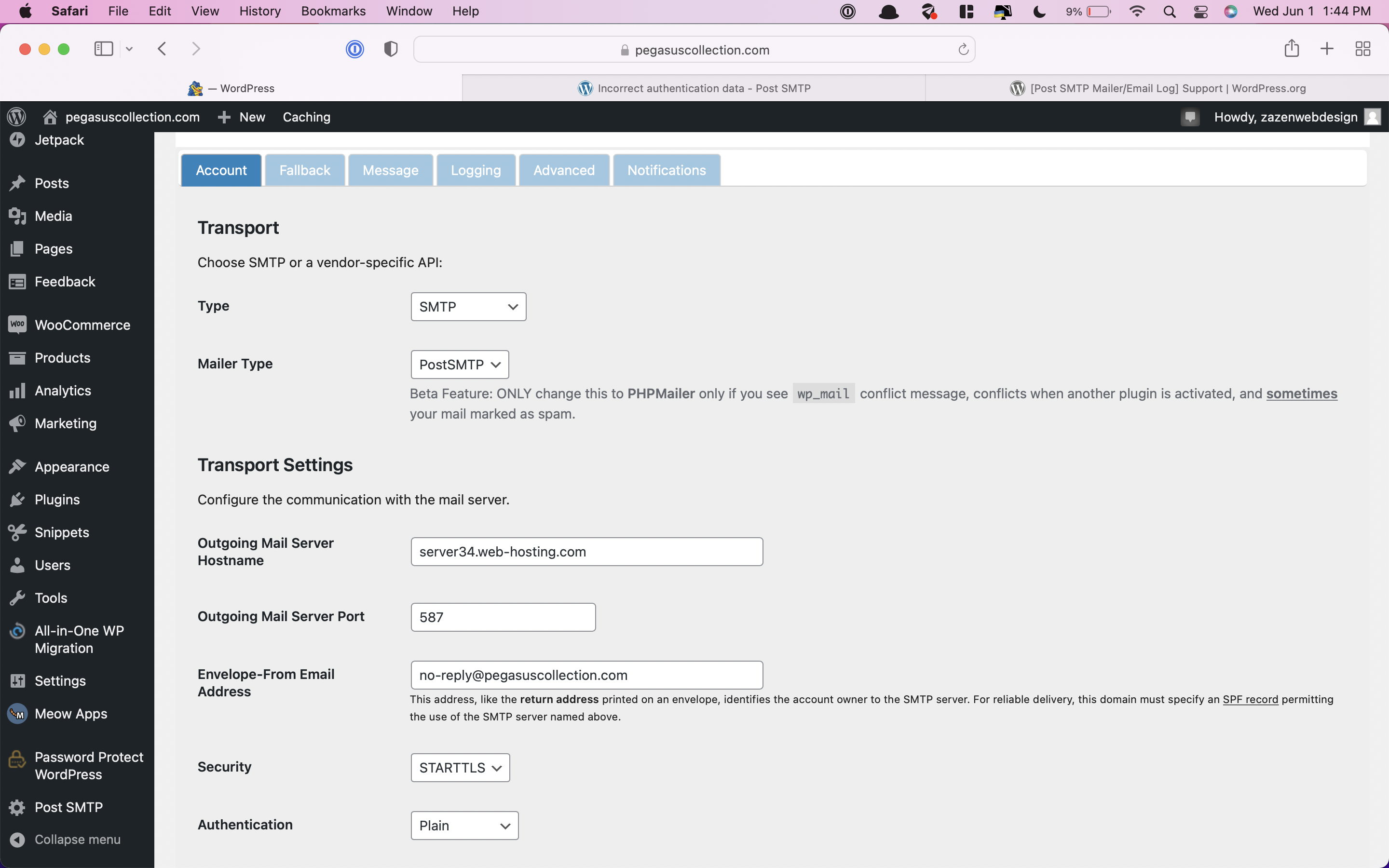
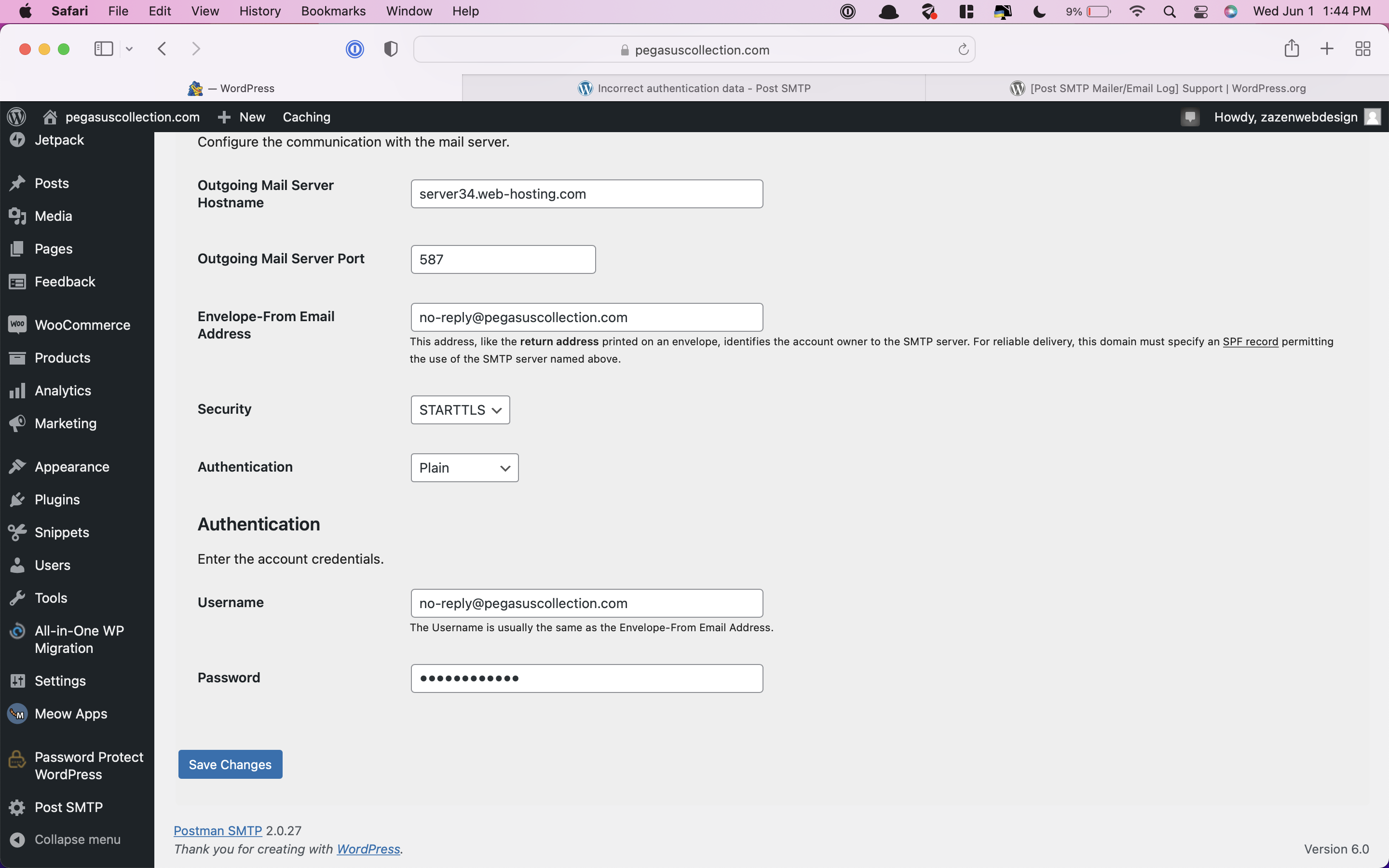
Hi @pegasuscollection1
Hope you are doing good.
Please share the diagnostic test report and also let me know which mailing services are you using?
Thanks
Hi,
Sorry I am not that experienced with WordPress so how do I share a diagnostic report?
And how do I know which mailing services I am using?
Thanks
@pegasuscollection1
Ok, Go to the Plugin dashboard and in the last menu, there will option of “Diagnostic Test” click on it and copy and paste the report here.
For Mailing Service, Goto Plugin settings and share the Account tab screenshot here.
Thanks
Mailer: postsmtp
HostName: pegasuscollection.com
cURL Version: 7.81.0
OpenSSL Version: OpenSSL/1.1.1n
OS: Linux gator3113.hostgator.com 4.19.150-76.ELK.el6.x86_64 #1 SMP Wed Oct 7 01:34:10 CDT 2020 x86_64
PHP: Linux 7.4.29 C
PHP Dependencies: iconv=Yes, spl_autoload=Yes, openssl=Yes, sockets=Yes, allow_url_fopen=Yes, mcrypt=No, zlib_encode=Yes
WordPress: 6.0 en_US UTF-8
WordPress Theme: Block Shop
WordPress Plugins: All-in-One WP Migration Unlimited Extension, All-in-One WP Migration, Code Snippets, Disable Comments, Easy Theme and Plugin Upgrades, Hide Shipping Method For WooCommerce Pro, Jetpack, Password Protect WordPress Lite, Post SMTP, WooCommerce USPS Shipping, WooCommerce, WP Mail Logging, Perfect Images (Retina, Thumbnails, Replace)
WordPress wp_mail Owner: /home4/pegasion/public_html/wp-content/plugins/post-smtp/Postman/PostmanWpMailBinder.php
WordPress wp_mail Filter(s): wp_staticize_emoji_for_email, PostsmtpMailer->get_mail_args, No3x\WPML\WPML_Plugin->log_email
WordPress phpmailer_init Action(s): PostsmtpMailer->phpmailer_smtp_init
Postman: 2.0.27
Postman Sender Domain (Envelope|Message): pegasuscollection.com | pegasuscollection.com
Postman Prevent Message Sender Override (Email|Name): No | No
Postman Active Transport: SMTP (smtp:tls:plain://server34.web-hosting.com:587)
Postman Active Transport Status (Ready|Connected): Yes | Yes
Postman Deliveries (Success|Fail): 500 | 49
Let me know I provided what you need or if you need anything else in order to get back to me. Thanks
@pegasuscollection1
Seems like it’s a setting issue, try to change the OutGoing Port number or talk to your hosting support and ask for an OUTGOING SMTP link.
Change your Email account password then configure the plugin again.
These issues come when Pass is incorrect or there is an issue in the settings.
For testing, you can configure your Gmail account and test also.
Thanks
We haven’t heard from you so we’re going to mark this thread as resolved. Feel free to open a new one if you need it.