Hi,
I’m importing users here.
How are you importing your users?
It works for two users but not for one user.
Can you provide more information?
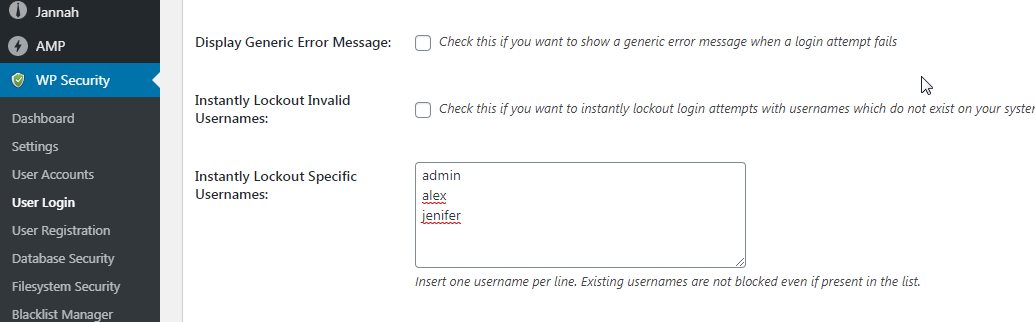
They are constantly testing for alex usernames but they are not blocking
Are you saying that alex is not getting blocked?
Thank you
-
This reply was modified 6 years, 5 months ago by
 mbrsolution.
I enter 4 users in this field. Two of the users are admin users. And there are no other two.
These 4 users are under Bort Force attack. I entered these 4 that immediately anyone who entered would block.
It works for 3 users but it doesn’t work for a user who is alex. I even entered the field individually but it doesn’t block
Does the user alex exist somewhere in your site?
Yes this user is one of the site administrators but uses email to login.
It responds to another user who is a site administrator but does not respond to alex
Hi,
The feature Instantly Lockout Specific Usernames: has the following note for reference.
Insert one username per line. Existing usernames are not blocked even if present in the list.
That means that even though you added alex to the list, this user will not be blocked.
Does the above make sense?
Regards
I want to block ip that person automatically when someone tries to guess alex’s password. I don’t want alex user to be blocked.
Looks like your CAPTCHA is having trouble. Because it is active, the robot is still testing
Hi,
I want to block ip that person automatically when someone tries to guess alex’s password. I don’t want alex user to be blocked.
Do you see any IP addresses blocked in your site? Have you tried using one of Brute Force features to protect the login page?
Thank you