Hello @ujwal136
Thank you for the support topic, your theme or one of the plugins may be exceeding the CSS budget. The CSS budget limit is 75000 bytes (75Kb)
If you are logged in as admin to your site you will see CSS budget issues on the admin toolbar
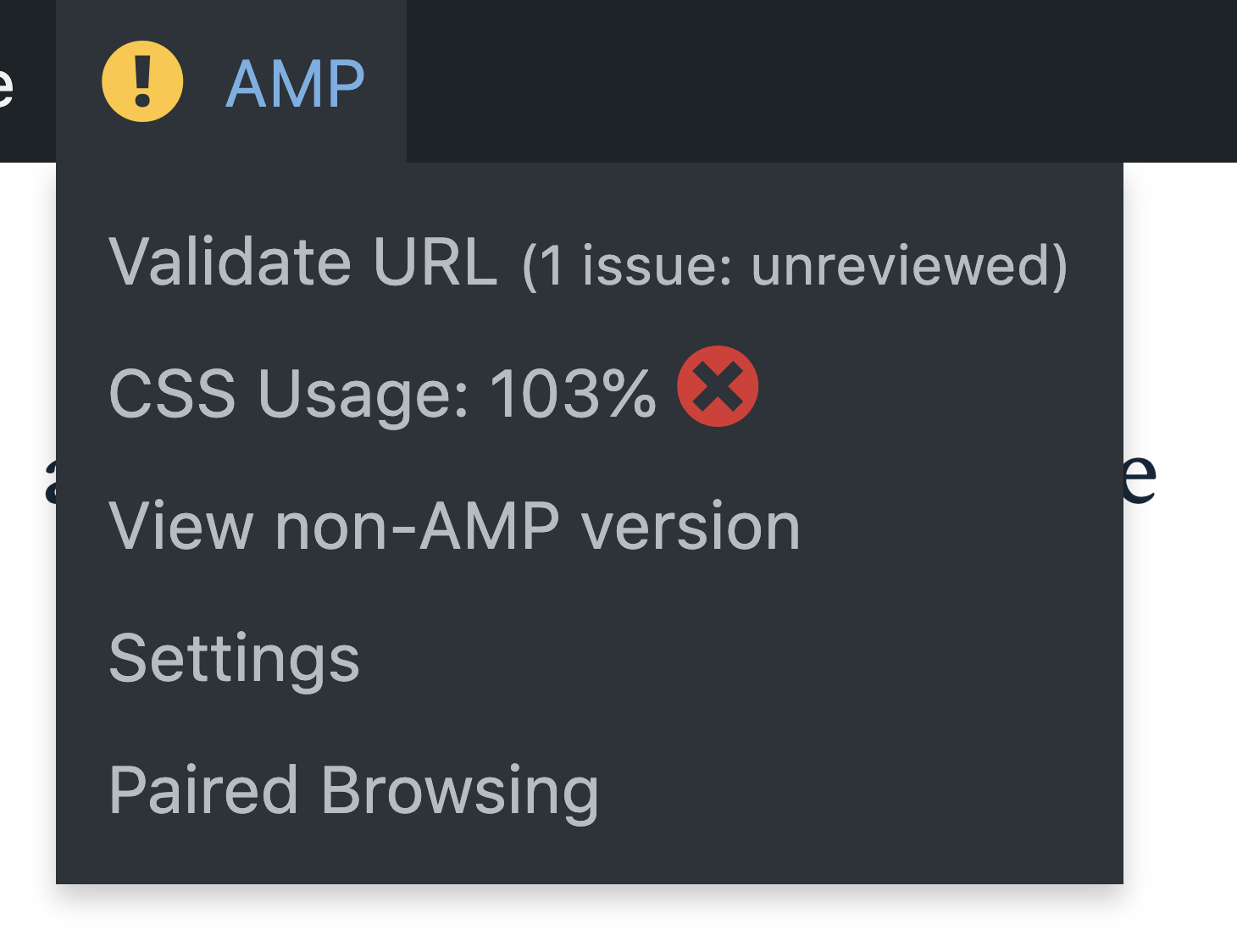
clicking on it will take you to the validator screen which will let you know what plugin or theme is exceeding the CSS budget.
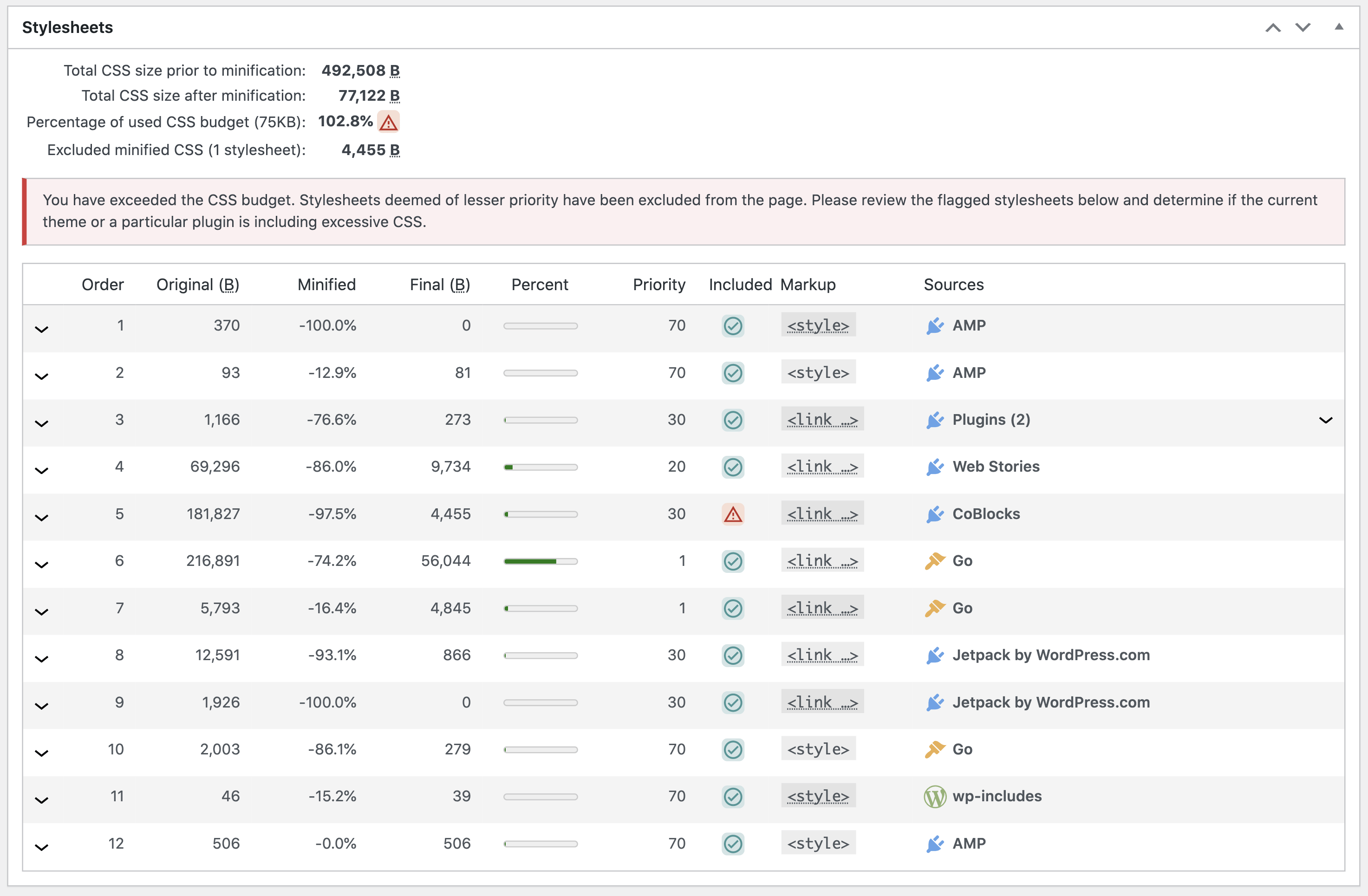
Hope this helps you debug the issue.
Hi
Thanks for the prompt reply.
i have the admin credentials, i am a non technical guy, can you pls guide me step by step to resolve the issue.
if it is tough to resolve,request you to kindly help me out in deleting the AMP plugin completely.
i could deactivate the AMP plugin but couldnt delete it completely and even unable to find the option of “Delete data on Uninstall” button in AMP settings as well.
Pls help me as early as possible
Hello @ujwal136
Are you able to find out the plugin which was causing the CSS overbudget issue by following the steps mentioned in the previous reply?
If you are looking to remove the AMP plugin just deactivate and uninstall it, once you uninstalled the plugin please wait for some time so your site gets re-crawled.
so the AMP cache get updated.
Also, You can also try using this tool to send request for removeal as mentioned in this article.
1. not able to find the CSS over budget issues, as there is no info on my admin tool bar.
2. i could deactivate the AMP plugin but not finding a way to “uninstall” as there is no option showing.
pls guide me.
Hello @ujwal136
Can you please confirm you are the site administrator? also please make sure that you are not using the Network site
eg: screenshot
if Yes, then I will recommend consulting with your developer as deleting a plugin from the network may affect other sites. in this case deactivating the plugin is sufficient
Also, use this tool and send a request for removal from AMP cache, which will fix google search for you.
Hello,
I have the same issue. After activated AMP plugin, my website is broken. I have seen that CSS usage is 236% but when I click on it on the toolbar, it doesn’t show the theme or one of the plugins that may be exceeding the CSS budget.
But, it says:
“Unable to retrieve URL to validate. cURL error 28: Operation timed out after 15001 milliseconds with 0 bytes received. Please check your site health to verify that it can perform loopback requests. If you are blocked, please search the support forum for any related topics, or otherwise start a new support topic including the error message, your site url and your active themes / extensions. Please include information about the health of your site.”
Could you please help me using AMP without breaking my website?
Best regards,
Hello @com4muz
Please create a new support topic so we can investigate your case separately.
As we didn’t receive a response I’ll mark this as resolved. Feel free to open a new support topic if you require any further assistance.


