The first thumbnail that doesn’t load is:
<img width="500" height="281" src="http://berlin-aviation-spotting.de/wordpress/wp-content/uploads/2024/08/1-DDR-STE-500x281.jpg" class="media-object wp-post-image" alt="" decoding="async" fetchpriority="high" srcset="http://berlin-aviation-spotting.de/wordpress/wp-content/uploads/2024/08/1-DDR-STE-500x281.jpg 500w, http://berlin-aviation-spotting.de/wordpress/wp-content/uploads/2024/08/1-DDR-STE-300x169.jpg 300w, http://berlin-aviation-spotting.de/wordpress/wp-content/uploads/2024/08/1-DDR-STE-1024x576.jpg 1024w, http://berlin-aviation-spotting.de/wordpress/wp-content/uploads/2024/08/1-DDR-STE-768x432.jpg 768w, http://berlin-aviation-spotting.de/wordpress/wp-content/uploads/2024/08/1-DDR-STE-320x180.jpg 320w, http://berlin-aviation-spotting.de/wordpress/wp-content/uploads/2024/08/1-DDR-STE.jpg 1280w" sizes="(max-width: 500px) 100vw, 500px">
Firefox reports 129.0 reports “could not load the image” in inspector, but http://berlin-aviation-spotting.de/wordpress/wp-content/uploads/2024/08/1-DDR-STE-500×281.jpg and its other variants do load when accessed directly.
Firefox shows a 403 Access Denied error for each image under the inspector’s Network tab, so something on your end is blocking your own images from being loaded on your own site.
If you’ve employed some sort of hotlink protection, you need to make sure that you have whitelisted your own domain.
Thank you for your fast response and the information James.
I don´t know exactly what could be the reason for this…
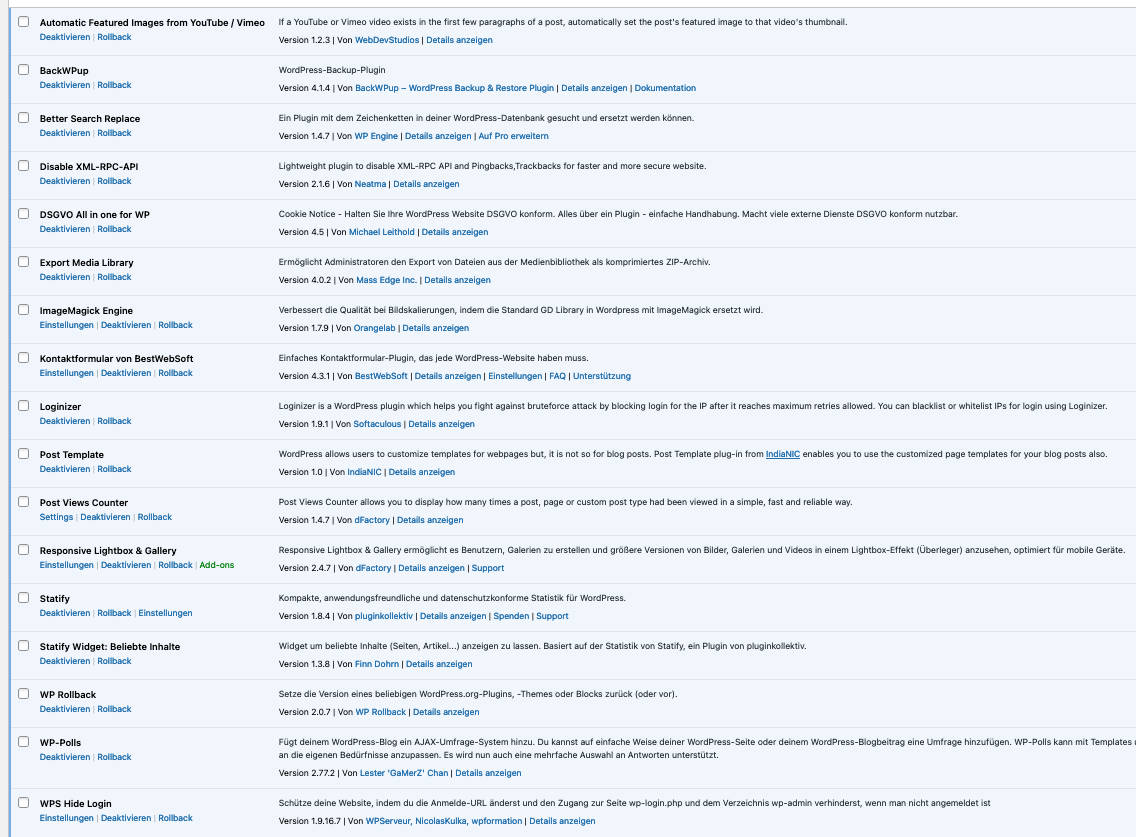
I took a screenshot of my used plugins. Do you think that any of these could be the origin of this issue?
https://s20.directupload.net/images/240813/du7muyqo.png
Best Regards
Sebastian
I don’t think so, but I’m not familiar with most of them. I recommend looking through their settings.
This is also something that you could have set up in your hosting account’s control panel.
Some days ago I had to update my PHP software on the used server and also tried to change my website from HTTP to HTTPS, which I however wasn´t able to configure. Could this also be a reason for my issues?
No, neither of those things block hotlinking.
Everything is working again right now! Issue was that during my attempts to change to HTTPS all the media URLs were changed and as my attempts doesn´t worked wordpress was not able to open these links. For that I changed all media URLs back to HTTP with “Better Search Replace” plugin and for now everything is working again.
Anyway, thank you for your help James!
-
This reply was modified 1 year, 9 months ago by
 bas2024.