Hello
I think you have js error in backend, try please to disable all plugins and and press that button again, OR/AND use firebug to catch it: http://www.woocommerce-filter.com/how-to-use-firebug-in-firefox-browser/
https://drive.google.com/open?id=0B8J2y9p9m7uaTXdmbXZLdEVmOVk – 99% images size is less than 200×200 or smth, just recheck sizes of it please …
Welcome 😉
Thread Starter
 Urosch
(@urosch)
Hey RealMAg777,
thank you for your replay!
Did disable all plugins, tried the console errors (no errors), Yes Image are all above 200×200. It didn’t help.
When I reinstalled wordpress 4.3 it started working again.
Not trying to be a smart pants now, but looks like it could be InPost compabillity issue with wordpress 4.4.2
Regards
Thread Starter
Urosch
(@urosch)
Update, 4.3.3 is okay from 4.4.0 on not working. I client loves this plugin so we will rather do a downgrade for now.
If you find the same issue, please let me know, when it’s safe to upgrade.
Thank you!
Hello Urosch
Just made test on the latest wp 4.4.2 here: http://www.inpost-gallery.com/tester/ – worked
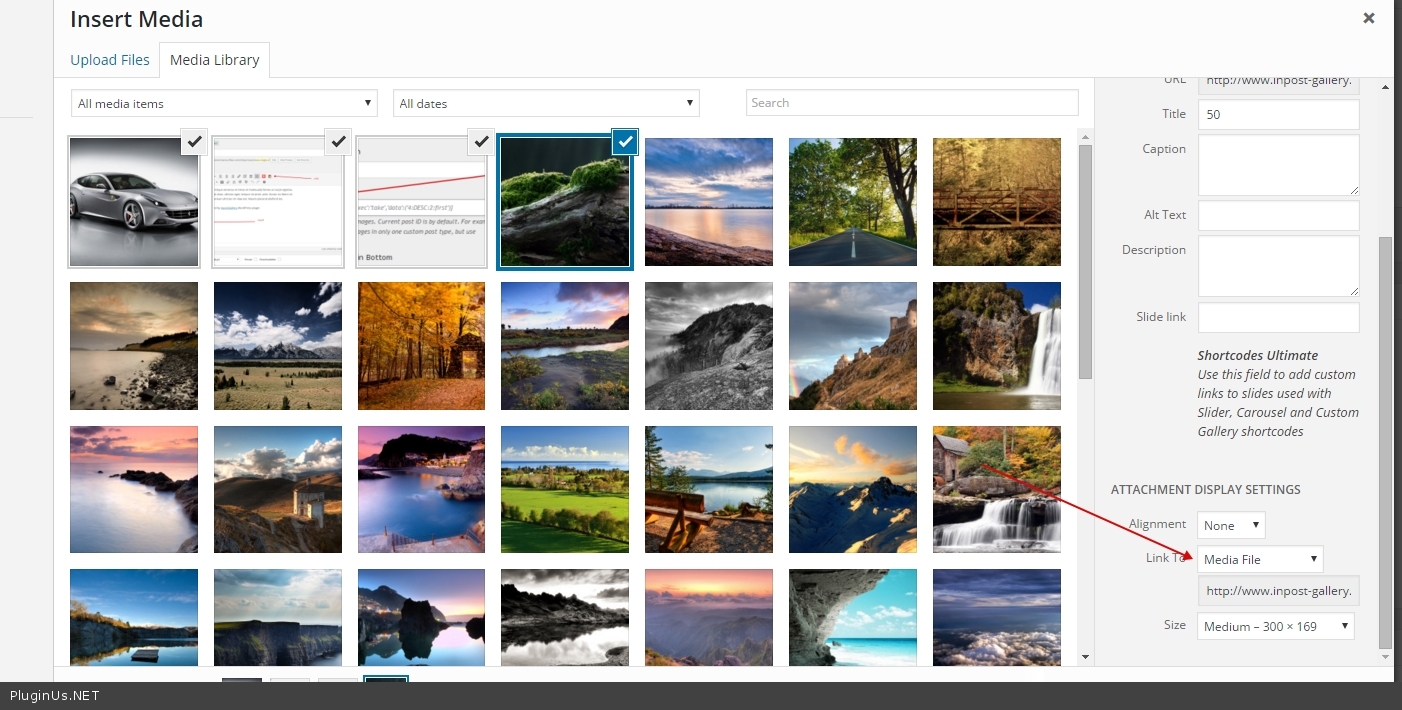
http://c2n.me/3uXamN9.jpg – be sure that you selects Media File
If still fails – do next please:
* create site clone by this plugin https://ww.wp.xz.cn/plugins/duplicator/
* update wp to the latest 4.4.2
* then send me wp-admin access there, to clone using this form: http://pluginus.net/support/ with link to this forum page to understand context of the message …
Thread Starter
Urosch
(@urosch)
@realmag777
sorry was a bit swamped, in general what you mentioned is okay. So I will make a test site and send access.
Sorry for a bit delay!