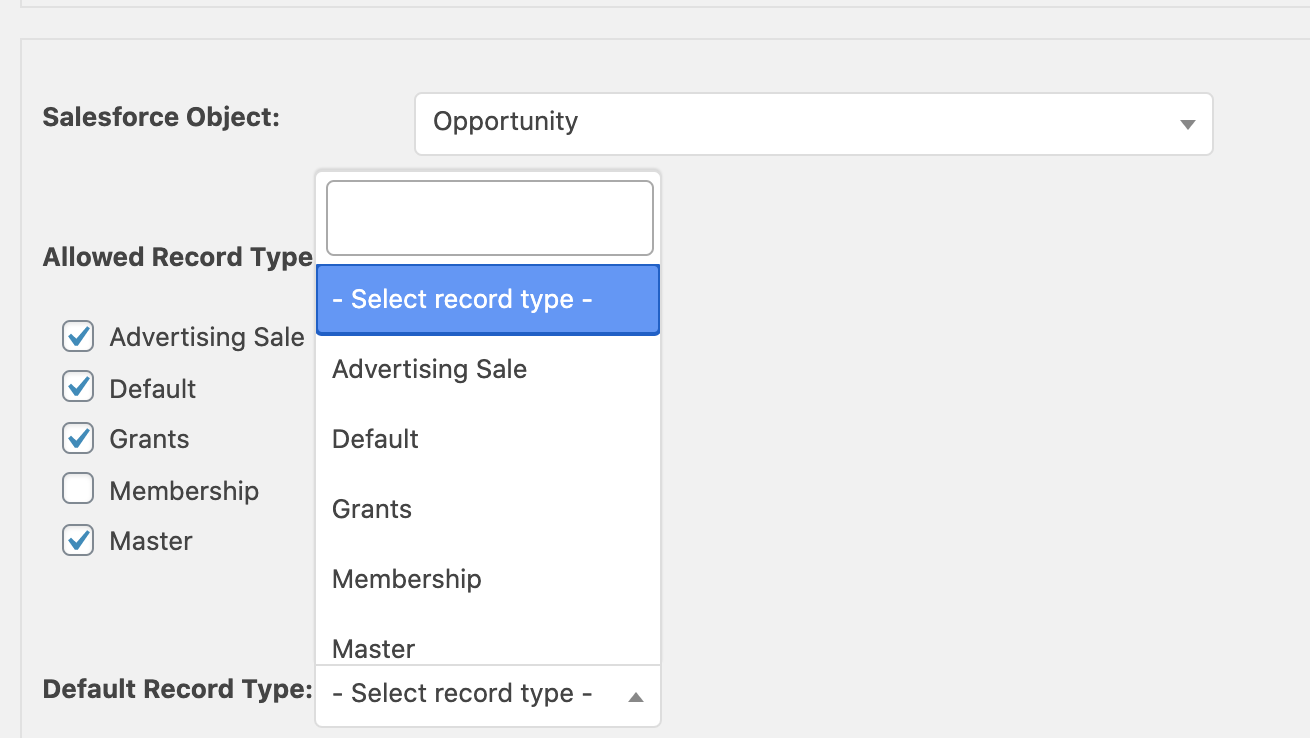
I think this might be a Salesforce issue. Normally Contacts don’t have record types, that I’ve seen at least. For an object that does have record types, the setup looks like this image.
https://user-images.githubusercontent.com/435342/92638577-1937d500-f2a0-11ea-84b4-2c8d1580ccd4.png
If you have allowed record types but cannot pick a default record type, I think you may need to work on your Salesforce setup. This isn’t something we can help with here, but that is my advice for where to look.
Thany you, @jonathanstegall, for your quick reply. I really appriciate this.
Maybe I do not understand how to add fields to the mapping. I understood I have to select a Default Record Type first. If this is not necessary my question is, how do I map fields.
Clicking on the Button Add another field mapping results in nothing. Means, clicking does not start any action.
Maybe I’m totally wrong. Is there a video or documentation where the mapping is described?
At the moment I feel lost and I hope to get your advice to understand how the system works.
Thanks a lot for your effort.
Well there is a lot of plugin documentation. There are a few screenshots, but no videos. You can see all of the documentation in the plugin folder, or on GitHub.
You do have to select a default record type if there are record types available. But why your contact object has any record types is not clear to me; that is not default Salesforce behavior as far as I know.
If you see the button that says “Add another field mapping” that means it already thinks you have at least one field mapping (otherwise it says “Add a field mapping”. But if nothing is happening, I think maybe you have JavaScript errors happening.
So here’s what I think is happening. Either:
1. You have JavaScript errors. This is maybe the best place to start. Try another browser, maybe, or do some investigating in the browser console to see if it reports errors. You might even have other plugins that are causing conflicts, and you could disable them.
2. Or, you have Salesforce configuration issues. This might be permission settings.
If there are JavaScript problems, it’s certainly not how the plugin should behave, but I’ve also not seen this happen on any other setups, so it may take you some time to find out what is causing it.
Thank you once more @jonathanstegall for your time and reply.
The hint aobut the JavaScript error was the push to the right solutiuon. I checked the console and there was a JavaScript error with jQuery. So, I deactivated the plugin which occures the error and – magic – the “Add another field mapping” buttons works. And, I could map the fields I needed. Great!
Once more, sorry I have bothered you and thank you for your knowledge.