JSON error
-
Hello.
There was a phenomenon that the preview on the posting screen could not be displayed due to block reading error.
Also, the category selection checkbox is no longer displayed when an error occurs.
Is there a way to avoid it?

-
Hi @scue0363,
Thanks for bringing this up.Could you please share another link that shows the issue? I’m not sure if that showed the error.
Hello.
If you add multiple fields in one block and enter some, json error will be displayed.http://up-img.net/img.php?mode=png&id=1157&auth=ddf4a04e121344a6e7ee2acf71145a99
Hello.
Although it is supplementary, it is displayed without a problem on the front screen.Hi @scue0363,
Thanks for the screenshot.1. Are there any errors or warnings in the JS console when that error occurs?
2. Also, are you using any other block-related plugins? Sometimes, other plugins add other attributes via JS.
3. What Block Lab fields are in the block with error, or does it appear no matter what fields are in it?
Hello
1. Check the console error as a text file.
https://thuploader.orz.hm/uploader/?mode=dl&id=113412. “Classic Editor” is the only block-related plug-in.
3. There are no block fields with errors.
It seemed that an error would occur if you placed multiple rich text fields and proceeded with input.
Hi @scue0363,
Thanks for your responses, and for your patience with the error.I didn’t see anything in the console error file that would point to this error.
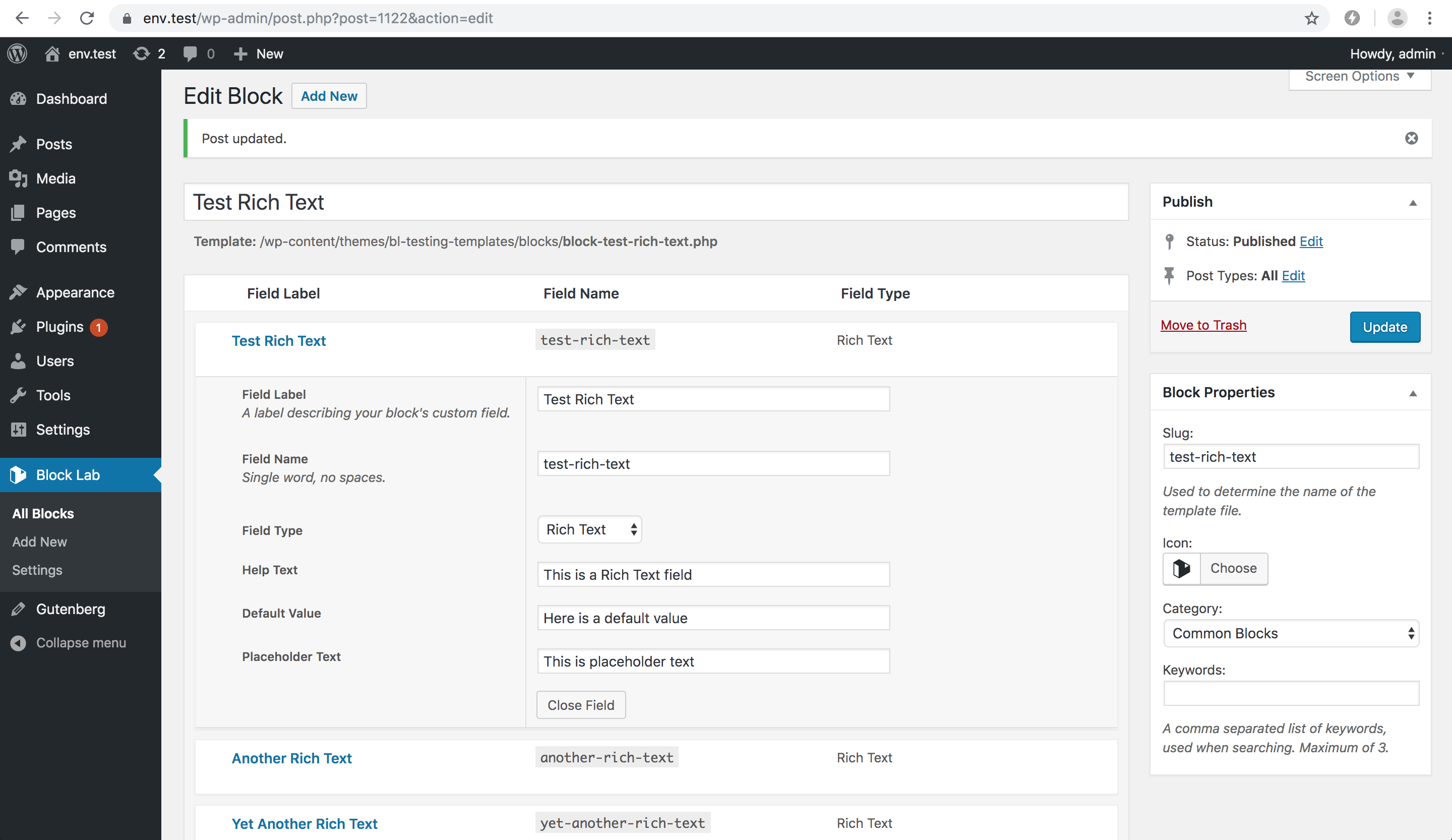
It would be great if you could share a screenshot of the Edit Block page for the block. Maybe that would help me to reproduce the error.
Here’s an example Edit Block page:
https://cldup.com/W0L4-nuPQL.pngI tested a block with 3 Rich Text fields, and there was no error so far:
[video src="https://cldup.com/iCCIYFPz0G.mp4" /]But ideally, we’ll be able to figure out the source of this error, and fix it.
Thanks, and hope you have a great weekend.
-
This reply was modified 6 years, 8 months ago by
Ryan Kienstra.
Hi,
I have the same error. This appears when too much text is stored in a Rich Text input field. If I shorten the text, the error disappears. Does that have something to do with the PHP settings?
Could this be a problem?
The Request:
http://www.domain.de/wp-json/wp/v2/block-renderer/block-lab/name?context=edit&attributes%name%5D=input-input-input-input-input-input-input-input-input-input-input-input… exeeds over 2,083 characters…@max2411,
Great point, thanks a lot for bringing that up.There is a related issue for the Textarea field:
https://github.com/getblocklab/block-lab/issues/254When I entered about 12,000 characters in a Rich Text field, it produced:
Error loading block: The response is not a valid JSON response.
-
This reply was modified 6 years, 8 months ago by
Hi @scue0363,
Are there a lot of characters in the Rich Text fields?Yes.
Similarly, it seems to occur when you put many characters in rich text.Hi @scue0363,
Thanks for letting me know.Sorry, I’m not sure if there could be a solution to this in Block Lab.
When a Rich Text field has too much text, the ServerSideRender endpoint returns:
414 Request-URI Too Large
Unfortunately, I don’t see a way we could work around this.
Do you know how advancedcustomfields handles this? I also have this plugin in use, and the do not have this problem.
Is there maybe any configuration over php.ini to encrease the number of characters, the server accept?
I have the feeling that this error occur with different users at different character numbers. Or?
Hi @max2411,
Good question, I don’t know how Advanced Custom Fields deals with this.Hm, I’m not sure how to increase this limit, but here’s a related comment that you might have also found:
https://github.com/WordPress/gutenberg/issues/12226#issuecomment-480968420I feel this error is a fatal error to continue using.
I hope it will be improved. -
This reply was modified 6 years, 8 months ago by


The topic ‘JSON error’ is closed to new replies.