From GiveWP 3.0 on, a new payment method will show up when you navigate to the payment gateway settings called Stripe – Payment Element. This payment method will only be visible in forms created using the Try the new form builder link. This new payment method accepts 40+ payment methods, validates input, and handles errors directly on your website.
As payment options we can list some of them:
Apple Pay
Google Pay
ACH
Cash App
And many more!
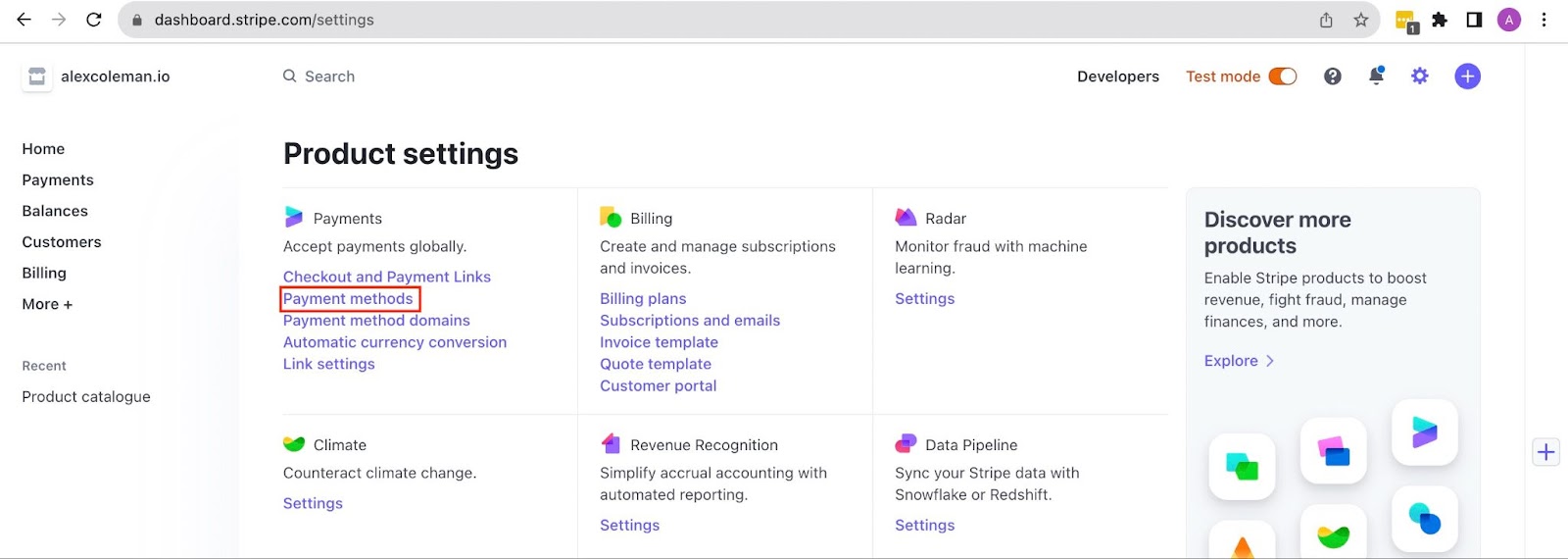
To use it, you need to activate those payment methods. In your Stripe dashboard navigate to the Payment Methods page from the Settings page:
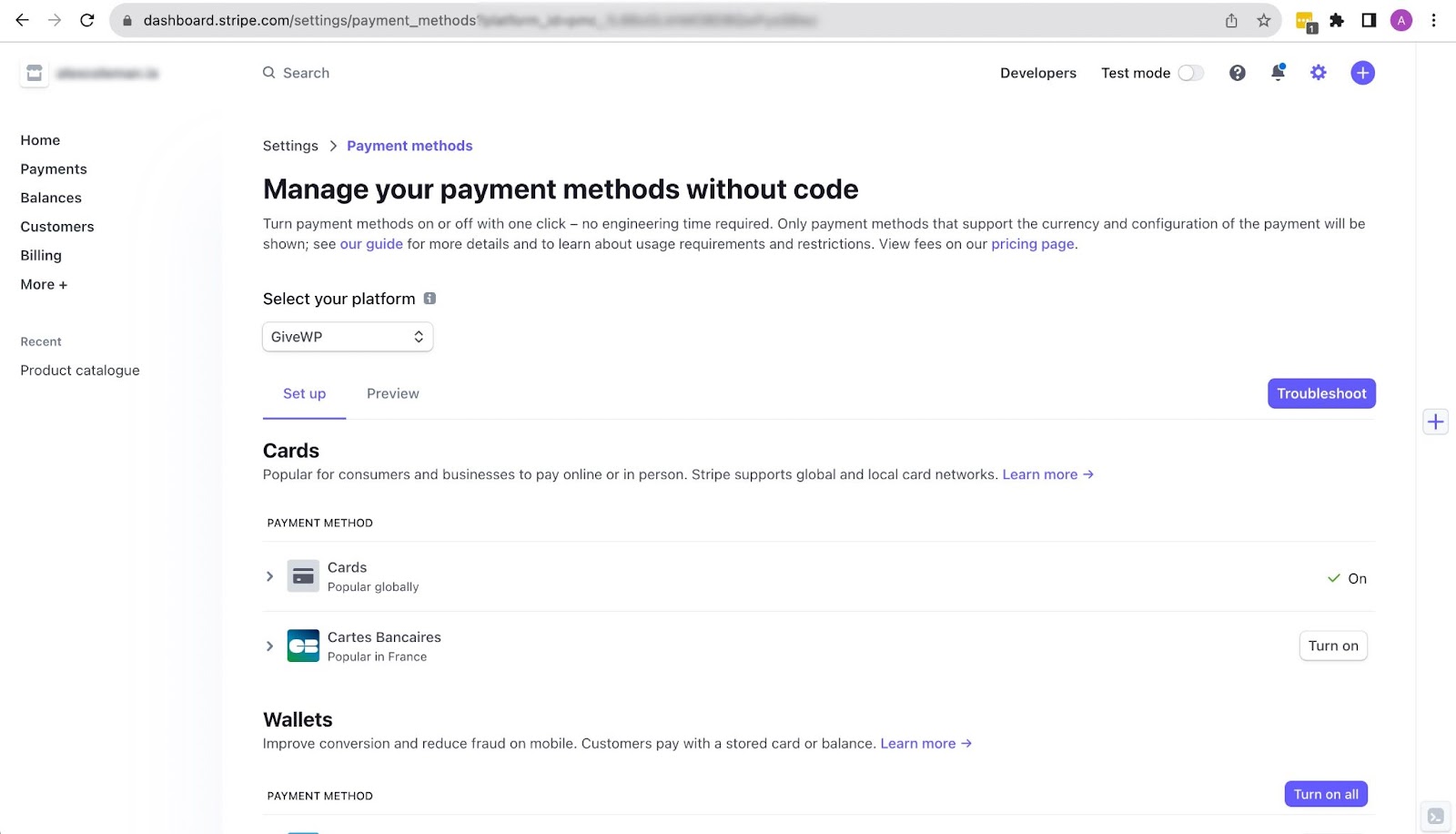
In the Payment Methods page choose GiveWP from the Select Your Platform dropdown. Payment methods will be presented below for you to configure. To preview what Stripe methods will be activated use the Preview link just below where you Select Your Platform.
Not all payment methods will be available to every Stripe account. It’s important to notice a thing. Stripe dynamically loads payment methods based on various factors such as donor location, browser, and device, which is critical to ensuring a seamless payment experience. While it’s true that Stripe makes these decisions after careful analysis, unfortunately, it’s beyond our control to manipulate these settings directly. So, if it does not display other options on your site, it could be due to donors’ setup or even your account.
Feel free to reach out to us if you have any further inquiries or require additional assistance. We’re always happy to help!