Hi dragonflyos,
Thanks for using Easy Appointments.
Could you please share a few more details about your settings configuration? This will help us reproduce the issue on our end, as it may be occurring under a specific condition in your setup.
Hi Sanjeev.
Sure, I’m happy to share this – is there an email address I can send to? I’d prefer to not share links and screenshots on a public forum.
Thanks!
[ Please do not bump. ]
Hi dragonflyos,
We understand your concern. However, as per the ww.wp.xz.cn support forum guidelines, We should not exchange email addresses publicly.
Could you please share the relevant configuration details and any screenshots here? Specifically:
- Your WordPress version
- The Easy Appointments settings you’re using
- Any relevant error messages or the exact behavior you’re experiencing
Once you share these details here, we’ll be happy to help debug the issue further.
Thanks for your understanding!
Hi Sanjeev.
As explained above, after upgrading to versions 3.12.18 or 3.12.19, appointments shown within the booking calendar displayed via the [ea_bootstrap] shortcode are no longer selectable, meaning no bookings can be made. Rolling back to version 3.12.17 remedies this issue, meaning a change made to the plugin between 3.12.17 and 3.12.18 has broken functionality that previously worked for a long time.
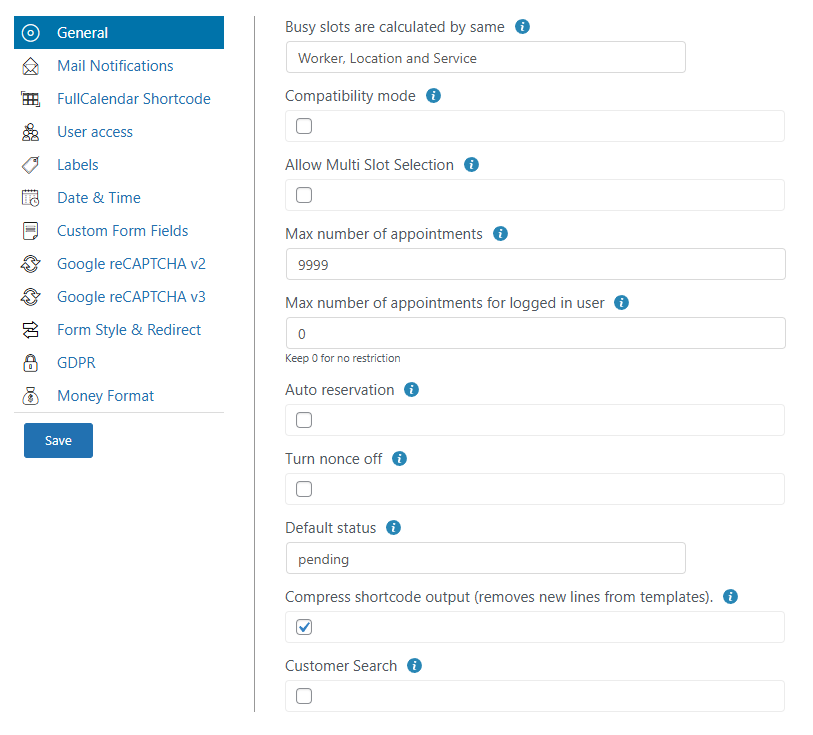
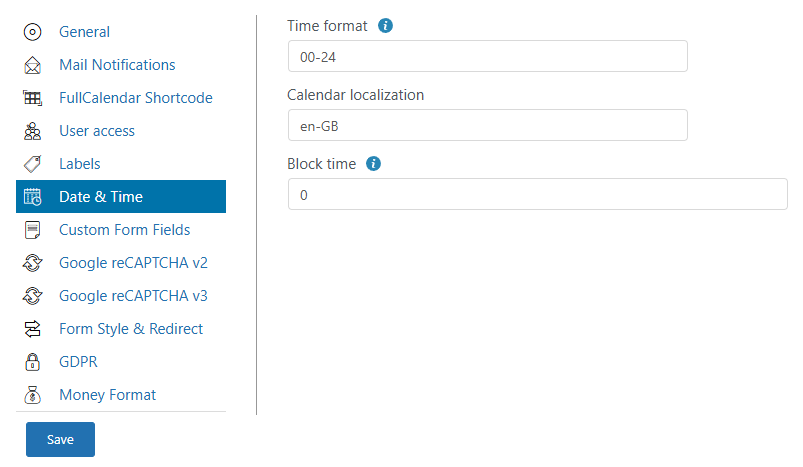
As requested, here is my configuration:
WordPress Version: 6.9
Affected EasyAppointments Version(s): 3.12.18 or 3.12.19
EasyAppointments Configuration Screenshots:–
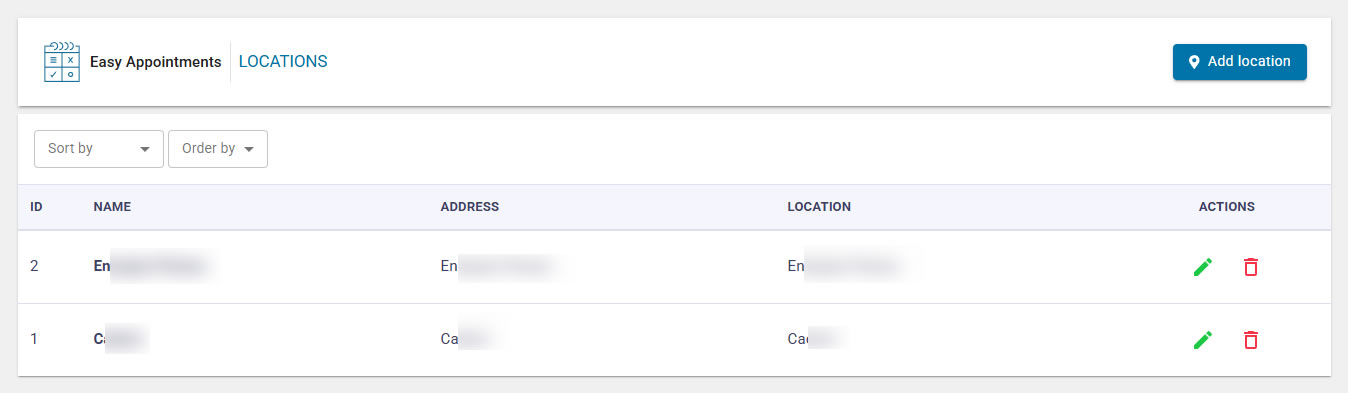
Locations: https://i.gyazo.com/1c957df8530448484db18a1204490f32.jpg
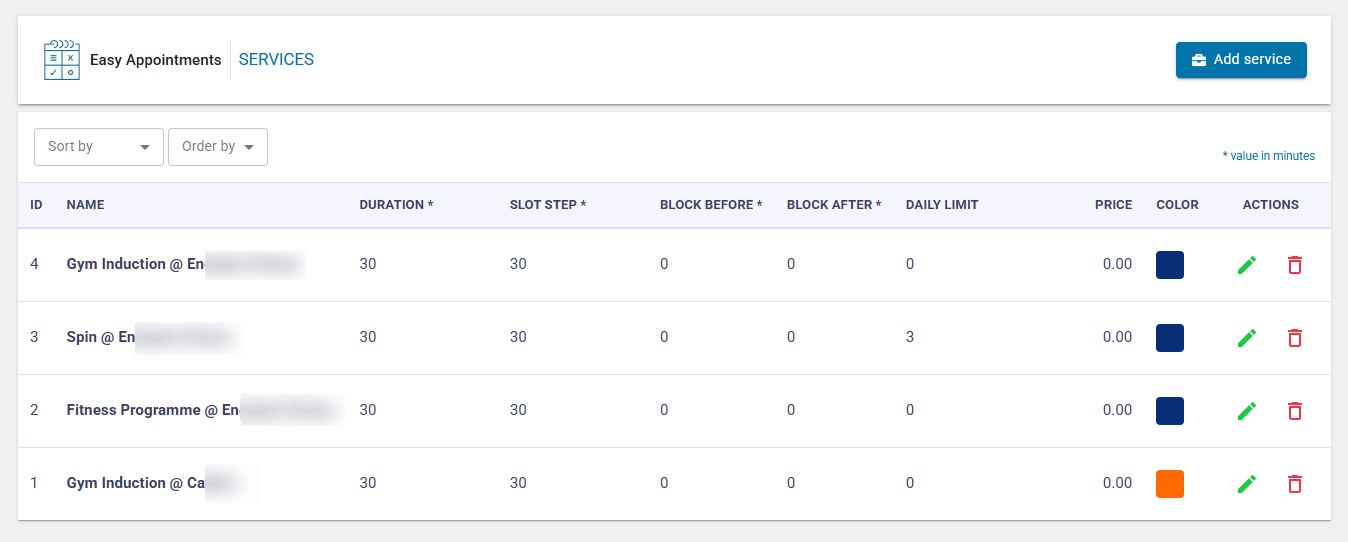
Services: https://i.gyazo.com/db3e3315bea6c3419b923ac9ac6b82bf.jpg
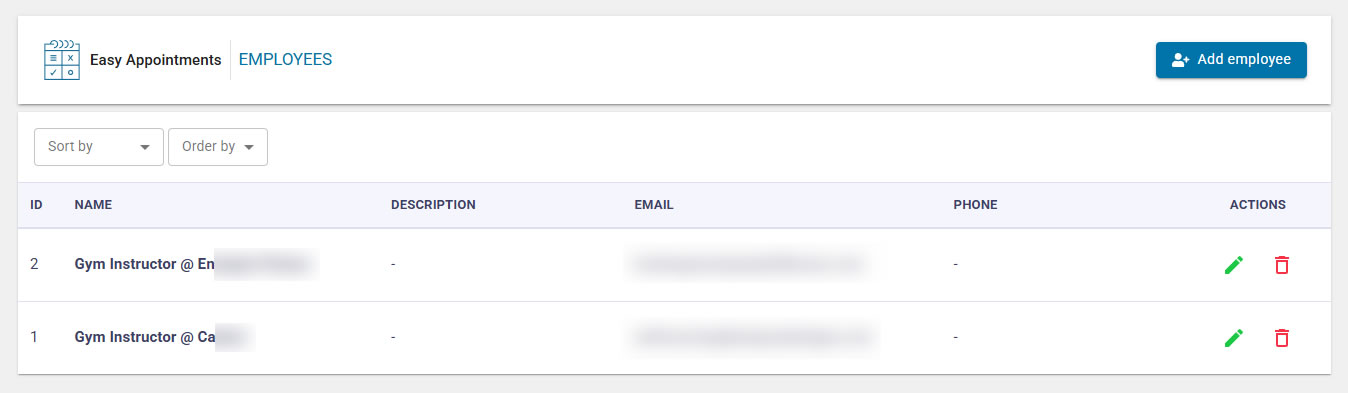
Employees: https://i.gyazo.com/48778ebccee388fb118454512e144d4a.jpg
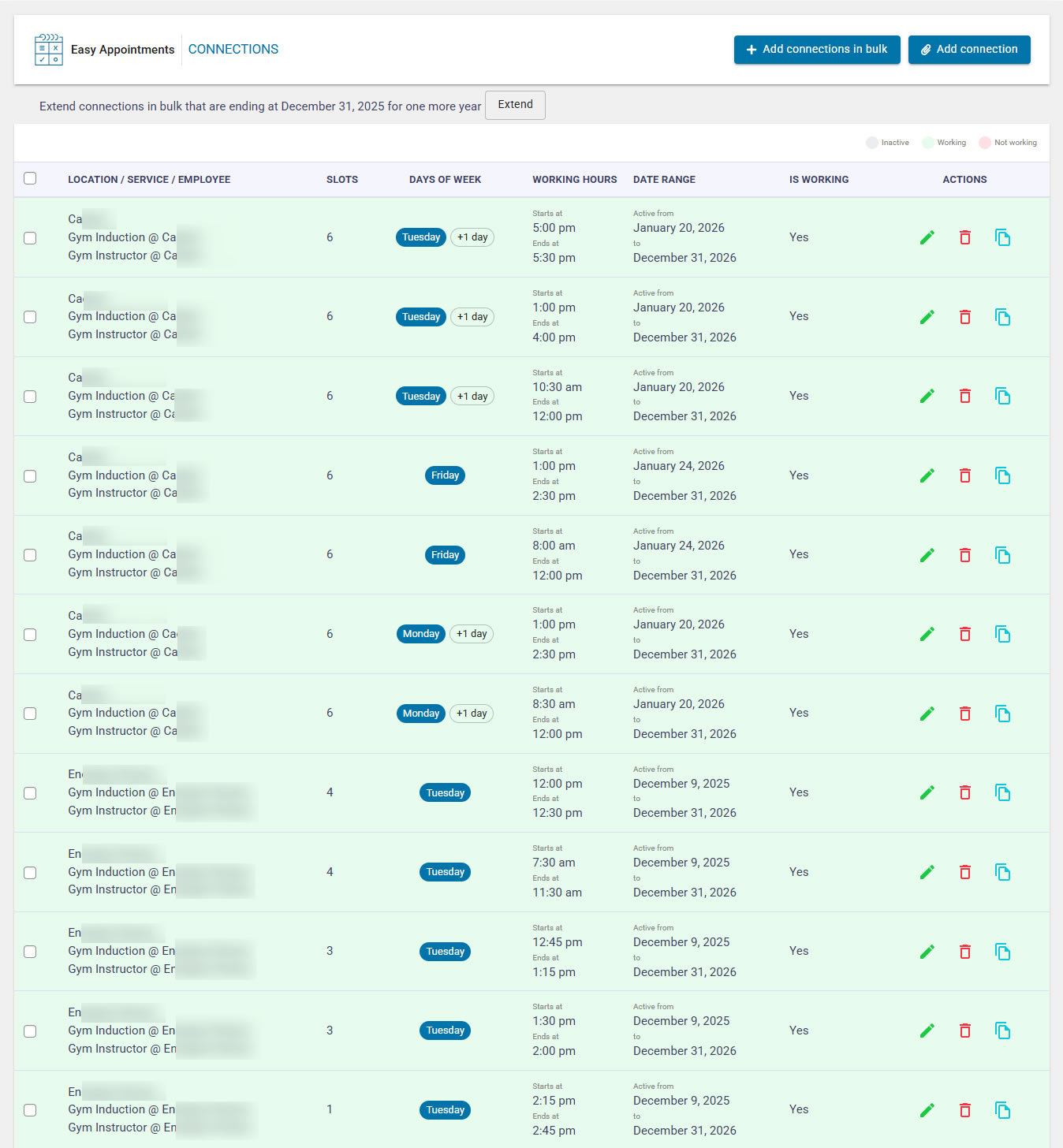
Connections: https://i.gyazo.com/d50331e1a0b0e8d9945f45523d420dd2.jpg
Settings General: https://i.gyazo.com/c0e5109f14e3d2ee35387ddedfd7c314.png
Date & Time: https://i.gyazo.com/ff957e8cdaec6c4f141c3a878101c1a9.png
The shortcodes used for the two locations are as follows, and are displayed on unique pages separate from one another:–
[ea_bootstrap location=”1″ show_remaining_slots=”1″]
[ea_bootstrap location=”2″ show_remaining_slots=”1″]
My current solution is to roll back to EasyAppointments Version 3.12.17, as this does not exhibit the issue.
I hope this is enough to help point you in the right direction.
Thank you!
Hi dragonflyos,
Thanks for sharing the details. We’re currently analyzing them, and this information should be enough for us to debug the issue further. We’ll update you as soon as we have more insights.
Hi dragonflyos,
We’ve released version 3.12.20 with several fixes, which may resolve your issue. Please update to the latest version, clear all caches, and try again.
Let us know if the issue still persists.
Hi Sanjeev.
Thanks for this, it seems the latest version has fixed the problem! I assume the patch note that reads “* Fixed Location in ea_bootstrap creating problem #235” is the relevant change?
Either way, brilliant work!
Thanks for your time.
Yes, that is the changelog. We are closing this thread for now. If you need any further help, please let us know. Have a great day ahead!