Hi @marc59,
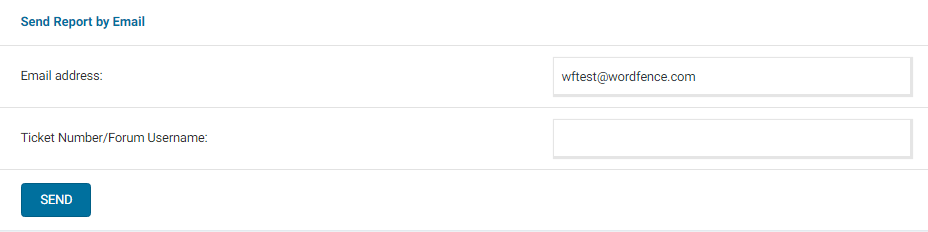
Thanks for reaching out. Can you send a diagnostic report to wftest @ wordfence . com? You can find the link to do so at the top of the Wordfence > Tools > Diagnostics page. Then click on “Send Report by Email”. Please add your forum username where indicated and respond here after you have sent it.
NOTE: It should look as follows – Screenshot of Tools > Diagnostic > Send by Email
Can you also try loading the page while keeping a Browser Console open to see if you can detect any JavaScript errors or files that fail to load? If you see any red text in the console, please take a screenshot of it and send it to me and I will help you interpret the errors.
Thanks,
Margaret
Hi @wfmargaret
Thanks for your answer.
Everything’s back to normal and running smoothly.
Activity seems to have been very busy over the last few hours. I’m seeing lots of lines.
I don’t know what to make of all these scans.
if you have any advice, I’ll be happy to take it.
bests regards
Hi @marc59,
I’m glad to hear that everything’s back to normal!
Regarding the new entries, please send me a screenshot of any that concern you, and I’ll be happy to take a look.
Also double-check the Traffic Logging Mode in Live Traffic. By default, the “Security Only” setting is enabled in Live Traffic, which will record mostly 503s, 403s, and successful or failed login/logout activity. If the setting is set to “All Traffic”, it will include other non-malicious hits as well.
Thanks,
Margaret
Hi @wfmargaret
many thanks for anwser
Yes, I can send you screenshots, but should I post them here publicly? Or is there a more secure way?
Thanks
Marc
Hey Marc,
You can post those here if you’re comfortable, or email those to us at wftest @ wordfence . com. If you send them to our email, please use your forum username as the subject, and let me know here once you’ve sent those.
Thanks,
Margaret
Hey Marc,
I just want to make sure you’re aware, the inbox of that email isn’t normally monitored, but I happened to notice your email when looking for another. If you send any more going forward, please let me know here. You’ll also want to make the subject your forum username so that it’s easier for me to locate any emails you send.
The top examples you sent were mostly blocked due to attempting to access a banned URL. These can be configured at Immediately block IPs that access these URLs in Wordfence > Firewall > All Firewall Options > Advanced Firewall Options, but I don’t see any issues with the specific banned URL in the screenshots. Most likely, these are automated bots looking for vulnerabilities on the site. These attacks are very common on WordPress websites, and since Wordfence is blocking the activity, there’s nothing you need to do.
Some of the blocked IPs are due to a Premium feature, which I’m not able to discuss on the forums. Premium Wordfence Customers can open a support ticket using the GET HELP link at https://support.wordfence.com or the Help menu item in the plugin.
Thanks,
Margaret