Loading Timeline…
-
just spins and spins and spins, and the timeline never loads.

-
1. Have you updated to the latest version? Re-save a timeline post after updating to regenerate the timeline.json file.
2. Do you have any JavaScript errors in the dev tools console?
3. Try disabling other plugins and see if that resolves the error. (Usually a plugin a theme conflict causes this issue).Just installed the latest wp-veriteco-timeline plugin with WP 3.8.2 and the twenty fourteen theme. Not working – keeps loading with no results. Entries with texts only.
Do you have a link to the site?
I had the same issue, then I just had to hit the “Save Timeline Data”
“Save Timeline Data” does not help. Still keeps loading. Link to page: http://ikragero.com/tidsaksen/
There doesn’t appear to be a timeline.json file on your server. It should exist here:
http://ikragero.com/wp-content/plugins/wp-veriteco-timeline/timeline.json
But that is 404ing. Check that the plugin folder is writeable on the server (775 permissions) and then save any of the timeline posts again to regenerate the file.
I just installed the plugin too and i really had high hopes but im also getting the spinning “LOADING TIMELINE…”. the timeline.json file does exist in my plugin folder and everything is writable. Any ideas?
Please listen to Josh,
You have to make the module directory writable by the php process.
Then, IT WORKS.@zerackam, are you still having issues?
You actually need to “Update” one of the timeline posts for it to work. “Save Timeline data” might work but I’ve had more luck updating a timeline post.
For anyone upgrading to the new version, you have to re-save a timeline post for the JSON to be fixed. It’s the worst, but hopefully in the next 2 months I can get a better update out there so these issues can be resolved once and for all.
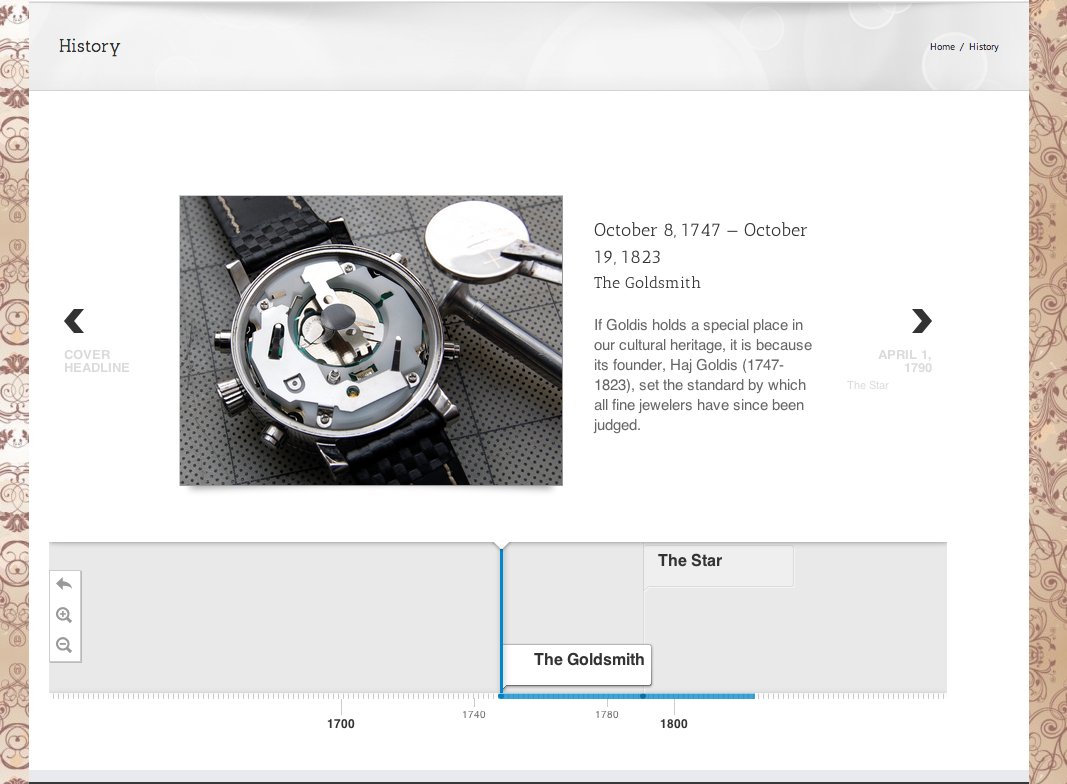
Hi Josh thanks for responding. Yeah i tried a few things like you mentioned. I updating a few of the timeline posts and i also changed the plugin folder permissions to 775 from 755 but i’m still having the same issue when i load the page with the [WPVT] shortcode it just shows “LOADING TIMELINE…”. You can check it out at http://www.goldisjewelry.com/history/. Does the plugin need anything specific running on the server outside of the basics setup through LAMP to make it work? thanks again for our help.
on the first load, the timeline JSON wouldn’t load due to a 502 Bad Gateway error, which is something with your server config, not the plugin.
However, I returned to site, and it’s now working for me:
Screenshot: https://dl.dropboxusercontent.com/s/rb0srfbl0dwsjkj/2014-05-04%20at%209.47%20AM.png
There may be an issue with CloudFlare that you’re using.
I’m also not sure what’s up with your directories, they are in a weird format:
http://www.goldisjewelry.com/ext/fcfb0891/js/timeline-min.js?1.68
instead of something like:
http://www.goldisjewelry.com/wp-content/plugins/wp-veriteco-timeline/js/timeline-min.js?1.68
I’m getting same problem using wordpress 3.9.1
Only error i get in console is
GET http://localhost:8080/wpTimlineJs/wp-content/plugins/wp-veriteco-timeline/css/themes/font/.css 404 (Not Found) timeline-embed.js:36
any ideas?
Scratch that, I looked at previous posts and did this
“Settings > WP Timeline” just make sure “Cover Headline” and “Cover text” have values.also changed the fonts some in settings, refreshed a whole bunch and it appeared.
Thanks for the plugin!
This one drove me nuts for a minute. The timeline.json _would not_ update, until I changed permissions on the plugin folder and timeline.json file.
Then it updated.


The topic ‘Loading Timeline…’ is closed to new replies.