Plugin Author
 forum
forum
(@blackraz)
Hi @fireflywebs
I see you have tried a third-party widget plugin. For any issues related to that widget, please contact their developers.
P.S. We suggest using the wpForo built-in widget “wpForo User Profile & Notifications.
I don’t see how to apply wpForo User Profile & Notifications
As a matter of face, the @nickname is not sending out emails.
Can you point me to where to activate this.
Server email is working as I have WP Mail SMPT installed and all tests work.
I moved Profile and Notifications to it’s own post.
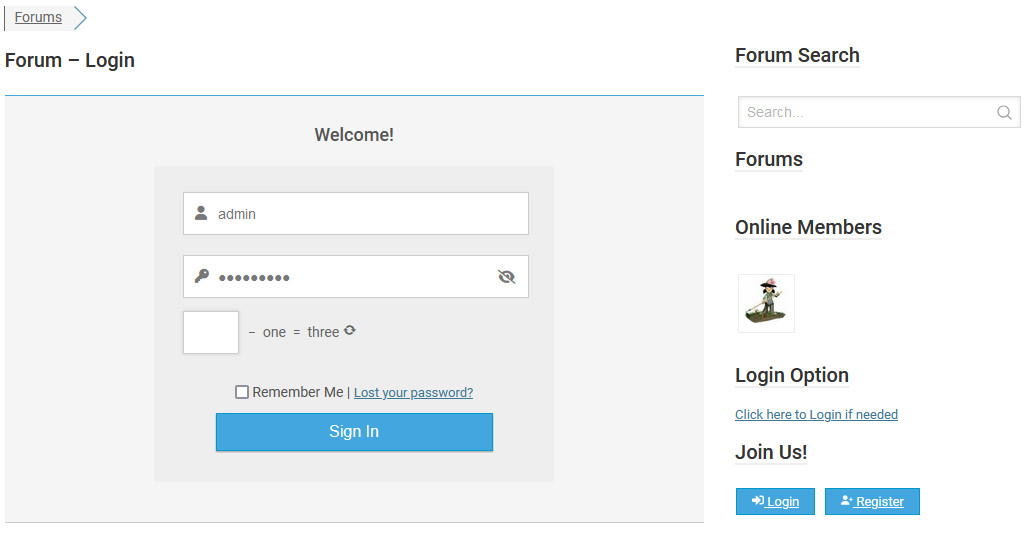
But this ticket is itself not resolved since I found the widget for the login User Profile & Notifications but it is not working. It is doing the same thing the other login widget is doing for the login feature.
You cannot put your cursor in the captcha box which is annoying. So I disabled the captcha.
https://forum.civis4reform.org/wp-content/uploads/2024/08/Login.jpg
However, since this is a private forum by and invitation only I don’t want the register button.
I added css but it displays anyway. Can you give me a work around?
.wpf-button: {
display: none !important;
}
I’ve had to disable the widget for now until I hear back regarding how to hide the register button.
Plugin Author
forum
(@blackraz)
Hi @fireflywebs
You can try this CSS to hide the register button.
#wpf-widget-profile .wpf-prof-footer .wpf-button[href*=”/sign-up/”] {
display: none !important;
}