Hi experts. I use WP super cache and it works really well. I have set a default cache timeout of 900 seconds. However, I have links that contain dynamic feeds that are queried very often. The cache reduces the load a lot but the content of the feeds, that is updated every minute, is frozen for 900 seconds.
Is there a way to set a lower timeout only for the feeds?
I tried with this code in the funciton.php file but it doesn’t work:
function custom_cache_timeout($timeout, $url) {
// Check if the URL contains "/feed/podcast/"
if (strpos($url, '/feed/podcast/') !== false) {
return 50; // set 50 second timeout for specific URLs
}
return $timeout; // default timeout
}
add_filter('wpsupercache_cache_timeout', 'custom_cache_timeout', 10, 2);
Do you have any suggestions for handling this case? Thanks
Thank you for reaching out and for using WP Super Cache!
Pretty interesting situation you got here. I see that you’re trying to change the cache timeout for a specific URL like ‘/feed/podcasts/’. I also get why you’re concerned — since the feeds update every minute, having a 900-second (15-minute) timeout might be too long.
While, you can adjust the cache timeout settings directly through WP Super Cache plugin advanced settings based on the documentation here (which I believe you’ve already done), It’s currently not possible to set a shorter cache timeout for specific URLs like what you’ve indicated on your custom code. Garbage collection on WP Super Cache uses the same timeout setting for the whole site.
However, as a suggestion, since feeds get updated quite often, you can try to exclude specific URIs from general caching rules in Settings > WP Super Cache > Advanced.
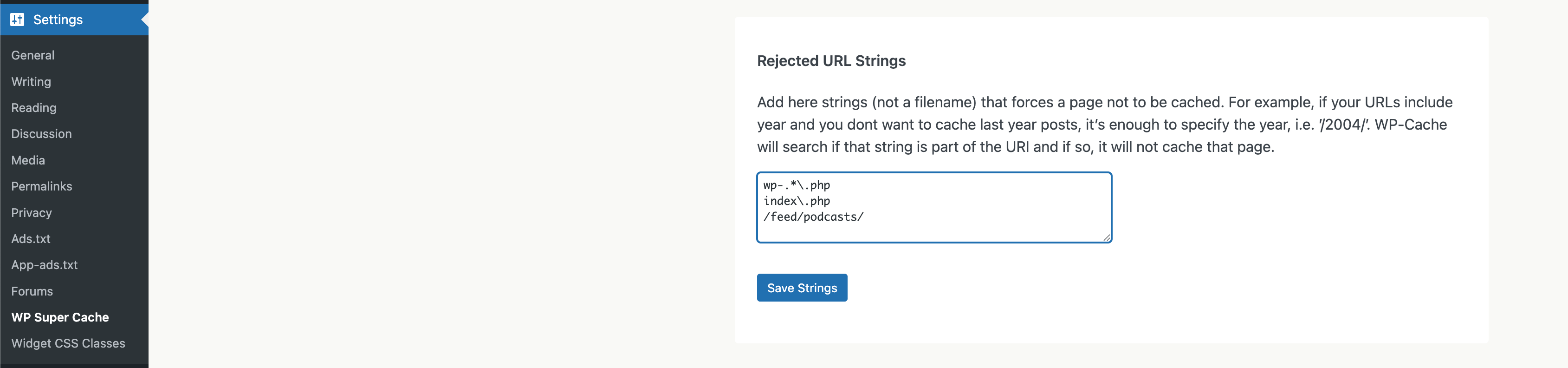
Look for “Accepted Filenames & Rejected URIs” then add the URL you want to exlcude (e.g., /feed/podcast/) in the Rejected URIs field.
Thanks for the prompt reply. This is exactly my current situation. I have inserted the /feed/podcasts/ link in the Rejected URIs. In this way the uri is always “fresh”.
However, the server receives a lot of requests to this link and so it would be useful to cache it for 50 seconds in order to significantly reduce the server load.
I understand that the option of 2 caches with different timers is not possible at the moment. I ask you if you can consider this as a feature request for new implementations.
Thanks for the thoughtful follow-up and for clearly outlining your use case.
You’re right, WP Super Cache doesn’t currently support different cache timeouts per URL, but it’s a great suggestion and could be helpful for others with similar needs.
If you happen to try any creative workarounds (like using a reverse proxy or server-level rules), feel free to share — we’d love to hear what works for you!
That said, I’ll go ahead and mark this thread as resolved for now, but feel free to start a new one anytime if you have more questions or ideas.
Best regards, Alin
Viewing 3 replies - 1 through 3 (of 3 total)
The topic ‘lower cache timeout only for specific url feeds’ is closed to new replies.