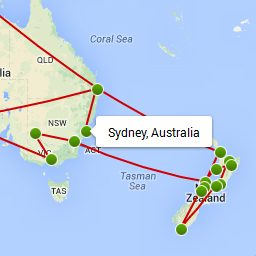
I am facing a similar issue:
http://keeloon.net/wp/map-5/
Would be grateful if you could help me as well.
Thank you in advance!
Sorry for the late response, I somehow never received a notification from WP that there where new support topics 🙁
@keeloon It looks like the structure of your template is broken, your probably edited it? You should try to fix it first, I think it will work fine once the template is fixed.
Hi Tijmen,
Did you get the chance to take a look at my case?
🙂
Thanks!
@bizrycki could you try to disable the other travel plugin and see if that makes a difference? What is the exact shortcode you used in your page?
Hi Tijmen,
Thanks for your reply.
I have disabled the other plugins, it’s still not working.
The shortcodes I used are:
[nwm_map]
[nwm_list]
Thanks!
Can you try to switch to the default wp theme and see if it does work then? You didn’t edit any files of the plugin, right?
Hi Tijmen,
I love your plugin!!
Unfortunately my map has disappeared!
It was working but now it isn’t visible. The list still shows up.
http://troy-story.com/map-trip/
I use:
[nwm_map]
[nwm_list id=”1″ order=”desc” dates=”arrival”]
Hi Tijmen,
I love your plugin!!
Unfortunately my map has disappeared!
It was working but now it isn’t visible. The list still shows up.
http://troy-story.com/map-trip/
I use:
[nwm_map]
[nwm_list id=”1″ order=”desc” dates=”arrival”]
I recently updated some settings with W3 total cache – could that be affecting it?
If I deactivate that plugin it still doesn’t work but it shows a bigger area where the map should be.
Thanks for your help!
The html on your site is minified, so it still looks like something is affecting the output (maybe another caching plugin?). Just do ctrl+u on your site in Firefox to see what I mean. I suspect that has something to do with it, especially if it worked before.
Ah I turned total cache back on which was minifying it. It’s off now.
Can you also disable this plugin wp-deferred-javascripts and see if that makes a difference? If not, try to disable others as well one by one. If it worked before then it’s likely a conflict with another plugin that wasn’t there before.
Yup that did it!
W3 total cache breaks it and so does deferred javascripts.
Is there any way I can use these plugins with nomad world map?
They speed up my site quite a bit.
You can try w3 total cache without the html minification enabled? It’s one of the many features you can enable/disable.
I disabled JS minification with W3 total cache and installed WP minify which did the job without breaking it!
Thanks Tijmen!
Hello;
I go through the exact same problem on my page : http://vie-de-touriste.com/itineraires/
At first my maps were displayed but I noticed some days ago that they do not appear any more.
I read your explanation about JS minification but how can I disable it ?
Thanks for your help !!