Hi Tadawoul,
If you want to centre an element then you give “margin: auto” to an element with fixed width, it will centre that element horizontally.
If you provide URL of the site then I can provide more help.
Moreover, You can use Inspect editor to test HTML Page by right-clicking on the page.
Thread Starter
 fadi
fadi
(@fadi232)
Hi,
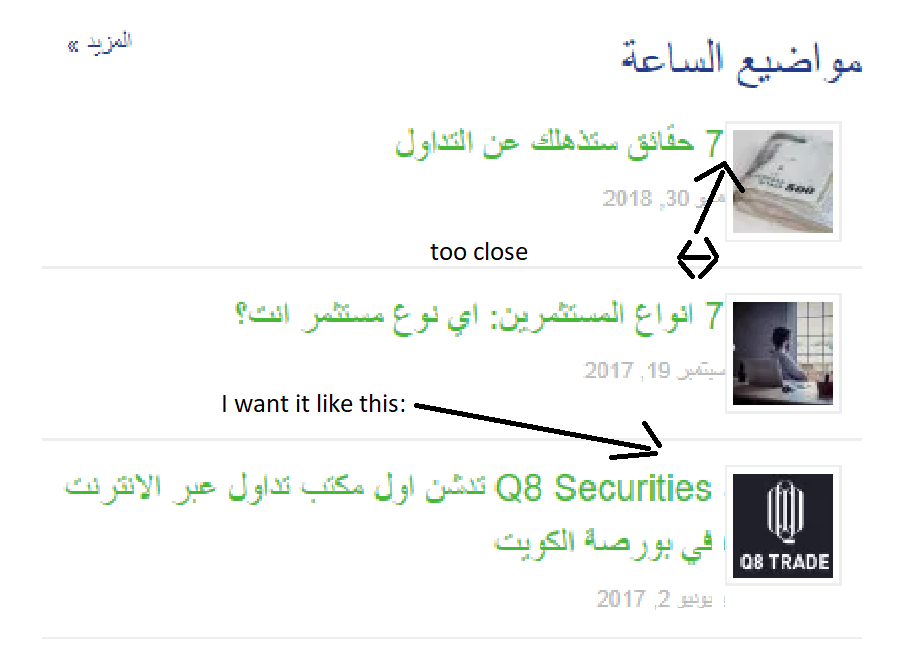
I don’t want to center the text, I want the text to align right as it is now, but it’s too close to the thumb image, I want to create a margin space between the image and the other text elements.
Image for clarification: link
-
This reply was modified 7 years, 9 months ago by
 fadi.
fadi.
Thread Starter
fadi
(@fadi232)
Thanks for the Inspect editor tip, I’ve found out the all I need is to change thumb margin from default (margin: 2px 10px 2px 0;) to (margin: 2px 10px 2px 10px;)
how can I do that?
Thread Starter
fadi
(@fadi232)
Done, fixed thanks for your advice.
Added custom css:
.rpwe-thumb {
margin: 2px 10px 2px 10px;}